




Best Network Printer Discovery Tools in 2026

Network printer discovery solutions provide systematic identification and monitoring of printing hardware across local area networks. These desktop utilities serve IT administrators and office managers who need to maintain visibility over hardware assets without manual inventory tracking. Reliable scans detect device presence, status, and communication protocols to ensure seamless connectivity for all connected workstations.

Effective discovery tools go beyond simple detection by retrieving specific hardware telemetry and maintenance data. High quality options leverage standardized network protocols to pull information such as ink levels, paper status, and usage counters into a centralized interface. Selecting a tool that operates natively on desktop platforms ensures that administrators maintain direct control over scanning parameters and network security configurations.

Sponsor Network Printer Discovery

Feature your product at the top of this page.

RecentBest
  1. #01Top pick
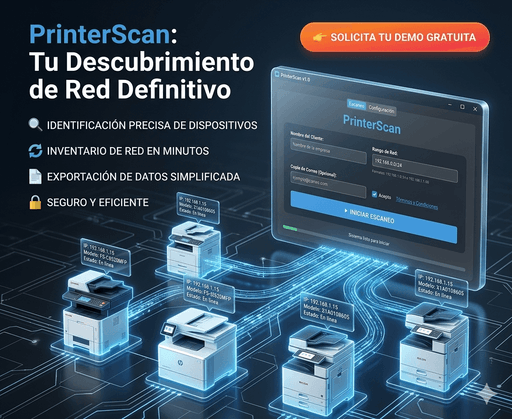
    PrinterScan

    PrinterScan

    Detect printers on your network and collect SNMP counters in

    1PeerPush
    🔥Trending
    2

How we picked

We priority tools that demonstrate consistent performance across various network topologies and hardware manufacturers. Our selection process focuses on software with frequent maintenance cycles, clear documentation for network protocols, and transparent licensing. We emphasize utilities that provide granular device telemetry while maintaining a low footprint on system resources.


What to look for

  • Verify that the utility supports standard network management protocols for comprehensive hardware communication.
  • Ensure the software runs natively on your specific desktop operating system for optimal performance.
  • Seek out tools that provide real time status updates for ink and toner levels across the entire fleet.
  • Look for discovery solutions that offer straightforward export options for inventory management and auditing.
  • Prioritize interfaces that allow for custom background scanning intervals to reduce network congestion.
  • Check for a track record of active updates to ensure compatibility with modern networking standards.

Frequently asked questions

Which features define the best network printer discovery software?
The best options prioritize precision in device identification and deep telemetry retrieval. Effective tools must handle diverse hardware protocols to extract status reports, maintenance alerts, and usage data. Users should choose software that balances detailed scanning capabilities with an intuitive interface and minimal impact on overall network bandwidth.
How do I select a reliable printer scanner for a small office?
Choosing a reliable scanner involves checking for compatibility with your existing desktop environment and hardware range. Look for tools that simplify the detection process through automated network sweeps and provide clear visual indicators of device health. Stability and ease of deployment remain the most critical factors for smaller environments.
Are free printer discovery utilities suitable for professional use?
Free desktop utilities offer professional grade discovery features for administrators who need to manage hardware without initial capital expenditure. These tools often provide essential functions including IP scanning, protocol detection, and basic status monitoring. They serve as excellent solutions for organizations prioritizing cost efficiency while maintaining full visibility of their printing assets.
Should I use a desktop application for hardware auditing?
Desktop applications provide a secure and robust environment for conducting hardware audits on local networks. By running discovery locally, administrators avoid the latency and security complexities associated with cloud based monitoring solutions. These applications offer direct access to network interfaces, allowing for faster scans and more reliable data collection from connected devices.
Can these tools monitor ink and toner levels automatically?
Many discovery utilities utilize built in protocols to fetch real time supply levels from every detected machine on the network. This automation eliminates the need for physical inspections and helps prevent workflow interruptions caused by empty cartridges. Consistent monitoring ensures that maintenance teams can proactively manage supplies and minimize equipment downtime.
What is the best tool for Network Printer Discovery?
The best tool for Network Printer Discovery depends on your workflow, team size, and budget. Consider how the tool integrates with what you already use, how quickly you can onboard, and whether it supports the specific outcomes you care about.
How do I choose a Network Printer Discovery tool?
Start by listing the concrete problems you want solved and match them against each tool's core strengths. Look at documentation quality, community support, and pricing fit. Trial the top two or three before committing.
Are there free options for Network Printer Discovery?
Free and freemium tools for Network Printer Discovery exist alongside paid and subscription products. Free tiers are a good way to validate fit before upgrading; check usage limits and export policies so you are not locked in.
Related use cases
Printer Usage Monitoring