

SEO PowerSuite Review (2026) A Founder's Toolkit?

If you're comparing SEO tools as a founder, the first question usually isn't feature depth. It's burn.
You want to know whether this is another monthly subscription that grows every time you add projects, tracked terms, or teammates, or whether it's a tool you can keep in your stack without feeling guilty every billing cycle. That's the frame where SEO PowerSuite makes sense.
This seo powersuite review is for people building products with tight budgets and messy realities. New feature pages don't rank. Product comparison pages need auditing. You want rank tracking for a lot of queries, not just a tiny shortlist. You also want your SEO data on your machine, not locked behind a cloud dashboard you rent forever.
SEO PowerSuite isn't polished in the way Ahrefs or Semrush are. It is, however, unusually practical if you care about ownership, scale, and cost discipline. I've found it most useful when the job is straightforward but ongoing: monitor a growing keyword set, audit site issues without worrying about crawl caps, and keep historical project data in one place you control.
It also has a very current question attached to it now. Can a desktop-first SEO tool still matter when search is shifting toward AI-driven discovery? The answer is more interesting than I expected.
Understanding SEO PowerSuite A Desktop-First SEO Toolkit
A founder with three products, a docs site, and a stack of comparison pages runs into the same problem fast. The SEO tool bill starts growing before the traffic does. SEO PowerSuite is one of the few platforms that approaches that problem from the opposite direction. You install it locally, keep the project files on your own machine, and stop treating SEO software like another metered SaaS subscription.
That setup changes the buying decision. For a startup, the question is less about polished dashboards and more about whether the tool can support a growing site portfolio without adding monthly burn every time you track more terms or spin up another project. SEO PowerSuite usually wins that argument on cost and ownership. It loses some ground on speed, collaboration, and interface quality.

What makes it different
The defining feature is its desktop-first model, not any single report.
SEO PowerSuite gives you four separate apps: Rank Tracker, Website Auditor, SEO SpyGlass, and LinkAssistant. Together they cover keyword tracking, site audits, backlink analysis, outreach workflows, and reporting. If you want a closer look at the auditing side, this Website Auditor breakdown explains where the crawler is useful and where it still feels dated.
The practical advantage is room to scale without the usual SaaS guardrails. You can track large keyword sets, keep multiple client or product projects locally, and retain historical data without renting access to your own records each month. That matters for founders managing a portfolio of micro products or launch sites, where SEO work spreads across homepage terms, feature pages, docs, integrations, and competitor comparisons.
It also supports search engines beyond Google, which is useful if your customers search across regional engines or if you want a broader view of visibility. For newer products, I also like having the raw data stored locally because it makes it easier to compare classic rankings with emerging AI search visibility workflows later, instead of depending on whatever a cloud vendor decides to keep.
Who the desktop model suits best
SEO PowerSuite fits best when one person or a small team owns SEO execution.
That usually means solo founders, indie makers, early growth hires, or a small agency working across several properties. These teams tend to care about cost ceilings, unlimited project sprawl, and keeping sensitive keyword research off a third-party dashboard. Teams that need constant multi-user access in a browser will feel the friction much sooner.
The trade-offs are pretty clear:
- Predictable spend: pricing is easier to justify when you are trying to limit recurring software costs
- Data ownership: project files stay under your control, which helps when roadmap pages, launch plans, or competitor tracking are sensitive
- Portfolio coverage: you can manage multiple sites and products without obsessing over plan limits
- Broader SEO workflow: the suite handles technical work, rank tracking, and what are backlinks without forcing you into separate subscriptions for every job
The catch you need to accept
The weaknesses are not subtle. The interface feels like desktop software because it is desktop software. Large updates and crawls can be slow on average hardware. Sharing work across a team takes more effort than sending a Semrush or Ahrefs login.
I still think the trade is reasonable for budget-conscious startups. If the priority is owning your data, covering a lot of projects, and avoiding another monthly bill that expands with every new page you publish, SEO PowerSuite makes practical sense. If the priority is speed, browser-based collaboration, and a cleaner UI, the desktop model will feel heavy.
A Hands-On Look at the Four Core Modules
A founder launches a new feature page, updates the homepage copy, and publishes a competitor comparison in the same week. Then the basic questions start piling up. Which page is gaining visibility, which one is cannibalizing another, what broke technically, and where do backlinks fit into the picture?
That is the practical value of SEO PowerSuite. The four modules line up with four jobs that come up constantly when you are growing a product site on a tight budget.

Rank Tracker for launch pages and ongoing visibility
Rank Tracker is the module I open most often. Early-stage SEO changes fast. New landing pages go live, old pages drift, branded queries expand, and comparison terms start showing up once the product gets noticed.
What matters here is control. You can group keywords by page type, tag them by funnel stage, and map them to specific URLs so rank tracking stays tied to business decisions. For a startup with a homepage, feature pages, docs, integrations, and a few comparison posts, that organization matters more than another glossy chart.
I use it to separate visibility across distinct acquisition surfaces:
- Homepage terms: branded and category queries
- Feature pages: use-case and capability terms
- Comparison pages: direct competitor searches
- Docs and support content: informational queries that should not blur into commercial pages
That structure also helps with AI-driven search monitoring. If your product starts getting cited in AI overviews, answer engines, or hybrid SERPs, you need to know which page types are earning that exposure. Rank Tracker is not a full AI visibility platform, but it gives a workable baseline for watching query coverage and page movement without paying for another monthly tool.
Website Auditor for fixing why pages stall
Website Auditor is the strongest module for founders who need answers fast and do not want crawl limits shaping their workflow.
A lot of weak-performing pages do not have a backlink problem first. They have an on-page problem, an internal linking problem, a duplication problem, or a crawlability problem. Website Auditor surfaces those issues in a way that is useful even if you do not have a full SEO team.
Website Auditor can detect over 40 types of technical issues and evaluate more than 50 on-page factors, according to Legiit's review. The TF-IDF feature is also practical. It compares your page against top-ranking results and shows where coverage looks thin or repetitive.
That shows up in real startup work:
- A feature page has solid product positioning but weak title tags and thin internal links.
- A comparison article targets the right query but skips the subtopics searchers expect.
- A docs section creates duplicate or near-duplicate pages.
- An older landing page still ranks and pulls attention away from a newer conversion page.
If you're still learning off-page SEO, this quick explainer on what are backlinks is a helpful companion, because technical fixes and link authority usually need to improve together.
For teams evaluating site audit software more broadly, this overview of Web Auditor site auditing tools adds useful market context.
What Website Auditor feels like in practice
The best way to use Website Auditor is as a recurring diagnostic tool, not a once-a-quarter cleanup app.
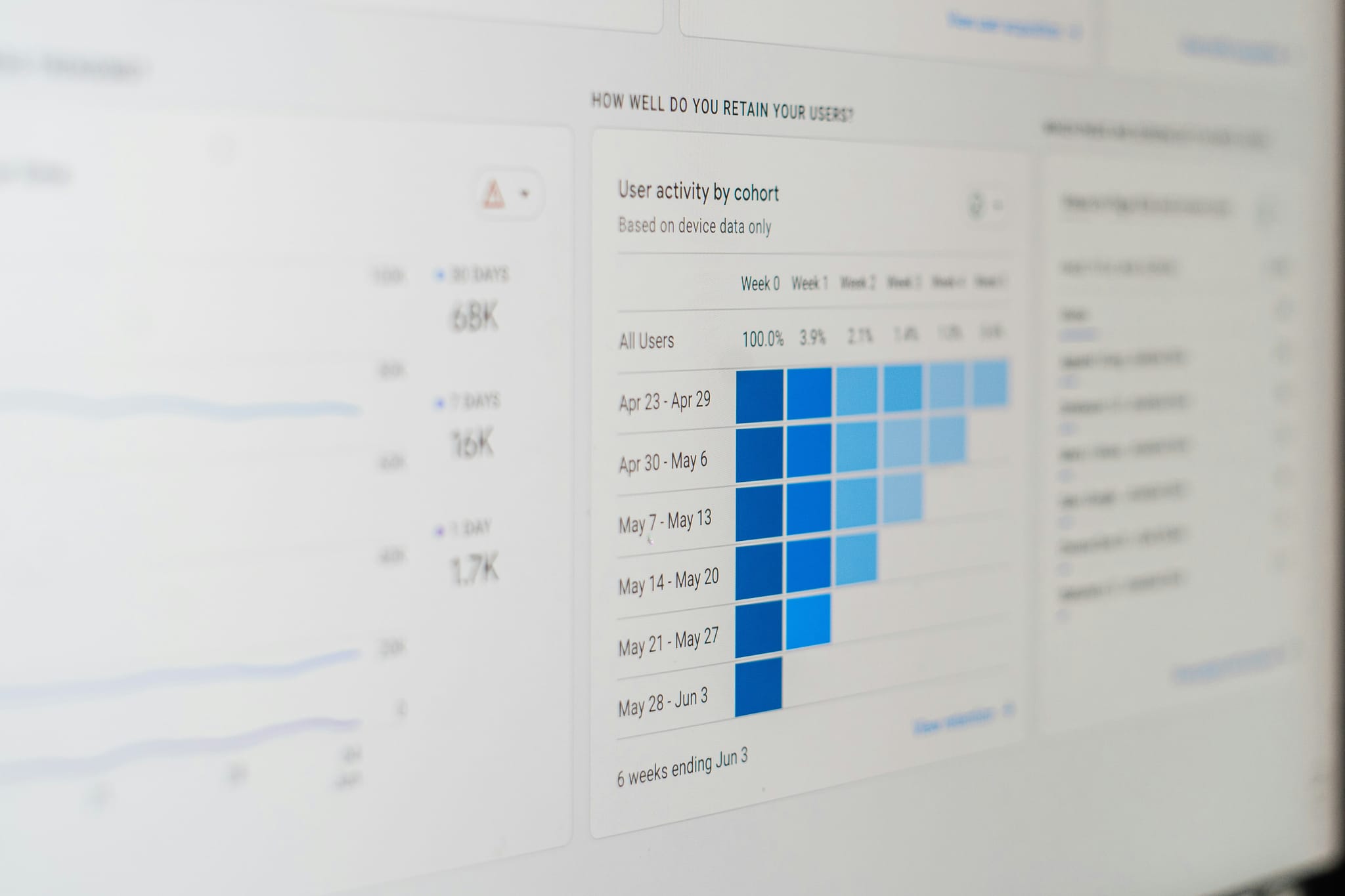
On a lean team, that matters. You can run a pre-launch audit before a product release, check indexation and structure after publishing, then revisit older pages that have slipped. The visual site structure is one of the better parts of the module because it exposes architecture problems that are easy to miss inside a CMS.
I have found three patterns especially useful:
Pre-launch checks
Audit money pages before a launch push so they are crawlable, internally connected, and not fighting duplicate versions.Post-launch diagnosis
Review pages that indexed but did not move, or pages that never got picked up properly in the first place.Content refresh work
Tighten pages with existing impressions by improving topic coverage and on-page signals instead of rewriting from scratch.
The downside is speed. On larger sites, local crawls can take time and the desktop interface feels dated. The upside is that you can keep auditing without watching a usage meter.
Later in the workflow, this walkthrough is worth a watch if you want to see the suite in action:
SEO SpyGlass for backlink intelligence
SEO SpyGlass is where the suite shifts from page fixes to authority analysis.
I do not use it for vanity metrics. I use it to answer practical questions. Why is a competitor winning with a similar page? Which content formats in this niche attract links? Are directories, partner pages, integration listings, or editorial mentions doing the heavy lifting?
That makes SpyGlass useful for startup strategy. A young company rarely has the time or budget to chase every possible link source. Reviewing competitor profiles helps narrow the field to link types that drive rankings in your category.
It is slower than browser-based tools, and the UI asks for patience. Still, for a founder who cares more about owning backlink data than having the cleanest interface, it gets the job done.
LinkAssistant for lean outreach
LinkAssistant gets less attention than the other three modules, but it solves a real problem for small teams. Outreach breaks down when prospect lists, contact history, and follow-ups live in separate places.
This module keeps that work organized inside the same stack as your backlink research. That is useful if your link building process is simple and you want one system instead of another recurring subscription.
The trade-off is obvious. It does not feel as polished as dedicated outreach software, and teams running high-volume campaigns will outgrow it. For founders doing selective partnerships, list building, guest post outreach, or relationship tracking around a small product portfolio, it is good enough and cheap to keep around.
Putting SEO PowerSuite to the Test
A common startup scenario looks like this. One product page slips a few positions, signups soften, and the team needs an answer before the week is gone. The tool only matters if it helps make the next decision with reasonable confidence.
That is the standard I used with SEO PowerSuite. I was not judging it on whether it felt modern. I was judging whether it could support a real operating rhythm across rank tracking, audits, competitor checks, and reporting without adding another monthly bill.
Rank tracking reliability
Rank Tracker is reliable enough for actual decisions. That matters more than UI polish. If you are choosing between rewriting a page, improving internal links, or leaving a URL alone for another crawl cycle, noisy data leads to bad calls.
My experience has been consistent here. Directional movements are usually clear, and the tool is good at showing whether a page is gaining visibility, stalling, or drifting. For a founder tracking a portfolio of launch pages, docs, integrations, and comparison content, that is the useful threshold.
I still spot check important terms manually.
That is even more important now that search visibility is no longer just ten blue links. If your company cares about AI Overviews or broader AI-driven discovery, rank tracking needs context. SEO PowerSuite is not a dedicated AI search analytics platform, but it is still useful for watching which pages gain or lose prominence around informational queries that often feed AI-generated answers. I would use it as an early signal, not as the final word.
Website Auditor workflow on real projects
Website Auditor has been the most practical module in daily use because it encourages frequent audits instead of rationed ones. On a startup site, that changes behavior. Teams catch indexation issues, duplicate elements, thin pages, redirect mistakes, and internal linking gaps earlier because there is no constant pressure to save credits.
The desktop model has a cost. Crawling a bigger site uses your own machine's CPU and memory, and you feel that load. If I am auditing a content-heavy property, I usually run it when I am not in the middle of design work, calls, and ten browser tabs. Founders using older laptops will notice this faster than teams with stronger hardware.
That trade-off is still acceptable for budget-conscious teams. You get broad site auditing without adding another recurring SaaS tool to the stack.
Backlink analysis depth versus speed
SpyGlass gives useful backlink data, but speed is not the reason to buy the suite. If you want to move through a long list of competitor domains as fast as Ahrefs or Semrush, this will feel slow. If you are doing focused research on a few direct competitors, it is usually good enough.
That distinction matters for startups. Early on, the question is rarely "Can I scan the whole market in one sitting?" It is usually "Why is this competitor beating us on this page, and where are they getting authority from?" SpyGlass can answer that, especially if you are looking for repeatable link types such as directories, integration pages, partner sites, reviews, and editorial mentions.
The pace is slower. The cost is lower. The data stays under your control.
What daily use actually feels like
The suite works best with a routine. Schedule rank checks. Audit the site on a cadence. Review a handful of competitors when a page stalls. Export reports when you need to brief a contractor or cofounder. Used that way, SEO PowerSuite feels practical, if not elegant.
Here is the trade-off in plain terms:
| Workflow | What works well | What gets in the way |
|---|---|---|
| Rank monitoring | Clear trend tracking across many projects | Less convenient than cloud tools |
| Technical audits | Broad site checks without crawl anxiety | Heavy scans depend on your hardware |
| Backlink research | Useful for targeted competitor analysis | Slower for bulk exploration |
| Portfolio management | Works well for founders with multiple sites and products | Separate desktop apps require more discipline |
Founders who want a polished browser dashboard may bounce off it. Founders watching burn rate, managing several properties, and caring about data ownership usually have more patience for the rough edges.
That is the actual test outcome. SEO PowerSuite holds up if you value cost control, unlimited project coverage, and local data more than speed and interface quality.
SEO PowerSuite Pros and Cons for Startups
For startups, the value of SEO PowerSuite comes down to whether you care more about ownership and cost control or convenience and collaboration. That's the key split.
Pros
Cost discipline
The pricing model is one of the strongest arguments for the tool. If you're tired of recurring SEO software costs stacking up alongside product, analytics, design, and infrastructure subscriptions, PowerSuite is refreshingly simple.
Unlimited project growth without constant meter watching
For founders with multiple microsites, launch pages, feature pages, and content experiments, not having to worry about keyword caps per project is liberating. It removes the bad habit of tracking too little.
Data ownership and privacy
Your SEO project files live locally. If you're working in a competitive category or just don't like centralizing everything in third-party dashboards, that's a meaningful benefit.
Strong technical SEO value
Website Auditor is the module most founders will get value from quickest. It helps turn vague ranking frustration into a fix list.
Cons
The interface feels dated This is often the first thing observed. The suite looks and behaves like mature desktop software, not a polished modern SaaS product.
It has a learning curve
Because the toolkit is flexible and split into separate apps, it asks more from the user. A founder willing to learn workflows will be fine. Someone who wants instant clarity from the first session may bounce.
Your machine carries the load
Heavy crawls and analysis tasks consume local resources. If you run everything from a lightweight laptop while juggling other tasks, you'll feel it.
Backlink work is slower than top cloud tools SpyGlass is useful, but if backlink analysis speed and massive cloud-scale convenience are your top priorities, SaaS rivals feel stronger.
Buy SEO PowerSuite if you're willing to trade elegance for control. Skip it if convenience is the product feature you value most.
Best fit and poor fit
A quick founder lens makes the trade-off clearer.
- Best fit: Solo founders, indie makers, bootstrap SaaS teams, consultants, and small agencies.
- Poor fit: Large teams needing shared live dashboards, fast onboarding, and smooth browser collaboration.
How It Compares to Ahrefs and Semrush
A founder running three products feels this trade-off fast. One path gives you polished cloud workflows and quick team access. The other keeps costs lower, lets you track across a wider portfolio, and stores your project data on your own machine.
That is the true comparison.
SEO PowerSuite competes on economics and control. Ahrefs and Semrush compete on speed, interface quality, and browser-based collaboration. If you are building on a tight runway, that difference matters more than feature grid marketing.

The strategic difference
I would frame it this way. Ahrefs and Semrush are easier to adopt across a team because everything lives in the browser, reports are simpler to share, and the UI usually gets you to an answer faster. SEO PowerSuite asks for more patience. In return, it gives startups something SaaS tools rarely do at the same price point: room to run unlimited projects, keep historical data locally, and avoid stacking one more recurring tool onto monthly burn.
That matters if you operate a product portfolio. A founder with a main SaaS site, a docs subdomain, a launch microsite, and a few programmatic SEO projects can manage all of them inside one license without constantly checking plan limits.
If you are comparing categories, this page covering tool alternatives and head-to-head SEO software comparisons is a useful shortcut.
SEO PowerSuite vs SaaS Competitors Annual Cost & Limits
| Metric | SEO PowerSuite (Enterprise) | Ahrefs (Standard) | Semrush (Pro) |
|---|---|---|---|
| Architecture | Desktop-first | Cloud-based | Cloud-based |
| Pricing model | Annual license | Subscription | Subscription |
| Keyword tracking limits | Designed for broader project tracking without the same plan ceiling pressure common in SaaS tools | Capped by plan | Capped by plan |
| Typical tracking cap approach | More flexible for founders managing many sites and campaigns | Plan-based limits | Plan-based limits |
| Data storage | Local project files | Cloud account | Cloud account |
| Best for | Budget-conscious operators | Teams wanting polished cloud workflows | Teams wanting broad browser-based marketing workflows |
Where SEO PowerSuite has the edge
SEO PowerSuite is the better buy when the budget is real, not theoretical.
It fits founders who want to track many keywords across multiple products, keep ownership of project files, and avoid another monthly subscription that grows as the company adds sites or use cases. It is also a practical fit for teams doing custom workflows with exports, local backups, or internal reporting layers that do not need everyone logged into the same browser dashboard.
I also like it for early-stage search testing. If you are experimenting with comparison pages, feature-led landing pages, and support content across several domains, the licensing model makes that easier to justify.
For competitor research, pairing rank tracking with reverse keyword analysis can uncover terms validated by competing products before you commit content resources.
Where Ahrefs or Semrush justify the extra cost
The SaaS tools win on convenience.
If several people need access every day, Ahrefs and Semrush create less friction. A content lead can check gaps, a founder can review visibility, and a contractor can pull reports without passing around files or waiting for one machine to finish a crawl. They also feel faster for backlink research and ad hoc lookups, especially when you need answers in the middle of a meeting.
That speed matters in funded teams. It matters less when one operator is doing the work and watching spend closely.
For startup founders and indie makers, the decision is usually simple. Choose SEO PowerSuite if lower ongoing cost, unlimited project coverage, and local data ownership matter more than interface polish. Choose Ahrefs or Semrush if shared access, faster workflow, and cloud convenience are worth the higher recurring bill.
Advanced Use Cases and The AI Search Angle
The most interesting shift in this seo powersuite review isn't the classic SEO story. It's the AI search question.
Founders now need to care about more than blue links. Product discovery is increasingly shaped by answer engines, AI summaries, and generated result layers. SEO PowerSuite has started moving into that territory with Google AI Overviews tracking, which gives it relevance beyond traditional rank monitoring.

Where it fits for advanced users
For a startup with several acquisition surfaces, PowerSuite can support a portfolio-style workflow. You can track launch pages, feature pages, comparison pages, and educational content in one broader operating system rather than fragmenting everything across lightweight tools.
That becomes more valuable when you pair classic tracking with competitor gap work. If you're refining content strategy, this guide to reverse keyword analysis is a useful framework for finding terms and pages competitors already validate.
A separate market view on LLM SEO reporting tools is also helpful if you're comparing products built around AI search visibility.
What the AI Overviews feature means
According to iBeam Consulting, SEO PowerSuite can track visibility in Google AI Overviews, and that feature is promising for Generative Engine Optimization, though its practical effectiveness is still being evaluated.
That caution matters. The feature is interesting, but it doesn't yet mean founders can treat AI visibility the way they treat classic keyword rankings. The emerging use case is more exploratory:
- Track whether important queries surface AI Overviews.
- Watch which competitors appear most often.
- Compare visibility shifts after major content or structure changes.
- Use audit findings and content gap insights to improve eligibility, not guarantee inclusion.
AI search visibility is still a moving target. Treat AIO tracking as directional intelligence, not a finished optimization playbook.
A realistic founder takeaway
This isn't the reason to buy SEO PowerSuite on its own. It is a reason not to dismiss it as outdated.
A desktop-first SEO suite adding AI visibility tracking tells you something important. The tool is trying to stay relevant in the same environment founders now operate in: one where discovery happens in search results, AI summaries, recommendation engines, and conversational workflows. If you already like PowerSuite's economics and ownership model, the AI layer makes it more future-aware than its interface suggests.
The Final Verdict Is SEO PowerSuite a Good Choice in 2026?
Yes, for the right buyer.
SEO PowerSuite is a good choice in 2026 if you're a founder, indie maker, consultant, or small team that wants broad SEO capability without adding another painful monthly subscription. Its best qualities are clear: cost control, local data ownership, unlimited keyword tracking per project, and a technical audit tool that's highly useful.
It is not the best choice for everyone. If your team wants a modern browser-based experience, live collaboration, and the smoothest workflow possible, you'll probably be happier with Ahrefs or Semrush. Those tools feel easier from day one.
The buying decision is simpler than most reviews make it sound.
Choose SEO PowerSuite if you want:
- predictable costs
- room to track a lot of keywords
- strong technical auditing
- local control over project data
Look elsewhere if you want:
- a cleaner UI
- faster cloud workflows
- team-first collaboration by default
For bootstrapped operators, SEO PowerSuite still punches above its price. For funded teams, it can still work, but the desktop model may feel like friction you don't need. That's the trade-off. If you can live with the workflow, the value is hard to ignore.
Frequently Asked Questions about SEO PowerSuite
Is SEO PowerSuite a one-time purchase or a subscription?
For practical budgeting, treat it as an annual software cost rather than a monthly SaaS subscription. The key founder advantage is that it doesn't meter keyword tracking per project in the same way many cloud tools do, which makes expenses easier to plan.
Does SEO PowerSuite work on large projects?
Yes. It's particularly appealing when you need to track broad keyword sets and audit large sites without constantly thinking about cloud plan ceilings. The caveat is that performance depends partly on your computer because the work runs locally.
Is the free version enough?
The free version is useful for evaluating the interface and basic workflow. For serious ongoing SEO work, most founders will need a paid version so they can keep and manage projects properly over time.
Which module is most useful for a startup founder?
For most founders, Website Auditor and Rank Tracker are the most immediately valuable. Website Auditor helps diagnose technical and on-page issues that block growth. Rank Tracker helps you monitor whether product, feature, and comparison pages are gaining or losing visibility.
Is SEO PowerSuite good for backlink analysis?
Yes, but with a caveat. SEO SpyGlass is helpful for focused backlink audits, competitor reviews, and toxic link checks. It is not the fastest experience if you want rapid cloud-style research across lots of domains in one sitting.
Is it good for AI search optimization?
It has started moving in that direction with Google AI Overviews tracking. That's promising, but it's still an emerging capability. Right now, it works best as an early visibility signal rather than a complete AI search optimization system.
Who should avoid SEO PowerSuite?
Large teams that want real-time browser collaboration and the smoothest cloud workflow should probably look elsewhere. PowerSuite is better for operators who value cost efficiency and control more than convenience.
If you're launching a product and want more ways to get discovered by both people and AI, PeerPush is worth a look. It helps founders submit products, appear in curated categories and leaderboards, and build visibility that lasts beyond launch day.