
Professional construction reports in minutes with AI
Curated tools and products built specifically for project managers. Discover solutions tailored to your needs, with real reviews from the builder community.
Sponsor Project Managers
Feature your product at the top of this page.
Professional construction reports in minutes with AI

AI-powered environmental and climate intelligence

AI-powered retrospectives that turn team feedback into real

The chat-based project ledger to track expenses
All-in-one construction management. From site to office.

AI Project Manager
Turn your Trello board into an interactive flowchart

AI-generated timesheets from GitHub and IDE activity
AI-powered cloud project scheduling and Gantt charts
Industrial lone worker safety and emergency response

See the real-time dollar cost of your meeting ticking up

Structured root cause analysis and problem solving

AI audit for construction tender documents

The buyer-side workspace for managing vendor evaluations

Track time on Jira issues with a one-click timer

Stop Burying Decisions in Noise.

See your entire year at a glance

Facility inspection software for multi-site teams

Beautify Mermaid and PlantUML diagrams for presentations

Shared counters on steroids
Your AI Powered Decision Intelligence Platform

Turn Slack, Gmail, and Calendar noise into clear actions

Project management software for UK residential builders
Connect Notion tasks to Clockify for easy time tracking
Client delivery hub for agency milestones and approvals

Download practical, ready-to-use project planning templates
Upload job site photos to generate professional punch lists

A project tool for the Grunna way of working
Calculate and share the hourly cost of your meetings
AI SOP software for process documentation and checklists
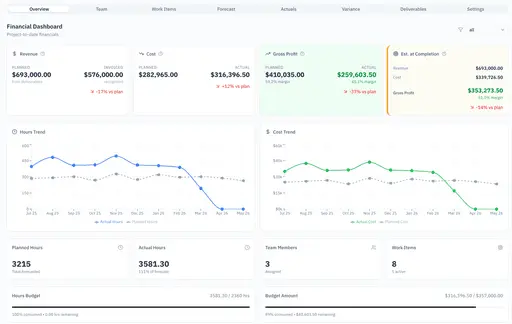
Stop Losing Money on Projects - Productivity Tool for PMs

Calculate concrete volume bag counts and costs instantly

AI-driven policy management for large organizations

Master IT and cloud certification exam preparation

Achieve your goals!

Real-time geo tracking. Zero hardware. One phone.

Capture job-site photos with time, date and GPS location
The best project management tools for professionals focus on streamlining complex workflows, maintaining budget accuracy, and automating standard operating procedures. Effective solutions in this space provide clear pathways for tracking progress, managing team communications, and securing project assets without adding unnecessary administrative friction. Project leaders require centralized environments where schedules, documentation, and stakeholder updates coexist seamlessly.
Selecting the right software involves evaluating how well a platform handles specific requirements like geolocation tracking, financial forecasting, and industry certification training. Robust systems offer cross-platform accessibility via web browsers, desktop clients, and mobile applications to ensure teams stay connected regardless of their physical location. These tools prioritize data integrity and real-time updates to prevent costly errors and schedule delays.
Premium and free options exist to serve diverse organizational sizes from individual contractors to large enterprise departments. High-quality platforms distinguish themselves through intuitive interfaces that reduce the learning curve for new team members while providing advanced analytical capabilities for senior leadership. Integration with existing business ecosystems remains a critical factor for long-term success and adoption.