Budgetist

Budgetist

Track and plan your personal finances effectively

H
@hello5564
Published on Nov 6, 2025
Visit site
1 PeerPush
🚀
Awarded
Just Launched
PeerPush

Details

Follow on
LinkedIn
Platforms
WebMobile

About Budgetist

Budgetist is a web and mobile application designed to help you effortlessly manage your personal finances. Through automated bank sync, CSV import, advanced data modeling, and multi-currency and investment support, it allows you to easily record and track your complete financial picture. Based on your true available funds, you can then plan what you need the money for - whether it's paying expected bills, maintaining a healthy emergency fund, planning investments, or saving for a big-ticket item. By setting static or recurring targets, all of this planning can be automated, so you can focus on the big picture and how *you* want to allocate your money. Whether you're looking to save for a major purchase, reduce debt, or simply maintain a clear overview of your financial health, Budgetist offers the tools you need to achieve financial clarity and stability.

Product Insights

Budgetist provides a cross-platform solution for financial tracking and automated planning through bank synchronization and advanced data modeling. It integrates multi-currency and investment support with workflow automation to manage available funds and savings targets.

  • Supports both web and mobile platforms for financial management on the go.
  • Automates fund allocation through static and recurring financial targets.
  • Eliminates manual entry with automated bank synchronization and CSV imports.
  • Tracks complex financial profiles with multi-currency and investment support.

Ideal for: Non-technical users, freelancers, and solopreneurs who need to automate their financial planning while maintaining an overview of their investments across different currencies.
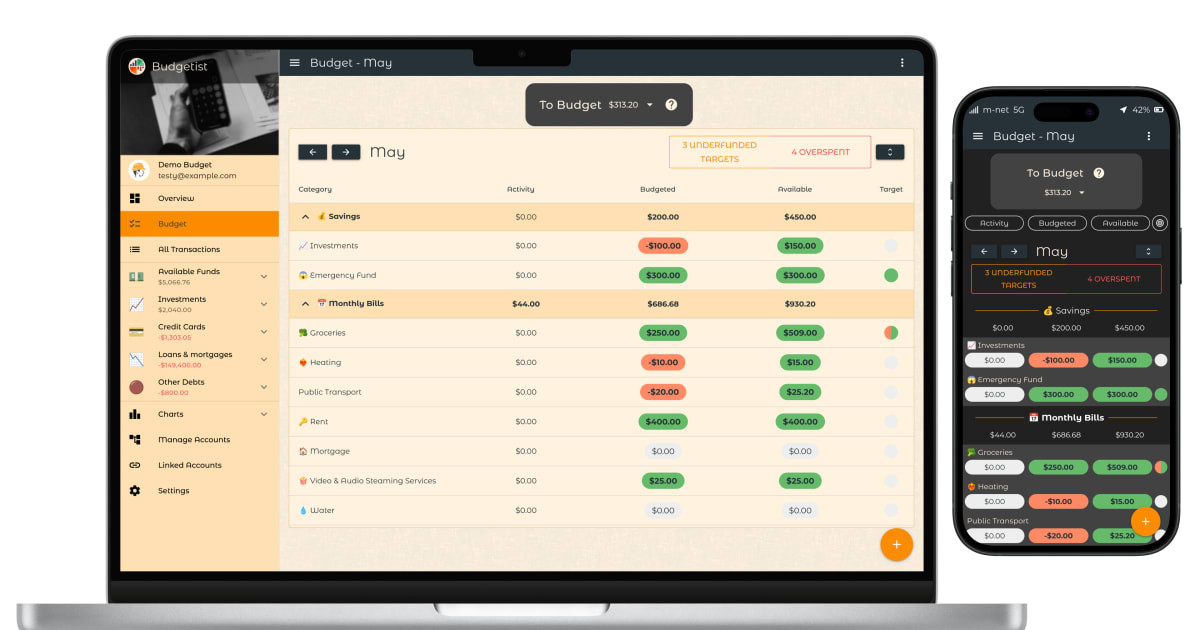
Screenshots

Screenshot 1 of Budgetist

Reviews (0)

No reviews yet. Be the first to rate this product!

Comments (2)

B
@ben

Where does it get the data?

H
@hello5564

Hi Ben! It works with your data, so you need to provide it. You can enter the data in several ways: - manually - by setting up an automated bank sync - by importing your (CSV) bank statement Let me know if you need more info!

H
@hello5564

Thanks for trying out Budgetist! All feedback welcome!