Desktop Goblin
A helpful and proactive system monitor
Details
- Categories
- Analytics & Monitoring
- Use Cases
- Monitoring & Alerting
- Target Audience
- System AdministratorsDevelopersNon-Technical Users
- Pricing
- Freemium from $5
- Platforms
- Desktop
About Desktop Goblin
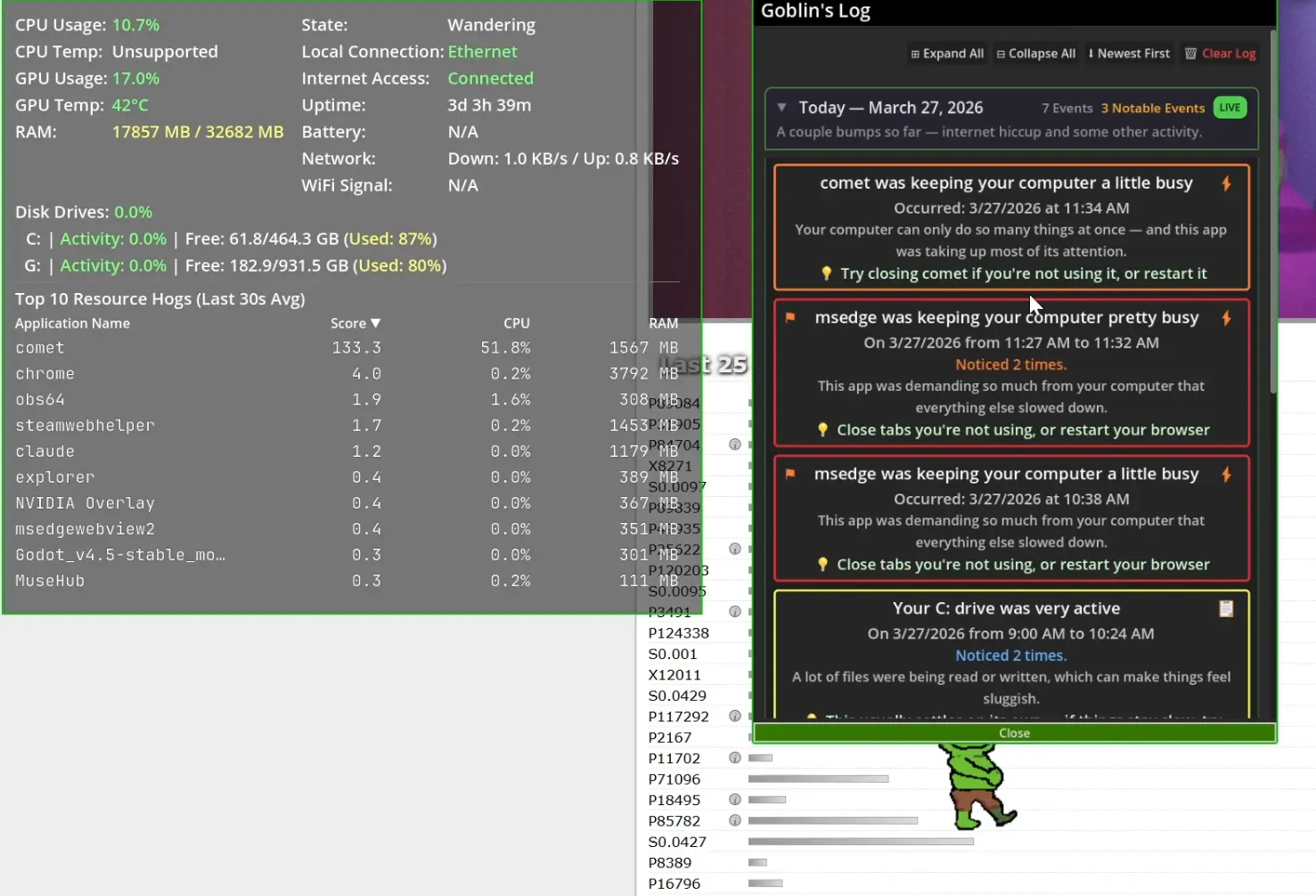
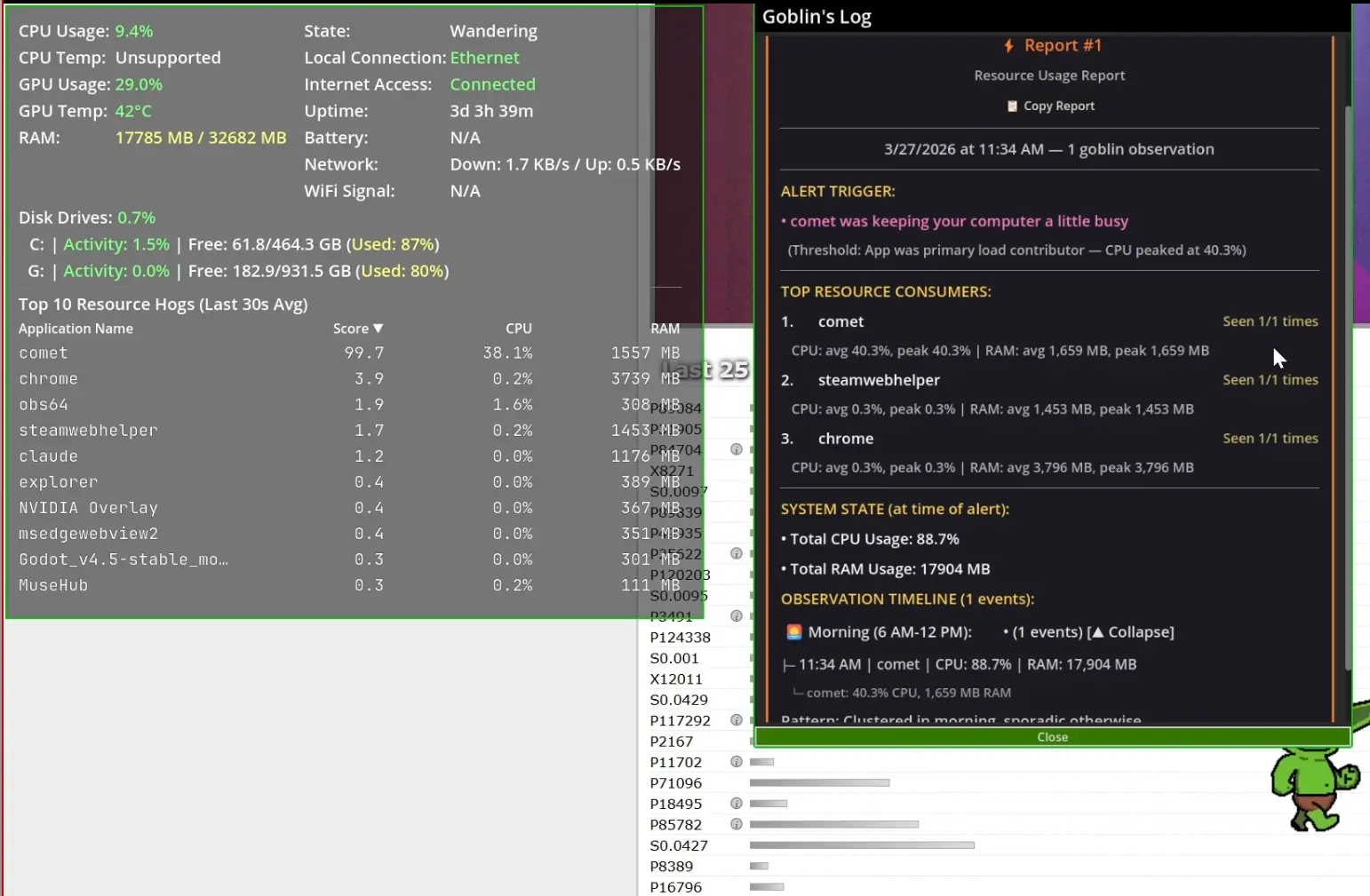
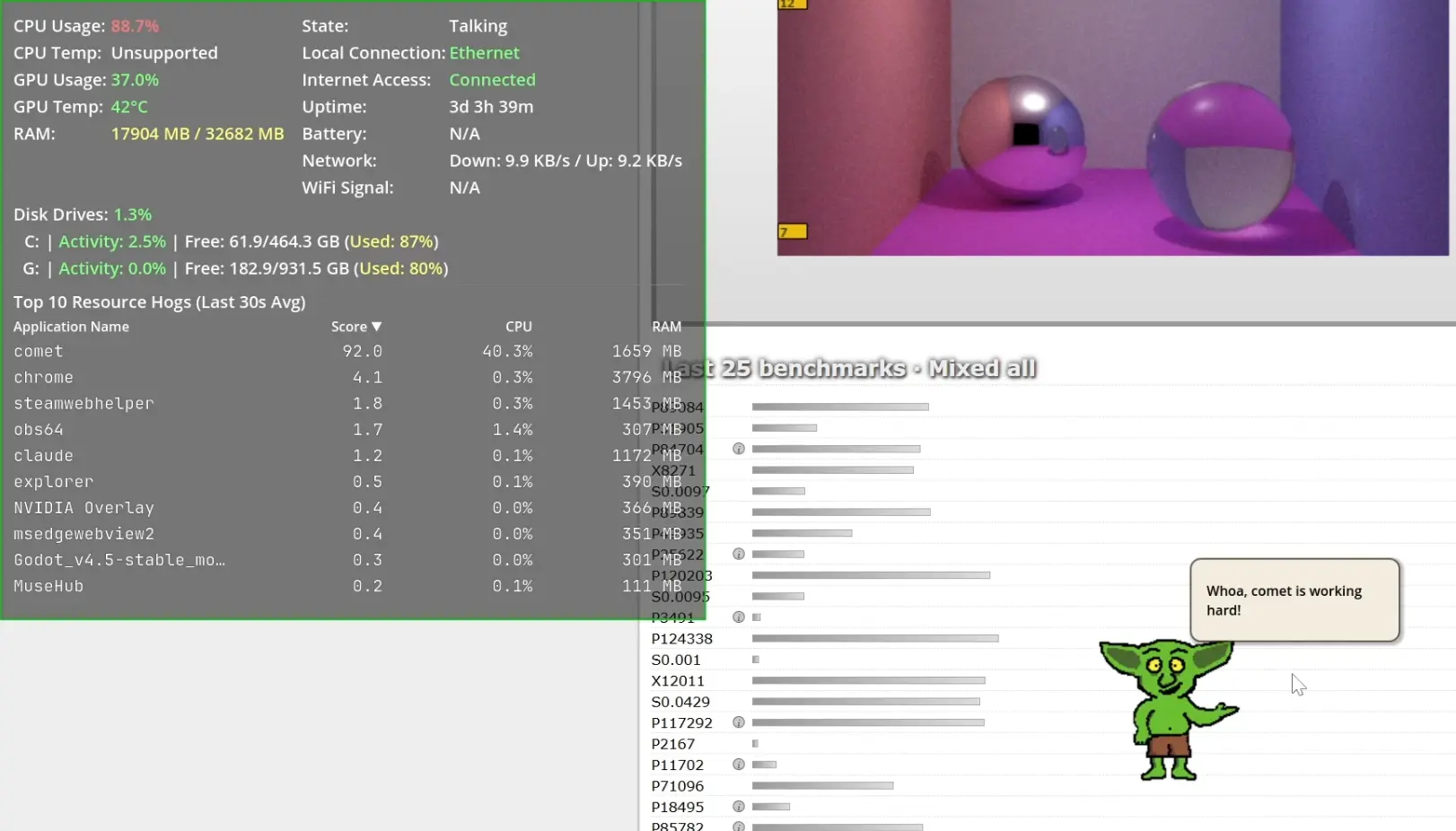
Desktop Goblin is a character-driven system monitor that lives on your desktop. Instead of staring at graphs and numbers, you get a little animated goblin who watches your CPU, RAM, disk, network, and battery — and tells you about it in plain language through speech bubbles. He walks around and when something's actually wrong with your system, he'll let you know — without making you panic about it. The status window gives you a real-time dashboard overlay with color-coded severity (green/yellow/red) across all of these fields: CPU — usage percentage and temperature GPU — usage percentage and temperature RAM — used vs. installed (in MB) Disk drives — per-drive activity percentage, free/total GB, and used percentage, plus total disk activity across all drives Network — download and upload speeds, local connection type (Wi-Fi, Ethernet, etc.), internet access status (connected/disconnected), and Wi-Fi signal strength Battery — current percentage with low/critical warnings Uptime — how long your system has been running Top 10 Resource Hogs — a ranked table of running apps by score, CPU%, and RAM usage (averaged over a 30-second rolling window)
Product Insights
Desktop Goblin provides a character-driven monitoring system for desktop platforms that translates technical CPU, RAM, and network metrics into animated visual feedback. It bridges the gap between complex system data and user-friendly interaction through color-coded dashboards and plain-language alerts.
- Monitors comprehensive hardware metrics including GPU temperature and Wi-Fi signal strength.
- Provides a ranked table of the top ten resource-consuming applications using a rolling 30-second window.
- Offers a freemium pricing model with paid options starting at a five dollar price point.
- Delivers real-time alerts through non-technical speech bubbles and color-coded severity levels.
Ideal for: System Administrators, Developers, and Non-Technical Users who need a proactive way to monitor system health and resource consumption without relying solely on traditional graphs.
Screenshots
Reviews (0)
No reviews yet. Be the first to rate this product!
Comments (1)
Desktop Goblin gives you a quick glance at system health, highlights problem apps, and explains what’s going on—like a tiny guide for your computer.