
Flowblock
Turn AI flowcharts into editable diagrams in Notion
Details
- Categories
- Design ToolsProductivity & Notes
- Target Audience
- Product ManagersSoftware DevelopersTechnical Writers
- Pricing
- Freemium from $3.75
- Platforms
- Web
About Flowblock
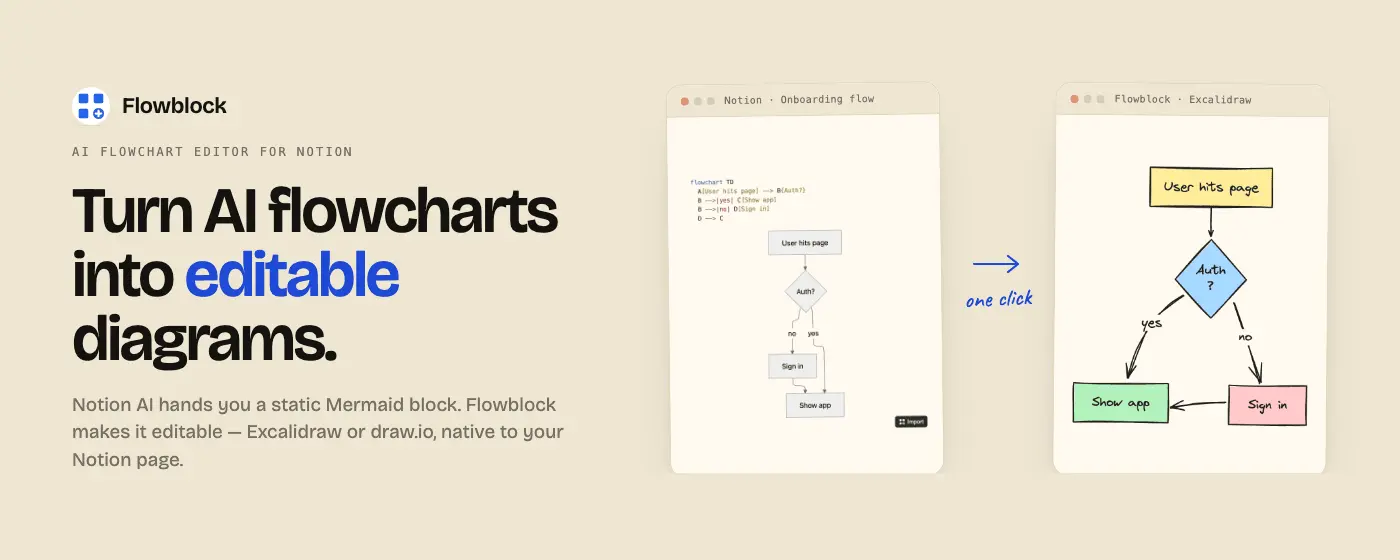
Flowblock adds editable diagrams to Notion: click a floating button on any Notion page to open a blank Excalidraw or draw.io canvas, draw, save, and the diagram lives in the Notion page as an editable image block. Flowblock also imports Mermaid blocks. When Notion AI generates a flowchart, Flowblock turns it from a read-only block into an editable diagram you can restyle, relabel, and re-save without leaving the page. Saved diagrams are stored in your Notion workspace, not on a Flowblock server. They stay yours forever, even if Flowblock disappears. Free covers 5 diagrams per month including Mermaid imports. Pro removes the cap and adds version history plus multiple Notion workspaces.
Product Insights
Flowblock integrates Excalidraw and draw.io editors directly into Notion pages to convert Mermaid code and AI flowcharts into editable visual blocks. It provides a web-based solution for documentation that keeps data stored locally within the user's Notion workspace.
- Supports both Excalidraw and draw.io canvases for diverse diagramming styles.
- Converts Notion AI generated Mermaid blocks into fully editable and restylable diagrams.
- Ensures data privacy by storing all saved diagrams within the user's personal Notion workspace.
- Offers a freemium model with a low-cost Pro tier for unlimited diagrams and version history.
Ideal for: Flowblock is ideal for Product Managers, Software Developers, and Technical Writers who need to transform static AI-generated flowcharts into professional, editable documentation.
Screenshots
Reviews (0)
No reviews yet. Be the first to rate this product!
Comments (1)
Pumped to share Flowblock today. I built it because I wanted a way to draw in Notion and import Merma. Launching on Product Hunt June 23, Peerpush feedback would mean a lot!