
Objo Studio
Build cross-platform apps visually
Details
- Follow on
- @ObjoStudioLinkedIn
- Use Cases
- Code DevelopmentDesign & Prototyping
- Target Audience
- DevelopersEntrepreneursSoftware Developers
- Pricing
- Paid
- Alternative To
 Xojo
Xojo Visual Basic
 PureBasic
About Objo Studio
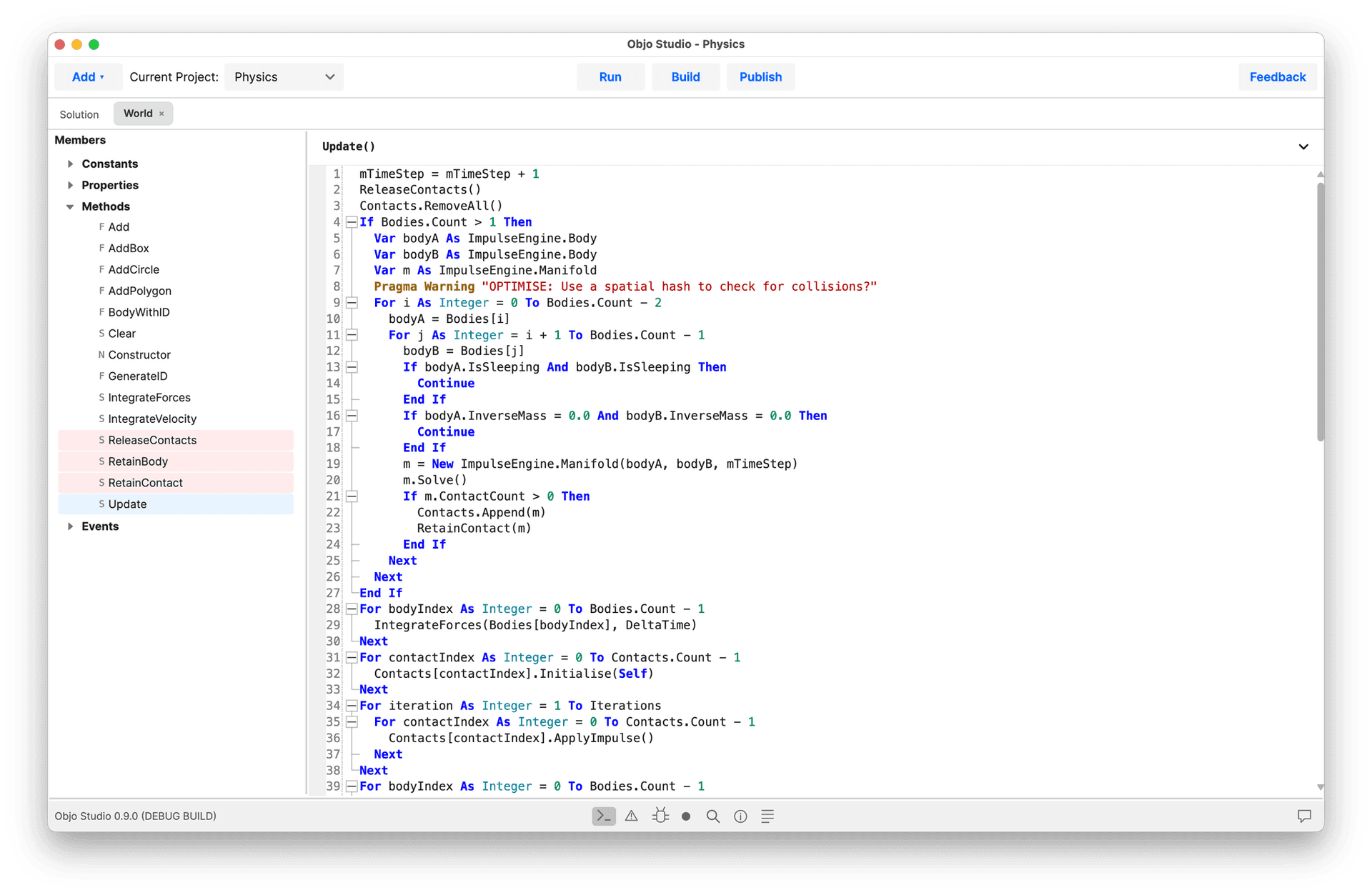
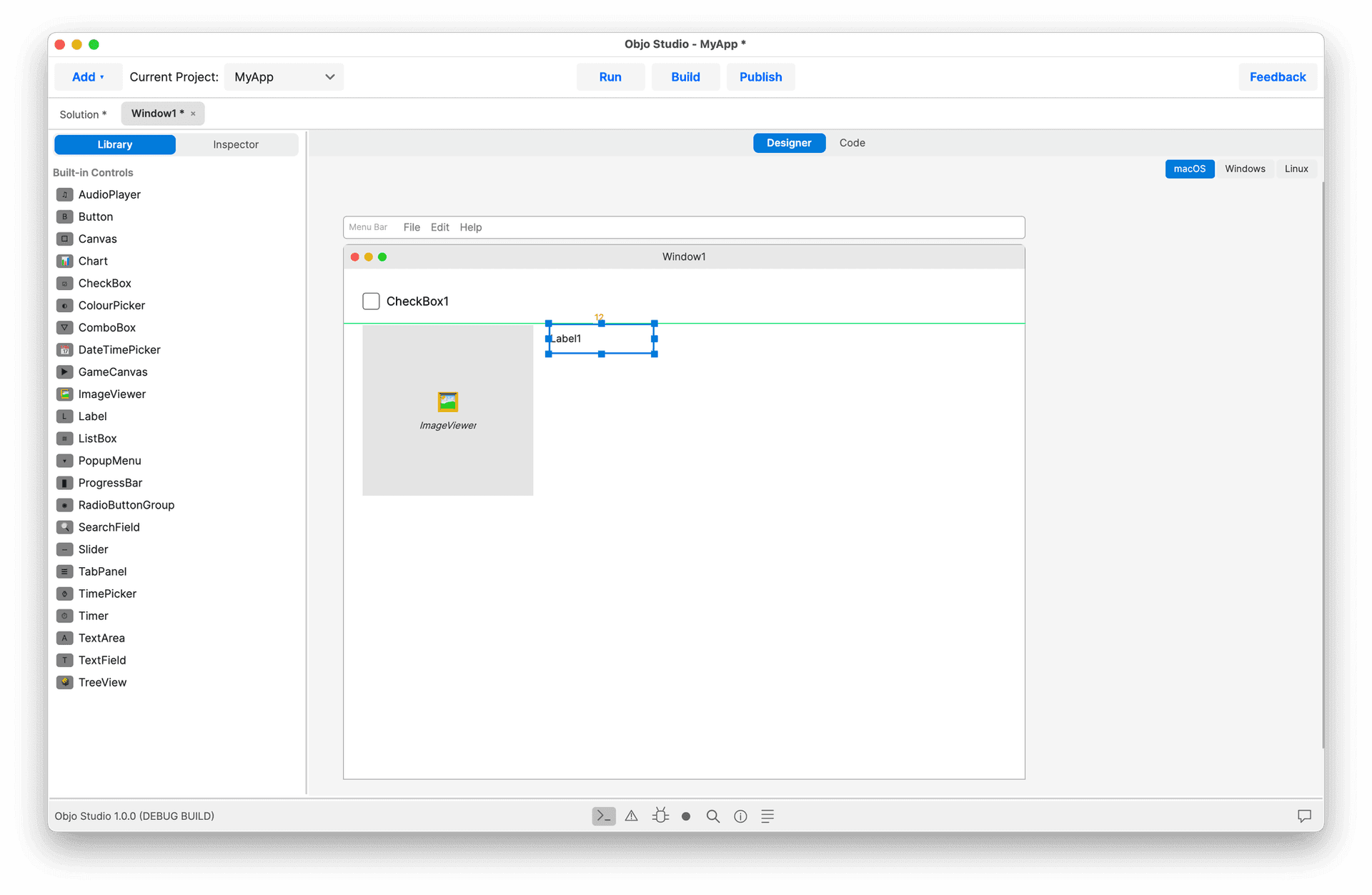
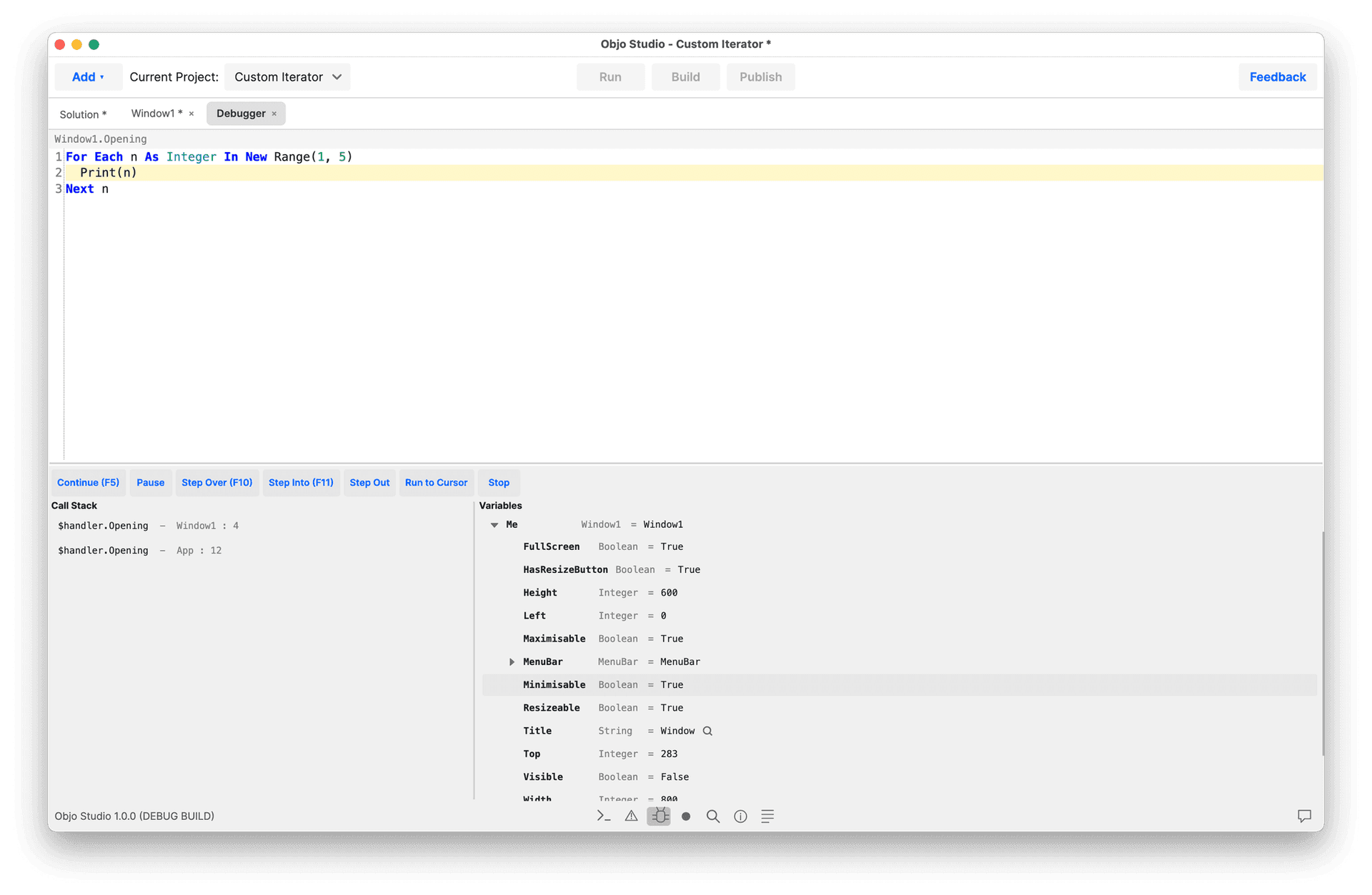
Objo Studio is a complete development environment - visual designer, code editor, debugger and build system, all in one window. Write your app once and deploy it to macOS, Windows and Linux from a single codebase. Everything centres around an easy-to-use language called ObjoBasic. It's a statically typed, object-oriented language with clean BASIC-like syntax. Everything is an object. Define classes with inheritance and interfaces, add properties, methods, events and enumerations. Organise shared code in modules. Write documentation comments and see them surface in autocomplete and hover tooltips throughout the IDE. It's Visual Designer lets you build your user interface by dragging and dropping from a comprehensive library of built-in controls such as buttons, text fields, list boxes, tree views, tab panels, charts, date pickers, colour pickers and more. Set properties in the inspector and see changes instantly. Anchor controls to window edges so your layout resizes gracefully. Drop non-visual components like audio players and timers onto the shelf and wire them up in code. What you see in the designer is what your users get. It has an intelligent code editor, purpose-built for ObjoBasic. Autocomplete suggests members as you type, with full parameter hints. Jump to any symbol definition instantly. Code folding keeps large methods manageable. The auto-formatter tidies spacing and keyword casing as you work, so your code stays consistent without thinking about it. Switch between light and dark themes, and customise every syntax colour to suit your preferences. Objo Studio has a professional grade debugger. Set breakpoints on any line, add conditions so they only fire when an expression is true, and step through your code with Step Over, Step Into, Step Out or Run to Cursor. Inspect every variable in scope and read the call stack to understand exactly how you got here. Break on exceptions to catch problems the moment they happen. Truly cross-platform. Build for any desktop target from a single codebase: Windows x64 and ARM, macOS Apple Silicon and Intel, Linux x64 and Linux ARM. Develop on any OS and target any OS. Need to debug a Linux app from your Mac? Connect to a remote machine over the network and debug it as if it were running locally. The IDE itself runs on macOS, Windows and Linux. When you're ready to ship, just click "Build". Objo Studio compiles your project to bytecode, bundles everything into a single self-contained executable - no runtime to install, no dependencies to manage. Pick your target platform and go. On macOS you get a native .app bundle. On Windows, a standalone .exe. On Linux, a single binary. Studio even supports packaging, signing and notarisation. Objo Studio supports professional development with remote debugging. Install the Objo remote agent on any machine on your network and it appears automatically via zero-configuration discovery. Deploy your app's bytecode over TCP, attach the debugger, and step through code running on a different OS as if it were local. Debug a Linux server app from your Mac or a Windows desktop app from Linux - full breakpoints, variable inspection and stepping, all over the network. Objo Studio integrates with Ollama, LM Studio, OpenAI, Anthropic and Gemini - local or cloud, your choice. The AI can read your project structure, inspect source files, check compilation errors, search your code and even make edits, all through a chat panel in the IDE. Give it per-project instructions to tailor its behaviour. Prefer to work without AI? Just leave it off - it's entirely optional.
Product Insights
Objo Studio provides a unified development environment for building cross-platform desktop applications using the ObjoBasic language. It combines a visual drag-and-drop designer, an intelligent code editor, and a professional-grade debugger within a single desktop application.
- Supports building for Windows, macOS, and Linux targets from a single codebase.
- Includes a professional debugger with remote debugging capabilities over TCP.
- Compiles projects into self-contained executables with no external runtime dependencies.
- Features a visual designer with a comprehensive library of built-in UI controls.
Ideal for: Developers and entrepreneurs can use this tool for code development and fast prototyping of desktop applications across multiple operating systems.
Listed alternatives for this product include Xojo, Visual Basic, and PureBasic.
Product Video
Watch a video demo of Objo Studio.
Screenshots
Reviews (0)
No reviews yet. Be the first to rate this product!
Comments (2)
Following
Objo Studio is the culmination of several years of passionate work to build a tool I'm proud of. It's a great way to get into programming and to build real apps that do real work.