Work Control Center
Transform how you work with multiple web applications.

Details
- Target Audience
- DevelopersDesignersProduct Managers
- Platforms
- Desktop
About Work Control Center
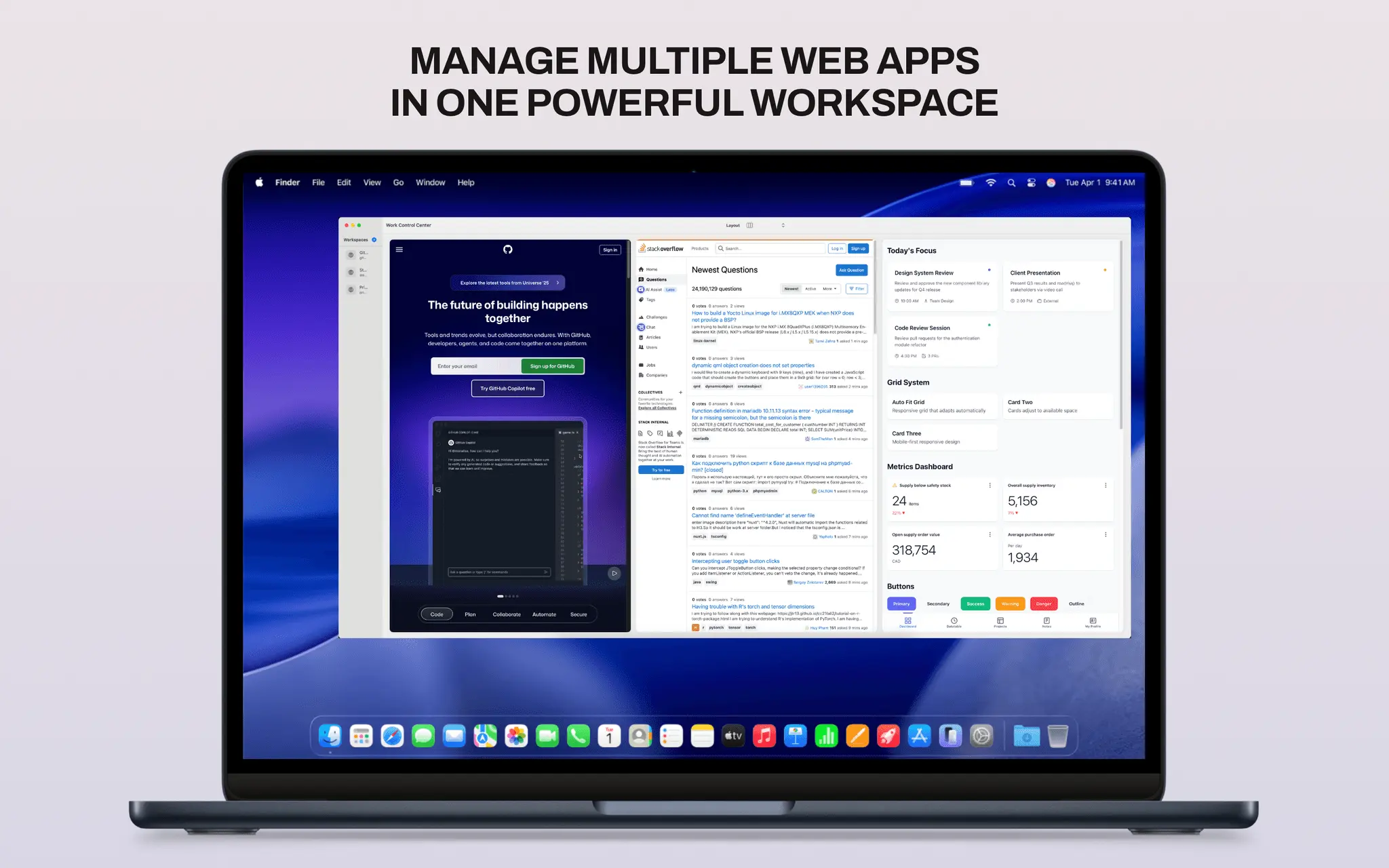
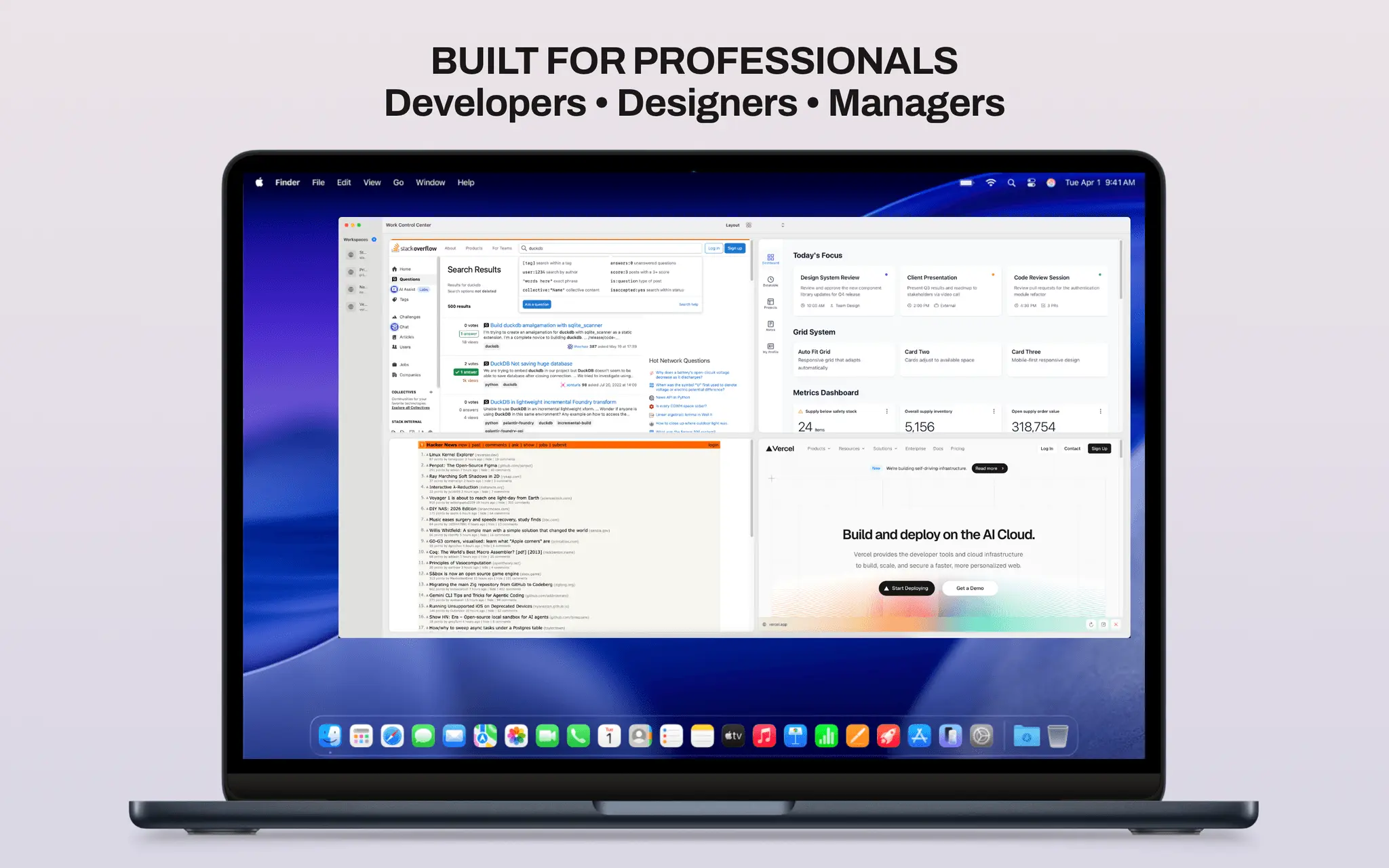
WORK CONTROL CENTER - YOUR ULTIMATE WORKSPACE ORGANIZER Transform how you work with multiple web applications. Work Control Center lets you view and manage multiple websites simultaneously in customizable grid layouts - perfect for developers, designers, project managers, and anyone who juggles multiple web tools. WHY WORK CONTROL CENTER? Stop the endless tab switching. Instead of losing focus by constantly switching between browser tabs, keep all your essential web apps visible and organized in one window. Monitor your analytics dashboard while coding, track social media while designing, or manage multiple projects side-by-side. KEY FEATURES FLEXIBLE GRID LAYOUTS • 1×2, 1×3, 1×4 layouts - horizontal workflows • 2×1, 2×2, 2×3 layouts - vertical and balanced views • Switch layouts instantly to match your task • Free: 2 layouts | Premium: All 6 layouts UNLIMITED WORKSPACES • Create separate workspaces for different projects • Work context: monitoring tools, dev environment, design apps • Personal context: social media, email, calendar • Quickly switch between workspace setups SMART WORKSPACE MANAGEMENT • Elegant sidebar to organize all your workspaces • One-click focus mode for individual web apps • Quick reload and external browser launch • Persistent sessions - your work stays where you left it PREMIUM FEATURES • Unlock all 6 grid layout options • Unlimited workspace creation • All future updates included • One-time purchase - no subscription ever PERFECT FOR Developers • Monitor live site, logs, and documentation simultaneously • GitHub + CI/CD + staging environment in one view • Code editor + preview + terminal side-by-side Designers • Figma + inspiration boards + client feedback • Compare designs across different viewports • Design tools + asset libraries + references Project Managers • Asana/Trello + Slack + Google Docs • Multiple project dashboards at once • Team communication + task tracking + analytics Content Creators • WordPress + analytics + social media • Research + writing + preview simultaneously • SEO tools + content management + performance metrics Traders & Analysts • Multiple trading platforms and charts • News feeds + portfolio + market data • Real-time monitoring of multiple sources FREE VS PREMIUM Free Version: • 2 grid layouts (1×2 and 2×1) • 2 workspaces • All core features Premium (Launch Special: €2.99): • All 6 grid layouts • Unlimited workspaces • Support continued development • All future updates free • One-time purchase, no subscriptions PRODUCTIVITY BOOST Save time by eliminating constant tab switching and context loss. Studies show that refocusing after interruption takes 23 minutes on average. With Work Control Center, keep everything visible and maintain your flow state. PRIVACY FIRST • No data collection • No analytics tracking • No account required • Your browsing stays private • Everything runs locally on your device POWERFUL YET SIMPLE Intuitive interface that gets out of your way. Hover controls appear when needed, keyboard shortcuts for power users, and drag-and-drop workspace management. Built with SwiftUI for native macOS and iOS performance.
Product Insights
Work Control Center is a desktop workspace organizer that replaces traditional tab switching with persistent, multi-view grid layouts for web applications. It serves developers, designers, and managers through a privacy-focused local environment with both free and one-time purchase tiers.
- Six customizable grid layouts for simultaneous viewing of horizontal and vertical workflows.
- No-subscription pricing model with a one-time purchase for unlimited workspaces.
- Privacy-first architecture that runs locally with no data collection or account requirements.
- Persistent session management ensures web apps stay configured between work sessions.
Ideal for: Developers, designers, and project managers who need to maintain focus by monitoring live sites, design tools, and task trackers side-by-side without constant tab switching.
Screenshots
Reviews (0)
No reviews yet. Be the first to rate this product!
Comments (3)
cool
Thank you! Looking forward to your feedback
nice
Thank you! Looking forward to your feedback
it's only for mac now? any plan for linux or windows?
Yes … at least Windows is planned, Nowshad Hossain.
great, but I'm a linux user :D