

File Sharing

Find the best tools and products for file sharing. Compare solutions, see real user feedback, and discover products that fit your workflow.

Tosso - Stop uploading files the old way
Tosso - Stop uploading files the old wayAd

Upload files on Mac by just shaking your mouse (no browser,

RecentBest

Published Today

Hostsmith

Hostsmith

Publish static sites or files with drag and drop or MCP

14PeerPush
🔥Trending
1
Squish

Squish

Reduce video file size by up to 90% for free

1PeerPush
$0MRR

Published Yesterday

LinkFilo

LinkFilo

Upload files and get instant shareable links

1PeerPush
🔥Trending
1
Reveald

Reveald

Client portal that withholds work until payment clears

1PeerPush
🔥Trending
1

Published This Week

ClientProof

ClientProof

Client delivery hub for agency milestones and approvals

1PeerPush
1
pdf.finance

pdf.finance

Collect and structure client financial documents faster

1PeerPush
1
$200MRR
Rapidly

Rapidly

Peer-to-peer file transfers in your browser

1PeerPush
1
OpenUtils Report

OpenUtils Report

Share log files via permanent URLs with syntax highlighting

13PeerPush
🔥Trending
3
$0MRR
GameVox

GameVox

Privacy-first chat/video platform for gaming communities

1PeerPush
🔥Trending
2
PasteWaves

PasteWaves

Upload and share audio files instantly for free

1PeerPush
-100% OFF
1
$15MRR
mapfwd

mapfwd

Get shareable links for any location across map services
4PeerPush
🔥Trending
3
SwiftShare

SwiftShare

Send large files instantly without sign-up
1PeerPush
$0MRR
VFM- Veno File Manager

VFM- Veno File Manager

Plug-and-play PHP file management. Zero SQL, total control.

43PeerPush
🔥Trending
1

Published This Month

Nubbo

Nubbo

Your cloud storage, simplified: S3, DigitalOcean, R2, Wasabi

1PeerPush
🔥Trending
3
FastUpload

FastUpload

Upload store and share files securely and easily

8PeerPush
🔥Trending
2
UpToEarn

UpToEarn

Upload files and earn money from downloads

8PeerPush
🔥Trending
3
Gemini Export Studio

Gemini Export Studio

Export Gemini conversations in any format privately

2PeerPush
🔥Trending
6
Blinknote

Blinknote

Turn long text into secure shareable links and QR codes

1PeerPush
🔥Trending
2
Alcazar Security

Alcazar Security

Encrypted dead man's switch for digital legacy

1PeerPush
🔥Trending
1
Vaulternal

Vaulternal

Store important files and deliver them at the right moment

211PeerPush
🥈#2 of the Day
13
1
TalknTrack

TalknTrack

The dirt track racing community app

1PeerPush
🔥Trending
2
$0MRR
MyPeopleDatabase

MyPeopleDatabase

AI ready modern address book and contact management solution

2PeerPush
🔥Trending
3
GhostDL

GhostDL

Download YouTube videos for free in various formats

1PeerPush
🔥Trending
3
SnapSeek

SnapSeek

Share event photos with AI face recognition

54PeerPush
🥇#1 of the Day
21
BlinkNote

BlinkNote

Share long text as a clean link instead of flooding chats.

1PeerPush
🔥Trending
3
Picstack

Picstack

Create stunning photo galleries for clients and guests

1PeerPush
🔥Trending
2
SaveThat.video

SaveThat.video

Download videos from social media without watermarks

1PeerPush
1
Gallerina

Gallerina

Sync client photo selections to Lightroom

2PeerPush
1
InspoSnaps

InspoSnaps

Save, organise, and share your visual inspiration

2PeerPush
-40% OFF
3
LanChGo

LanChGo

Fast and secure local network chat for Windows and Android

1PeerPush
1
$0MRR
Safety Checkpoint

Safety Checkpoint

Safety check-ins that alert your people when you can't

1PeerPush
Avan Link

Avan Link

A smart bookmark manager that allows you to share bookmarks

1PeerPush
1
SortWedPics

SortWedPics

Organize your wedding photos by guest with AI
1PeerPush
1
iDrop.com

iDrop.com

The fast and easy way to share your files online
1PeerPush
1
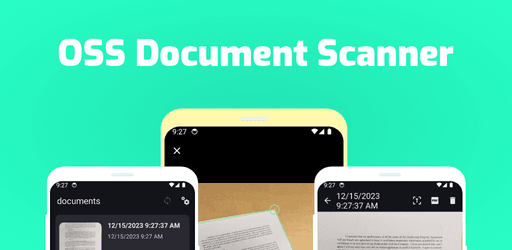
OSS Document Scanner

OSS Document Scanner

Scan documents and receipts with open source OCR

1PeerPush
1
LinkShip

LinkShip

A powerful suite of link sharing and management tools

1PeerPush
2
SoulSound

SoulSound

Record, brand and share

62PeerPush
🔥Trending
2
Darkdrive

Darkdrive

Securely encrypted private cloud storage from Germany

14PeerPush
🔥Trending
3
Zynk

Zynk

The fastest way to transfer data across all your devices

1PeerPush
🔥Trending
1
LocalSquash

LocalSquash

Private browser-based video and image compression

1PeerPush
2
Vector Privacy

Vector Privacy

Privacy by Principle - Privacy Messenger with No KYC

1PeerPush
2
EnvDrop

EnvDrop

Secure zero-knowledge secret and API key sharing
2PeerPush
🔥Trending
3
FileCheckout

FileCheckout

Lock your files behind payment. No payment, no download.

1PeerPush
🔥Trending
-10% OFF
5
PacketDesk

PacketDesk

Request client documents via email or upload links

11PeerPush
🔥Trending
4
$1.4kMRR
PleaseSignMe

PleaseSignMe

Free software to upload and send documents for e-signature

1PeerPush
BorrowerDocs

BorrowerDocs

Collect borrower mortgage documents faster

1PeerPush

The best file sharing solutions focus on security, ease of use, and specialized delivery methods to ensure data reaches the correct recipient safely. Effective platforms prioritize privacy by offering features like client side encryption, password protection, and automated metadata removal to protect sensitive information during transit. These tools serve diverse needs, ranging from simple link generation for quick transfers to robust compliance infrastructure for global organizations.

Modern selection criteria favor solutions that integrate seamlessly into existing workflows through web or desktop interfaces. Reliable options provide transparency regarding storage locations and encryption standards to build user trust. Successful file sharing relies on the balance between friction free access for the recipient and ironclad protection for the sender's assets.

Whether requiring permanent storage or temporary transfer links, professional tools accommodate various pricing models including freemium, one time purchases, and recurring subscriptions. Choosing the right platform means matching the specific use case, such as event photo distribution or secure document management, with an appropriate level of technical sophistication. High quality services eliminate technical barriers so that any user can access files regardless of their proficiency level.

What to look for

  • Verify that the platform uses end to end encryption to protect files from unauthorized access during transit.
  • Choose a tool that offers various access controls such as expiration dates and password requirements for added security.
  • Confirm the service supports the specific file types and sizes common to your personal or professional workflow.
  • Check if the interface is intuitive enough for recipients to download content without technical difficulties or account requirements.
  • Evaluate the pricing structure to ensure costs align with your long term storage or one time transfer needs.
  • Look for privacy features that scrub metadata or provide anonymous upload options to maintain confidentiality.

Frequently asked questions

How do I select the right file sharing service for my business?
Identify your primary goals first, such as long term storage or secure one time transfers. Evaluate platforms based on their security certifications and their ability to handle the specific data formats your team uses. Consider whether a web-based portal or a dedicated desktop application better fits your daily operational habits.
Are free file sharing options secure enough for sensitive documents?
Many freemium services offer robust security for basic users, but always check for client side encryption. High stakes data often requires the advanced permissions and audit logs found in paid tiers. Ensure any free tier includes essential safeguards like password protection and link expiration to mitigate risks.
Where can I find tools for sending large files without size limits?
Search for platforms that specialize in high volume data transfers through peer to peer technology or scalable cloud infrastructure. Quality services provide a way to monitor upload progress and confirm that the recipient successfully downloaded the package. Subscription models frequently offer the most flexibility for users with consistent high bandwidth needs.
What features protect my privacy when sharing images and documents?
Robust privacy tools incorporate metadata removal to strike sensitive information like location data or device details before sharing. Look for services that employ PGP style encryption or zero knowledge storage policies. These measures ensure that even the service provider cannot view your private content or personal identifiers.
Is it better to use a web app or a desktop client for file management?
Web applications offer the greatest level of convenience and cross platform compatibility for quick sharing. Desktop clients often provide more power for bulk operations and deeper integration with your local file system. Your choice should depend on whether you prioritize instant access from any device or high performance management on a single machine.
What is the best tool for File Sharing?
The best tool for File Sharing depends on your workflow, team size, and budget. Consider how the tool integrates with what you already use, how quickly you can onboard, and whether it supports the specific outcomes you care about.
How do I choose a File Sharing tool?
Start by listing the concrete problems you want solved and match them against each tool's core strengths. Look at documentation quality, community support, and pricing fit. Trial the top two or three before committing.
Are there free options for File Sharing?
Free and freemium tools for File Sharing exist alongside paid and subscription products. Free tiers are a good way to validate fit before upgrading; check usage limits and export policies so you are not locked in.