Do not distracted
It locks all website only user selected website be unlock.

Details
- Follow on
- @Pa457054
- Categories
- Productivity & Notes
- Target Audience
- StudentsNew ParentsParents
- Pricing
- Free
- Platforms
- Web
About Do not distracted
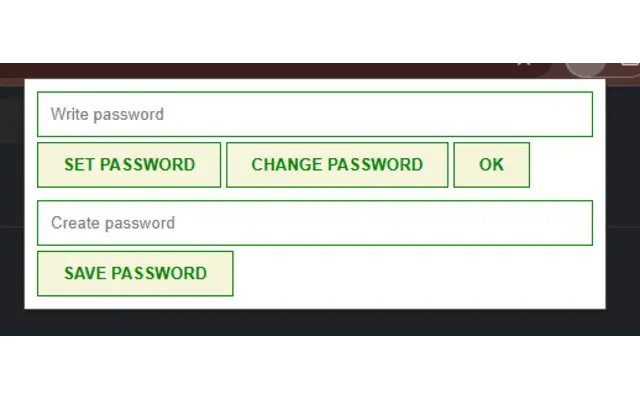
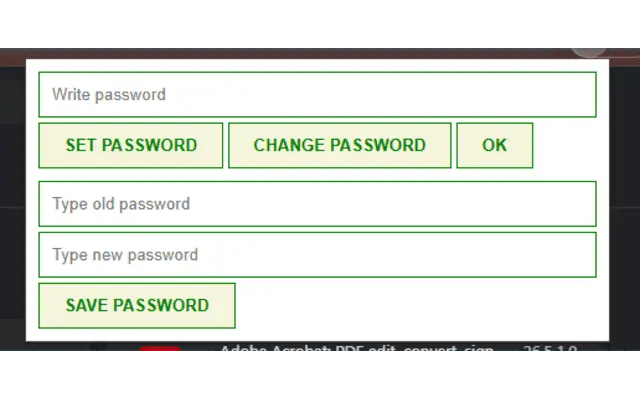
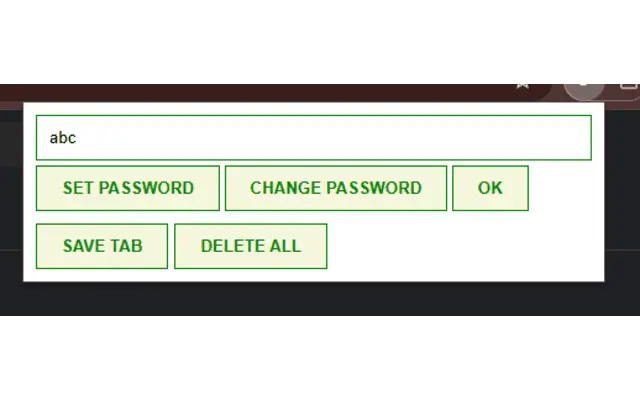
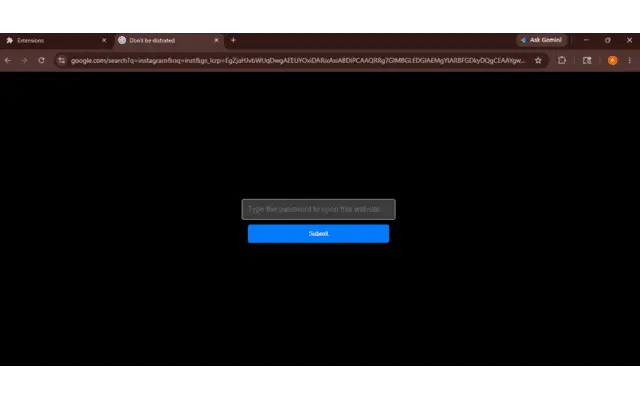
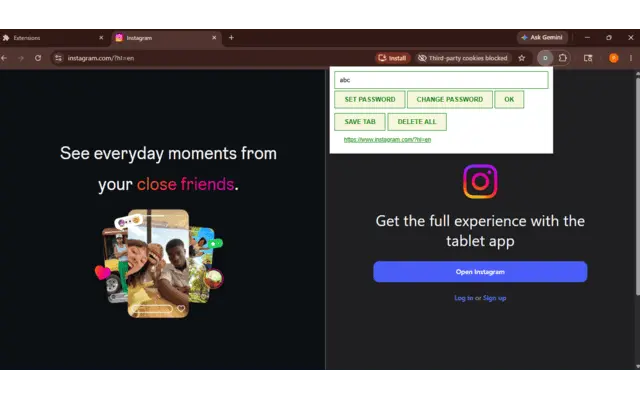
it locks the website only user selected website be unlock so user can focus on work It locks all the website only user selected website be unlock so user can focus on work or you can use this for the children. How to work:- click on the extension open the extension popup click on the set password create the password and type the password and click to the ok and go to website you want to be unlock by default. goes to the website url and click to the save tab all the selected tab are become unlock all the time other website become lock if you want to open that type the right password and click to the ok that website become unlock but after removing the tab it automatic lock the website. after creating and changing the password if the any tab is opened before setting the password refresh the page.
Product Insights
Do not distracted is a free, web-based productivity tool designed to help students and parents limit website access through password-protected whitelists. It restricts access to all website tabs except those specifically chosen and unlocked by the user.
- Available as a completely free web browser extension.
- Utilizes a password-protected system to unlock specific approved websites while locking all others by default.
- Features an automatic locking mechanism that secures websites once the tab is removed.
Ideal for: This tool is ideal for students, parents, and new parents who want to restrict web access to approved sites to improve focus or control children's browsing habits.
Product Video
Watch a video demo of Do not distracted.
Screenshots
Reviews (1)
Average 5.0 out of 5
Based on 1 review
Comments (0)
No comments yet. Be the first to share your thoughts!