Lanes

Lanes

Ship Faster and Better with Parallel Agents

wjx
@wjx
Published on Apr 30, 2026
Visit site
11PeerPush
PeerPush badge for Lanes

About Lanes

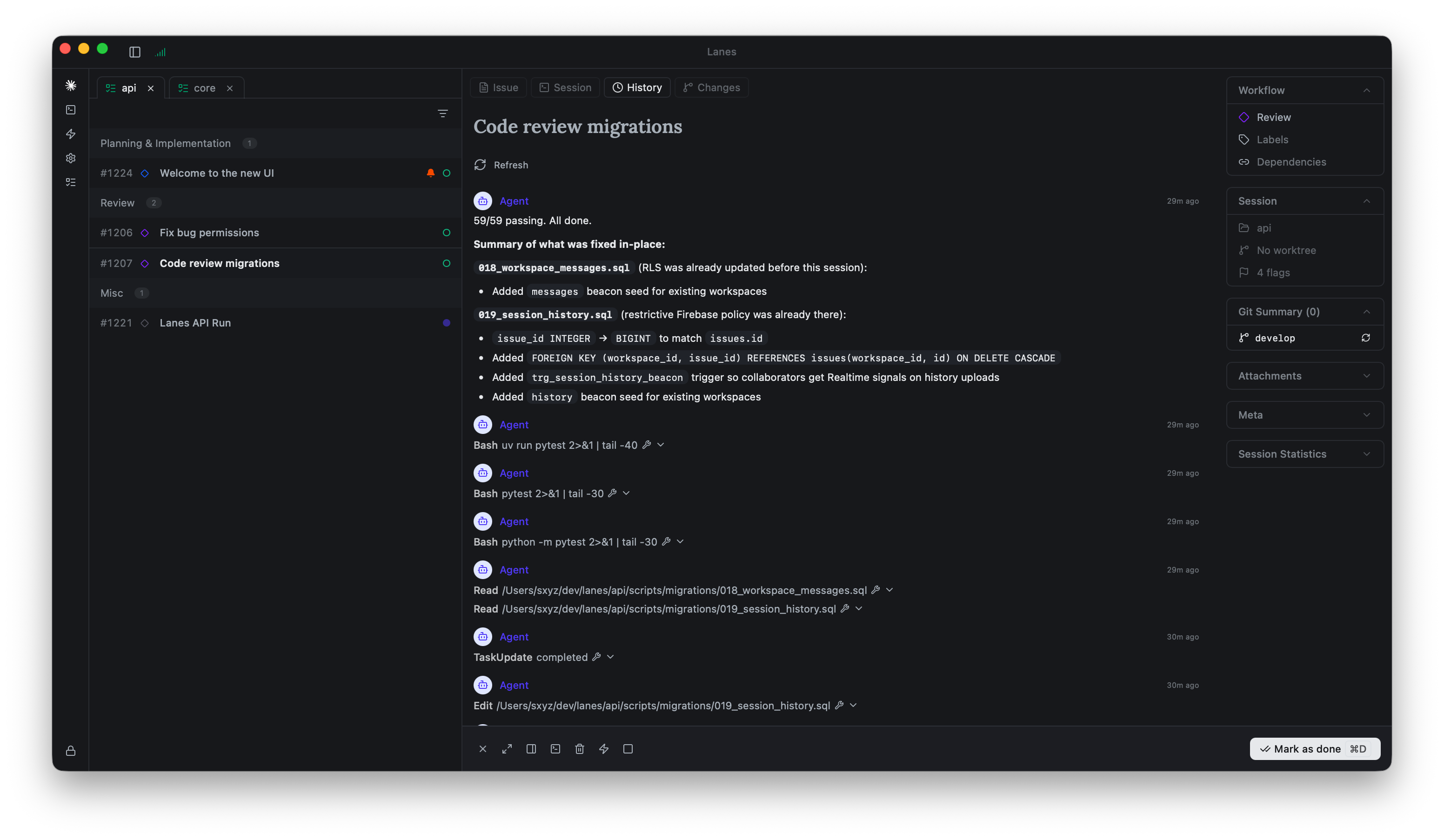
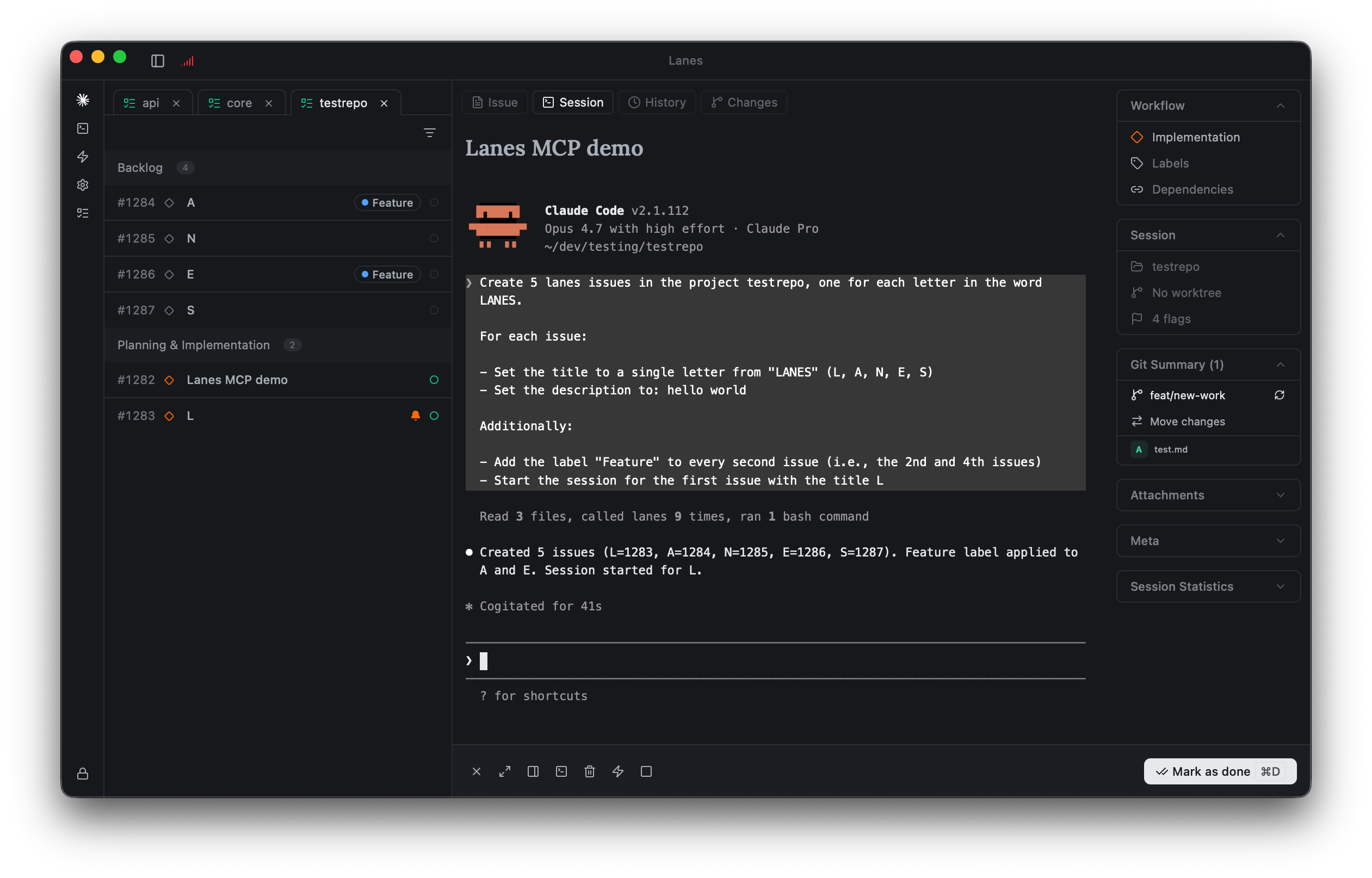
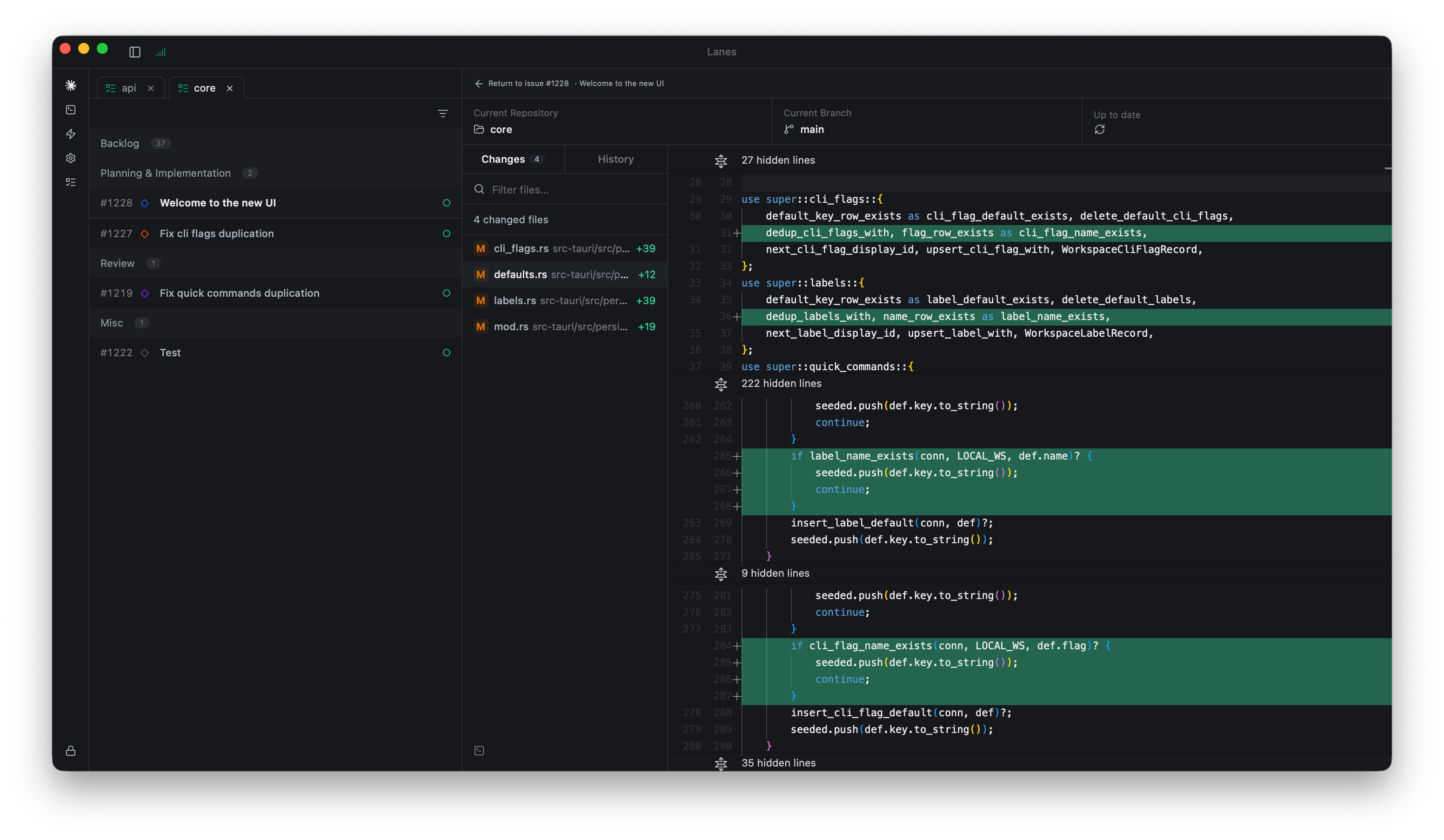
One board. Many agents. No conflicts. Lanes is a native macOS workspace that lets you run Claude Code, Codex, Gemini CLI, and other agentic coding tools side by side, each in its own isolated environment, all coordinated through a single issue board. Instead of juggling terminal tabs and praying nothing collides on `main`, you drag work cards through Planning, Implementation, Review, and Done while agents run in parallel underneath. It's the difference between supervising one agent and running a small team of them. # The problem it solves AI coding tools have outpaced the workflows around them. The moment you try running three or four agents at once, the cracks show: terminal sprawl, branch collisions on shared files, lost conversation history after a restart, and lock-in to whichever CLI you started with. Lanes treats parallel agent coding as a first-class workflow rather than a hack on top of tmux. # Key features - **Issue board built for agents.** Kanban columns for Backlog, Planning, Implementation, Review, and Done. Each card is a unit of work with an attached agent session. Multi-select, board tabs, and context menus keep multi-project work organized. - **Real PTY terminals.** Every session runs in a real shell with your dotfiles, aliases, and config. Lanes orchestrates your CLI tools — it doesn't replace them. - **Auto-managed git worktrees.** Each session gets an isolated worktree with a generated branch name. Two agents touching the same files never collide. Cleanup is automatic. - **Resume without losing context.** Restart your machine and Lanes restores Claude Code sessions with full conversation history. - **Side-by-side git review.** Working tree changes and commit history in one view, with a Monaco inline diff viewer and auto branch detection. - **File browser and editor.** Sidebar tree, tabbed Monaco editor, syntax highlighting, save on Cmd+S — enough to fix things without leaving the app. - **Dependencies.** Link issues with cycle detection. Blocked issues unlock automatically when prerequisites hit Done. - **Labels, filters, and quick commands.** Thirteen-color labels, filter by label/directory/step, and Cmd+Alt+1–9 shortcuts for CLI or terminal commands. - **Lanes MCP (research preview).** A local MCP server lets agents drive the board itself — list issues, triage, create sessions, update status from chat. # What makes it different Most AI coding tools focus on the model. **Lanes focuses on the workflow**: the bottleneck for power users isn't the model anymore, it's the surrounding infrastructure of branches, terminals, context, and review. - **Tool-agnostic.** Not a Claude Code skin. Run any CLI; swap mid-project without changing your workflow. - **Parallelism by default.** Worktree-per-session is the primitive, not a tutorial. - **Native macOS app**, not a web tab. Real terminals, real performance. - **Workflow-aware, not just session-aware.** The kanban model gives agents status, dependencies, and review — abstractions the terminal never had. - **Local-first.** Your repos, sessions, and MCP server stay on your machine. # Real outcomes - **Ship 2–4× more work in the same hours** by running independent tasks in parallel — and stop losing minutes per context switch. - **Eliminate worktree and branch hygiene** as a category of overhead. No orphaned branches, no two-agents-on-main disasters. - **Recover gracefully from interruptions.** Close the laptop, come back, resume, including agent conversation history. - **Review with confidence.** Per-session diffs mean you actually look at what changed before merging. - **Avoid vendor lock-in.** When the next better CLI ships, adopt it without rebuilding your setup. - **Delegate at the right granularity.** Break features into 4–8 cards, assign each to the best-suited agent. # Get started ``` brew install --cask lanes-sh/lanes/lanes && open -a Lanes ``` Requires macOS Ventura or later. Native on Apple Silicon and Intel. Point it at a repo, create a few issues, start a session, then start a second one and watch them run in parallel on separate worktrees. That's the moment the workflow clicks.

Product Insights

Lanes is a native macOS developer workspace that manages multiple parallel AI agent sessions using an integrated issue board and automated git worktree isolation. It transitions agentic coding from terminal-bound single sessions into a coordinated project management workflow.

  • Conflict-free parallel agent execution via automated git worktress for each task.
  • Native macOS performance with full PTY terminal support for dotfiles and aliases.
  • Integrated issue board that preserves agent conversation history across system restarts.
  • Local MCP server support allowing AI agents to manage board status and triage tasks.

Ideal for: Software Developers and Founders & CEOs who need to manage multiple AI coding agents simultaneously across different project phases without branch collisions.
Screenshots

Screenshot 1 of LanesScreenshot 2 of LanesScreenshot 3 of Lanes

Product Updates (0)

No updates yet. Check back later for updates from the team.

Reviews (0)

No reviews yet. Be the first to rate this product!

Comments (3)

C
@conradMay 1, 2026

Congratulations. Great stuff

G
@gopalMay 1, 2026

Great product, looks really promising!

simon8018
@simon8018Apr 30, 2026

Looks very interesting, I'll give this a go today.