CitizenSenatorCitizenSenator
GrandRankerGrandRanker
LaunchDirectoriesLaunchDirectories
KrosselKrossel
Social 360 SuiteSocial 360 Suite
Advertise
CitizenSenatorCitizenSenator
GrandRankerGrandRanker
LaunchDirectoriesLaunchDirectories
KrosselKrossel
Social 360 SuiteSocial 360 Suite
Advertise
PeerPushPeerPush
AdvertiseAffiliatesNewsletter
LoginSign up
Sign in
CitizenSenator

CitizenSenator

Propose laws and vote on what matters to make real change

GrandRanker

GrandRanker

Grow organic traffic with AI SEO on auto-pilot

LaunchDirectories

LaunchDirectories

Boost visibility and build backlinks through top directories

Krossel

Krossel

Create Instagram carousels with AI in 2 minutes

Social 360 Suite

Social 360 Suite

Manage and schedule all your social media in one dashboard

ConstCash

ConstCash

Privacy-oriented personal budget management iOS application

ostk.ai

ostk.ai

The invisible operating system

GuardingWP

GuardingWP

Scan WordPress sites for security vulnerabilities in seconds

MarketGeist

MarketGeist

Continuous AI market intelligence and competitor tracking

Advertise here

Promote your product

ConstCashConstCash
ostk.aiostk.ai
GuardingWPGuardingWP
MarketGeistMarketGeist
SoftDeskSoftDesk
ConstCashConstCash
ostk.aiostk.ai
GuardingWPGuardingWP
MarketGeistMarketGeist
SoftDeskSoftDesk
LaunchMe

LaunchMe

Best Launchpad replacement on steroids for macOS 26 Tahoe

kondukovinfo
@kondukovinfo
Published on Apr 10, 2026
Visit site
$1.1kMRR
1PeerPush
PeerPush badge for LaunchMe
X

Categories

Productivity & Notes

Use Cases

Workflow AutomationProduct Launch

Target Audience

DesignersDevelopersFreelancers

Platforms

Desktop

About LaunchMe

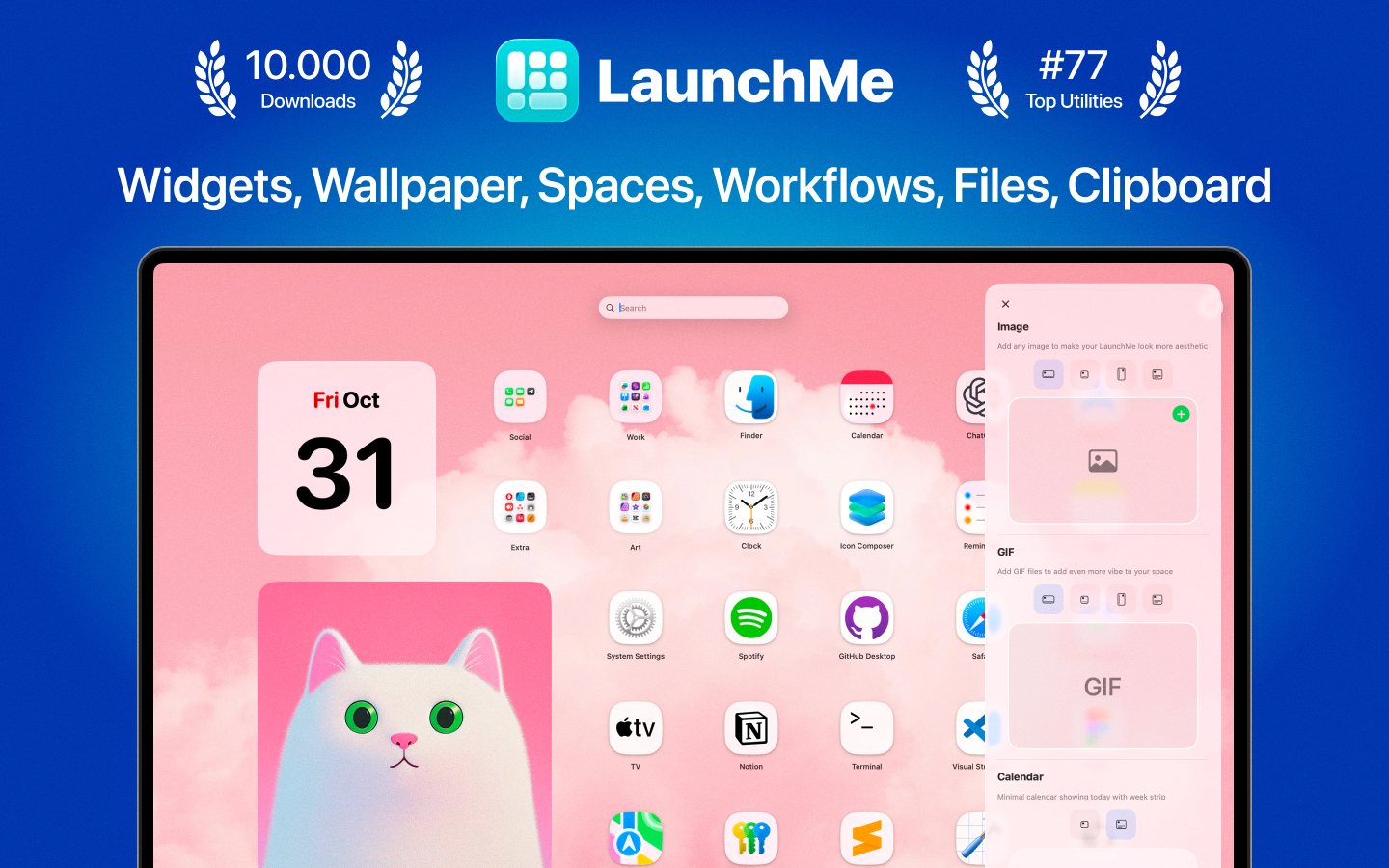
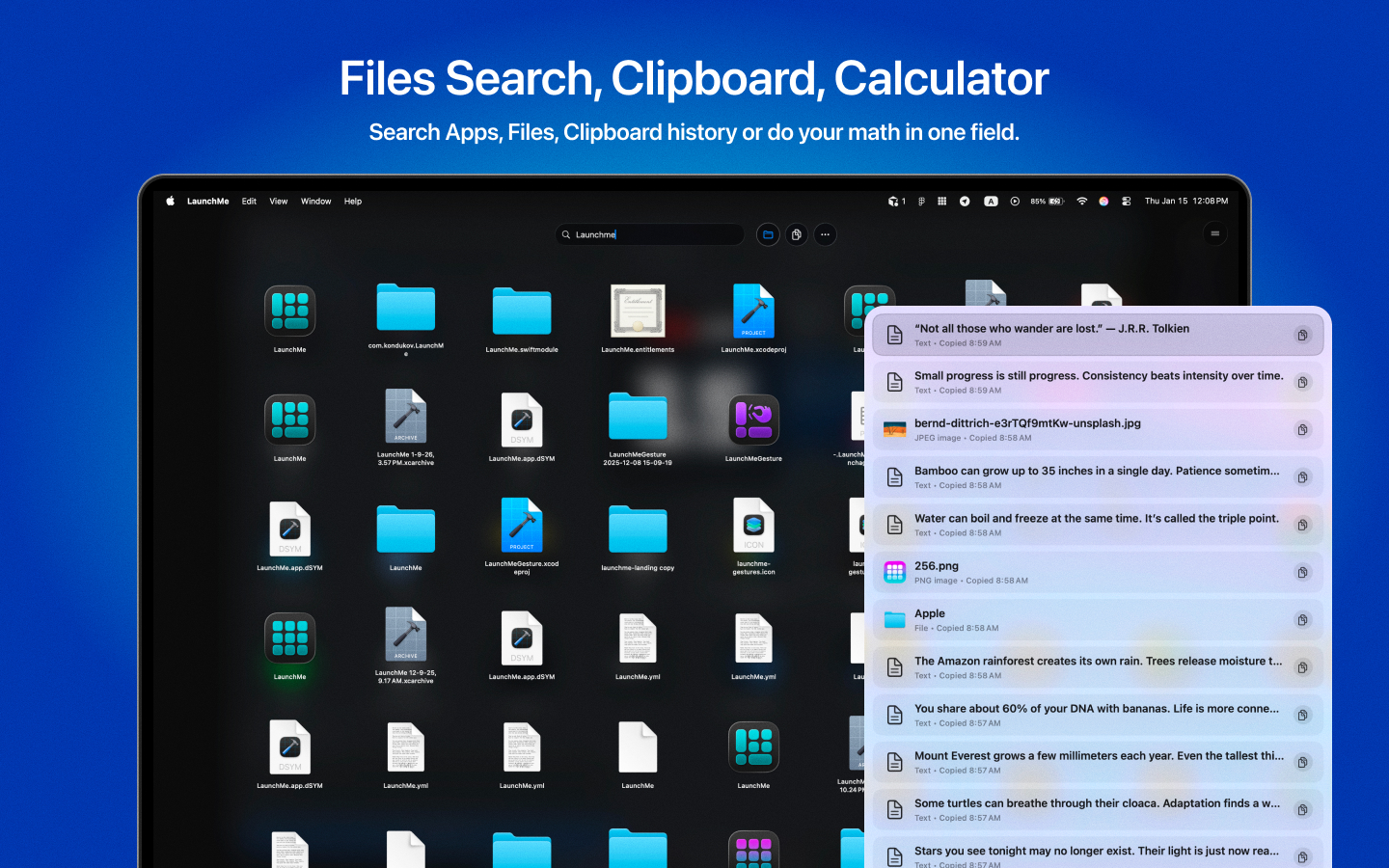
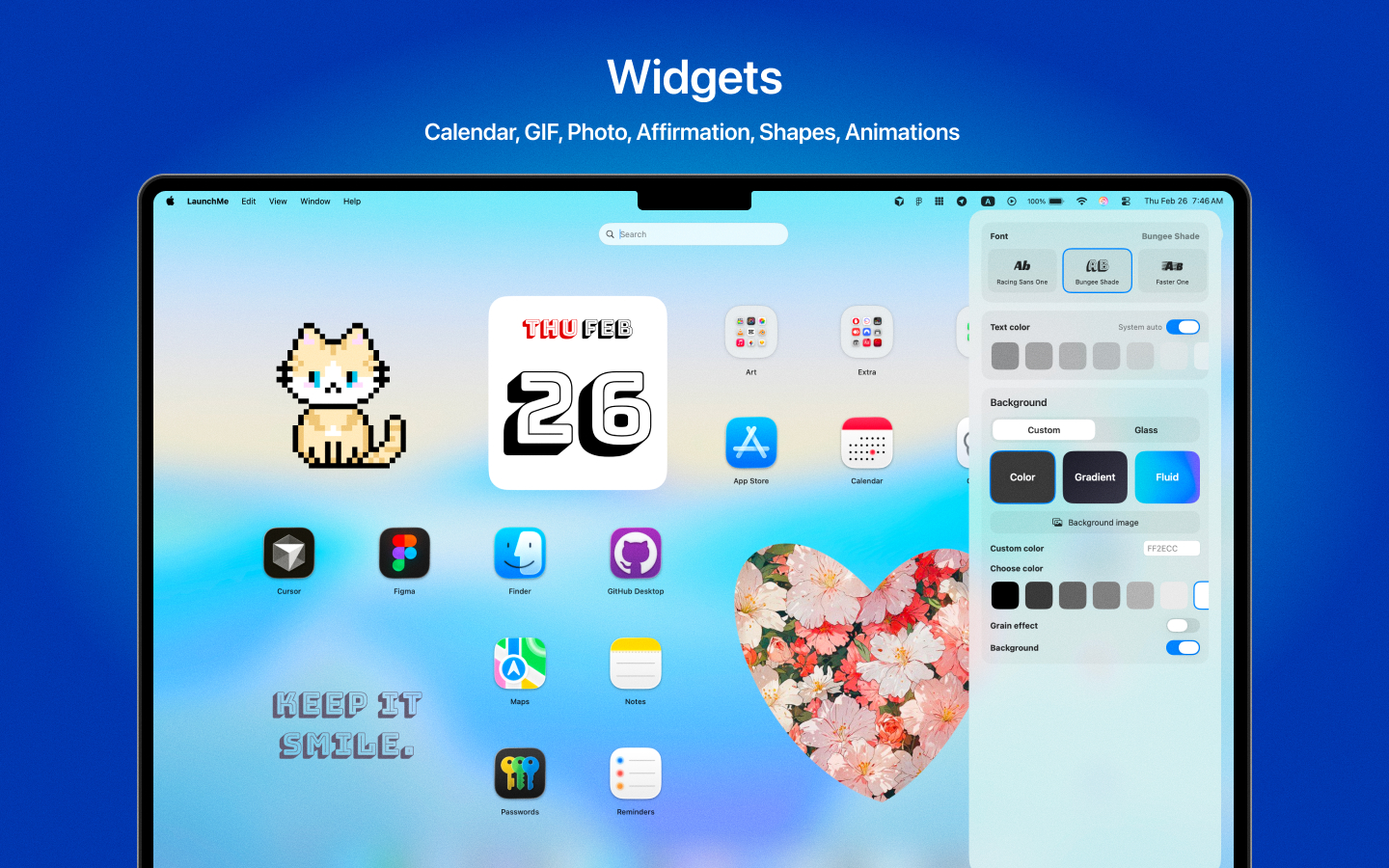
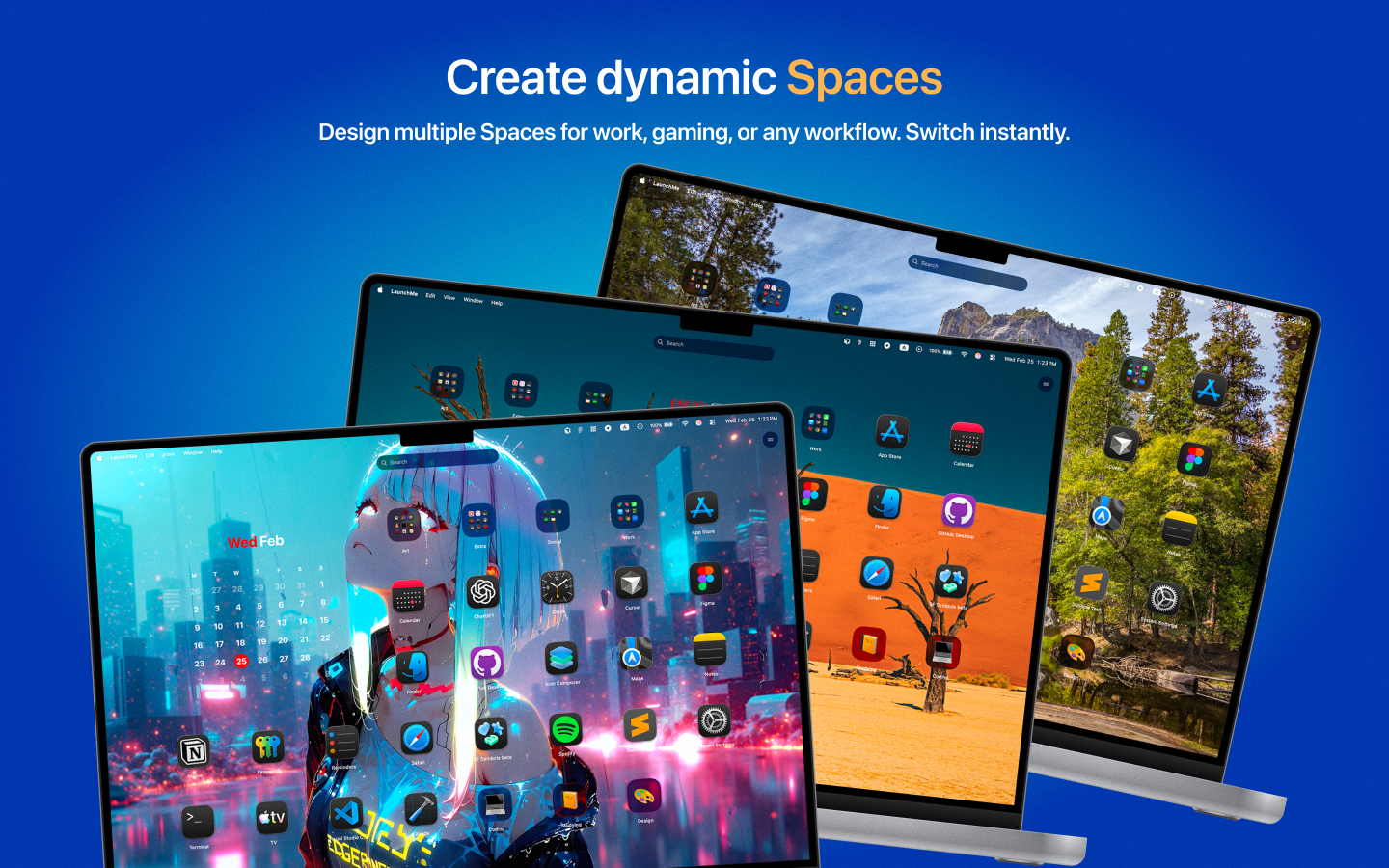
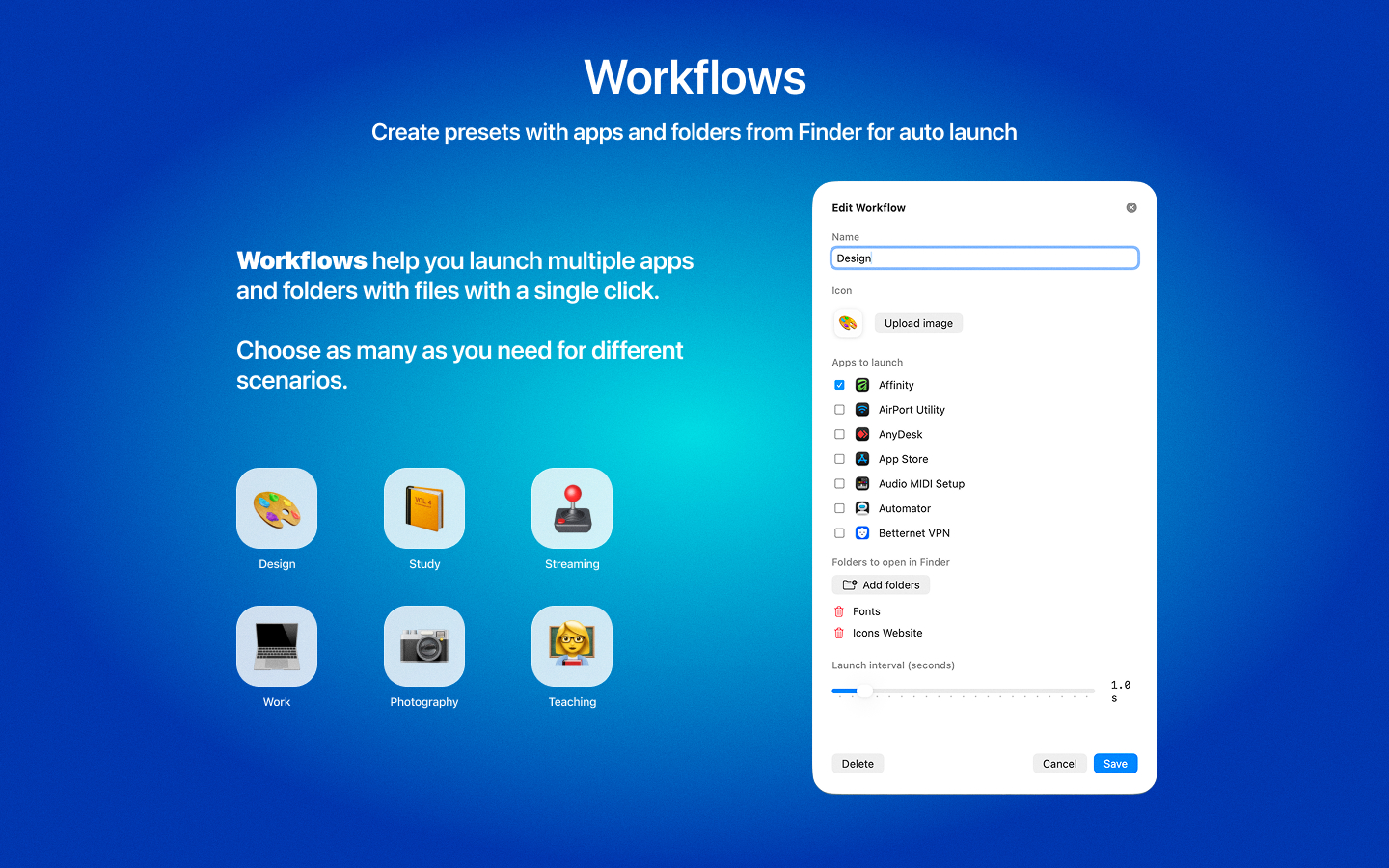
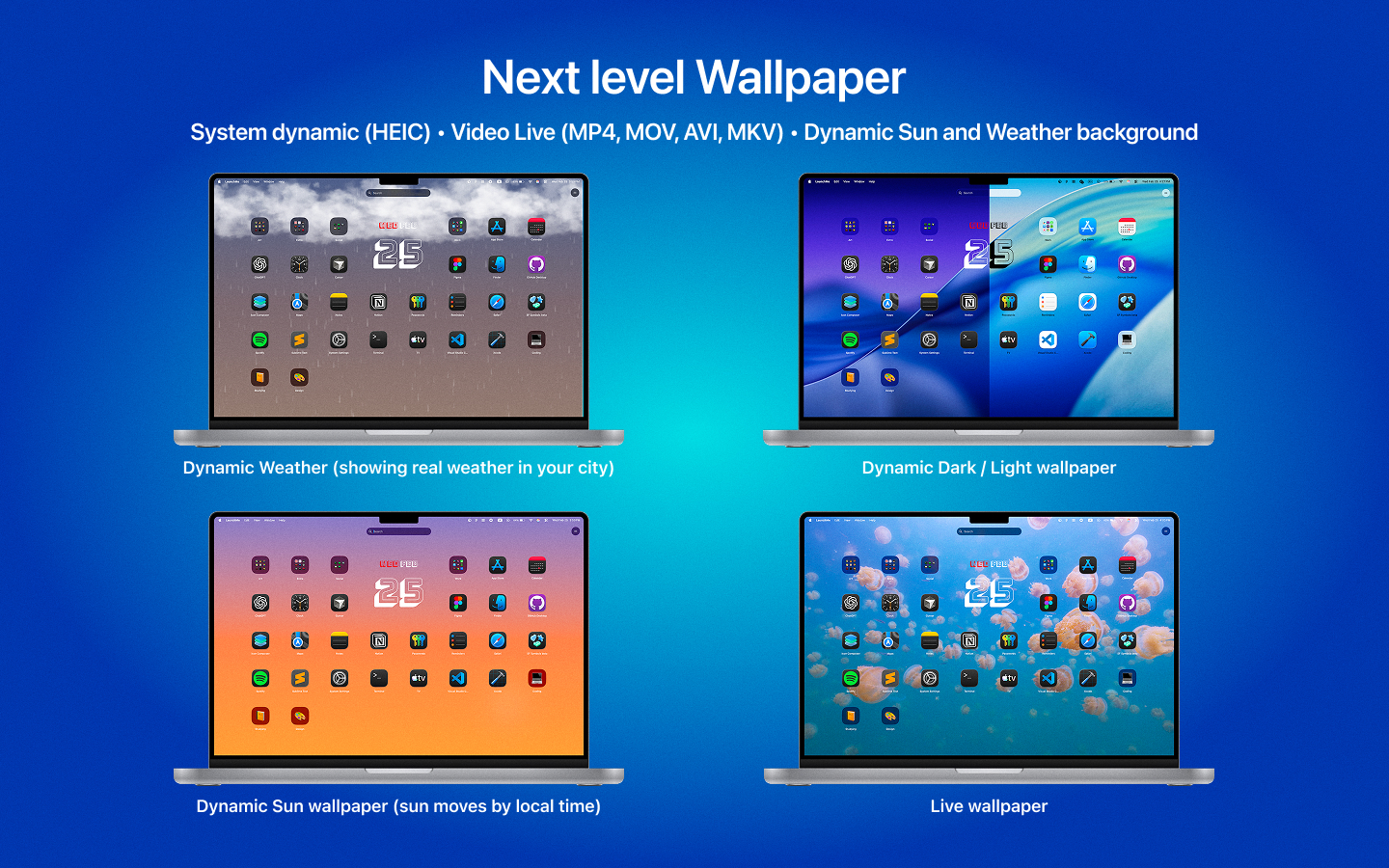
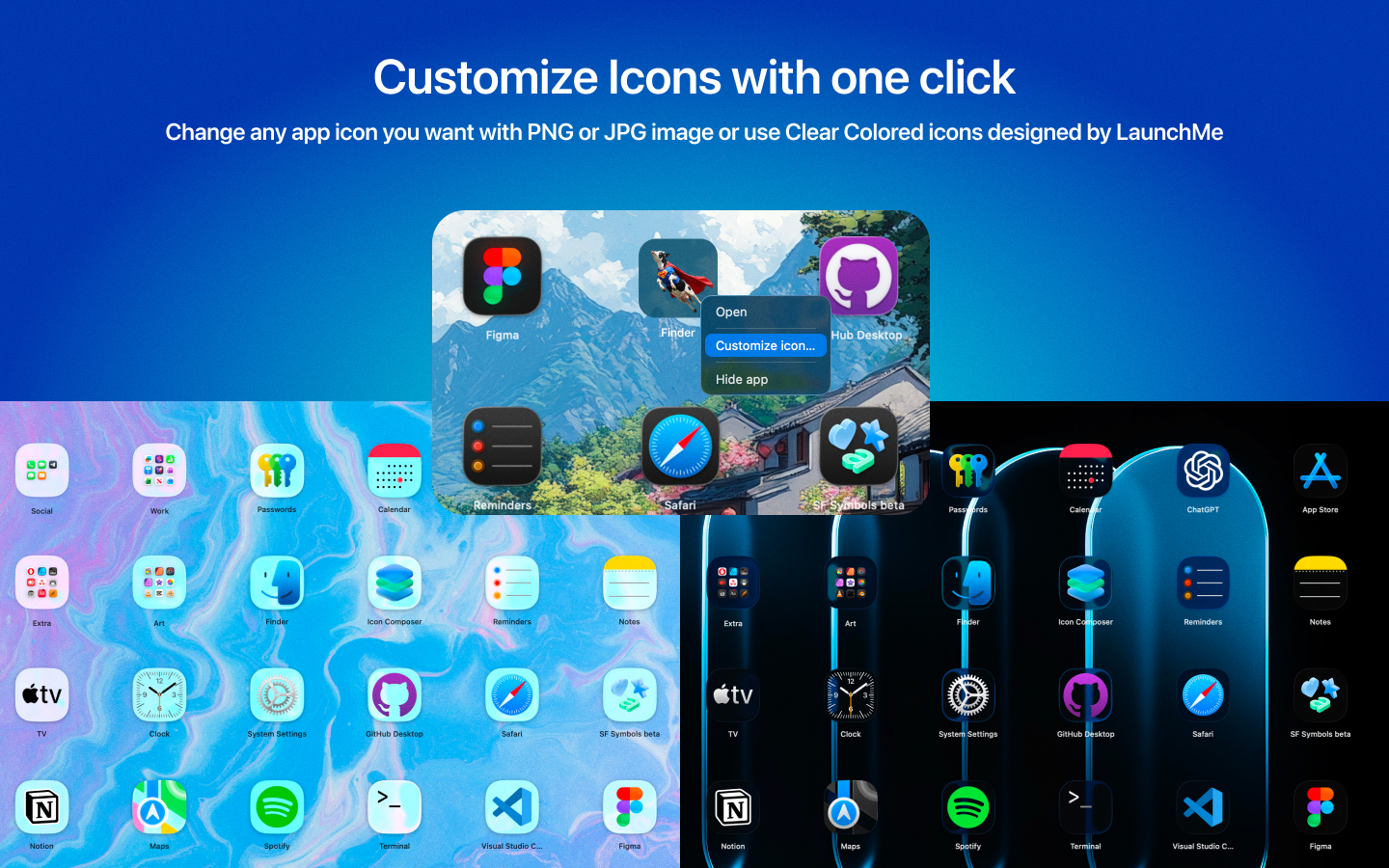
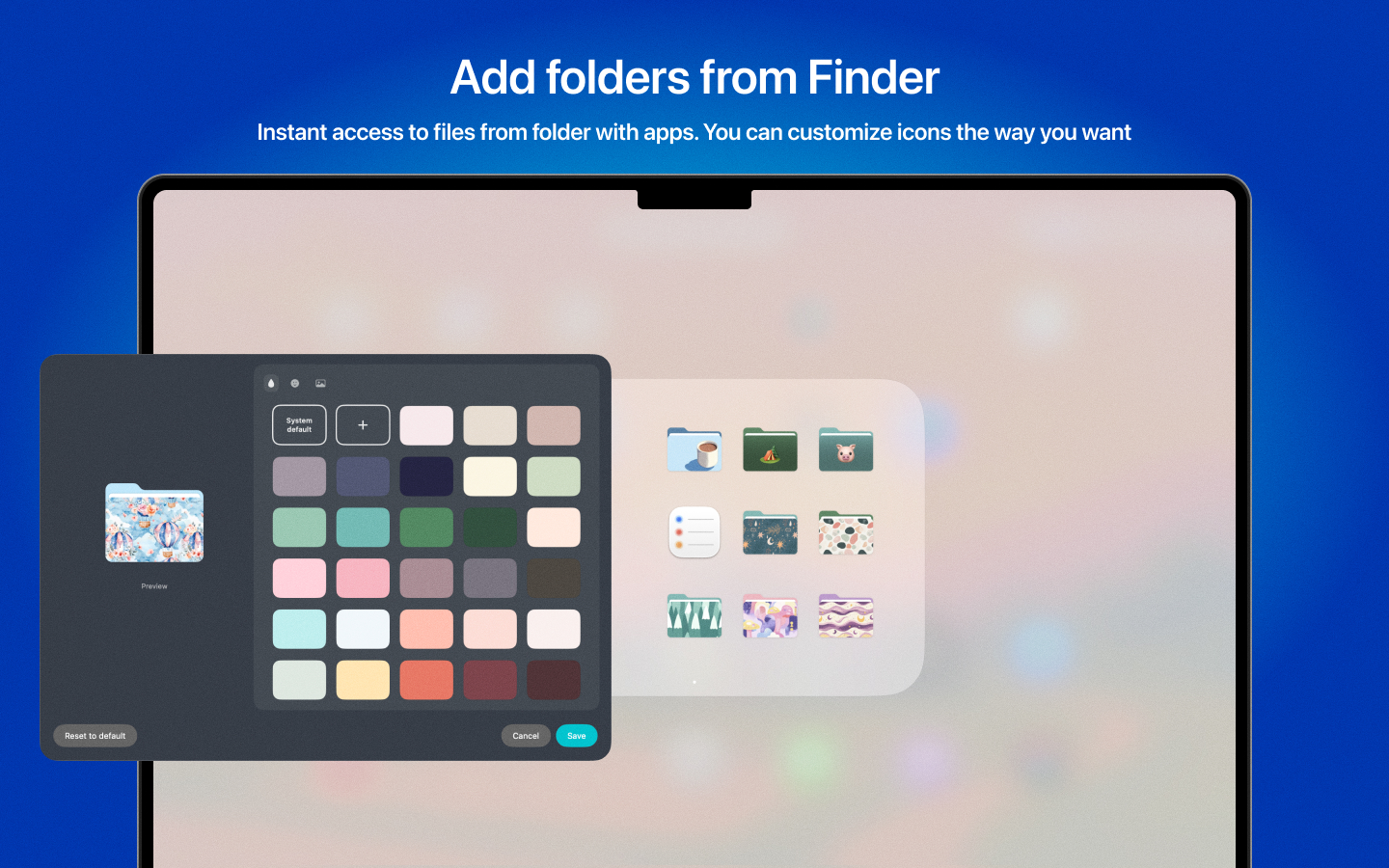
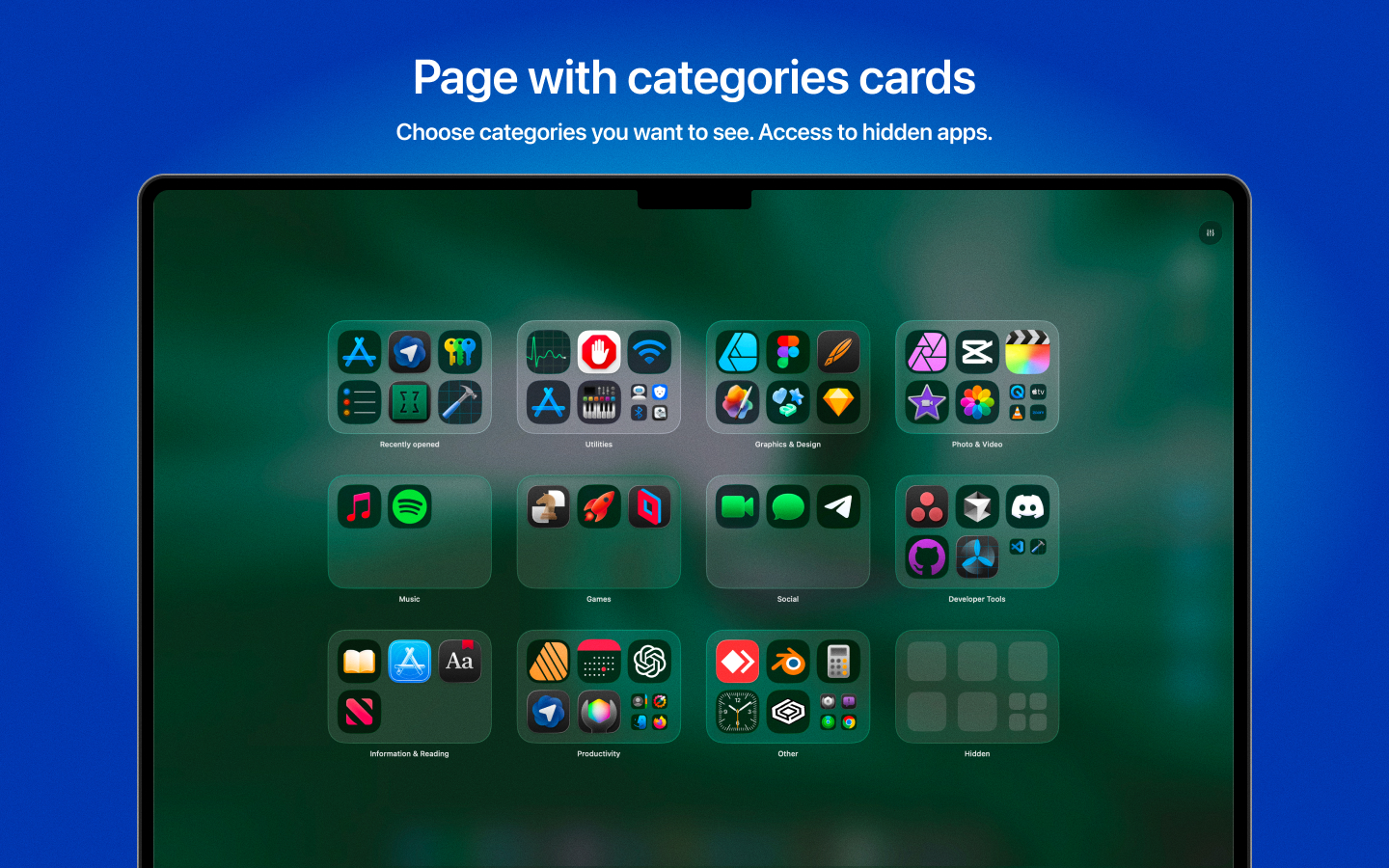
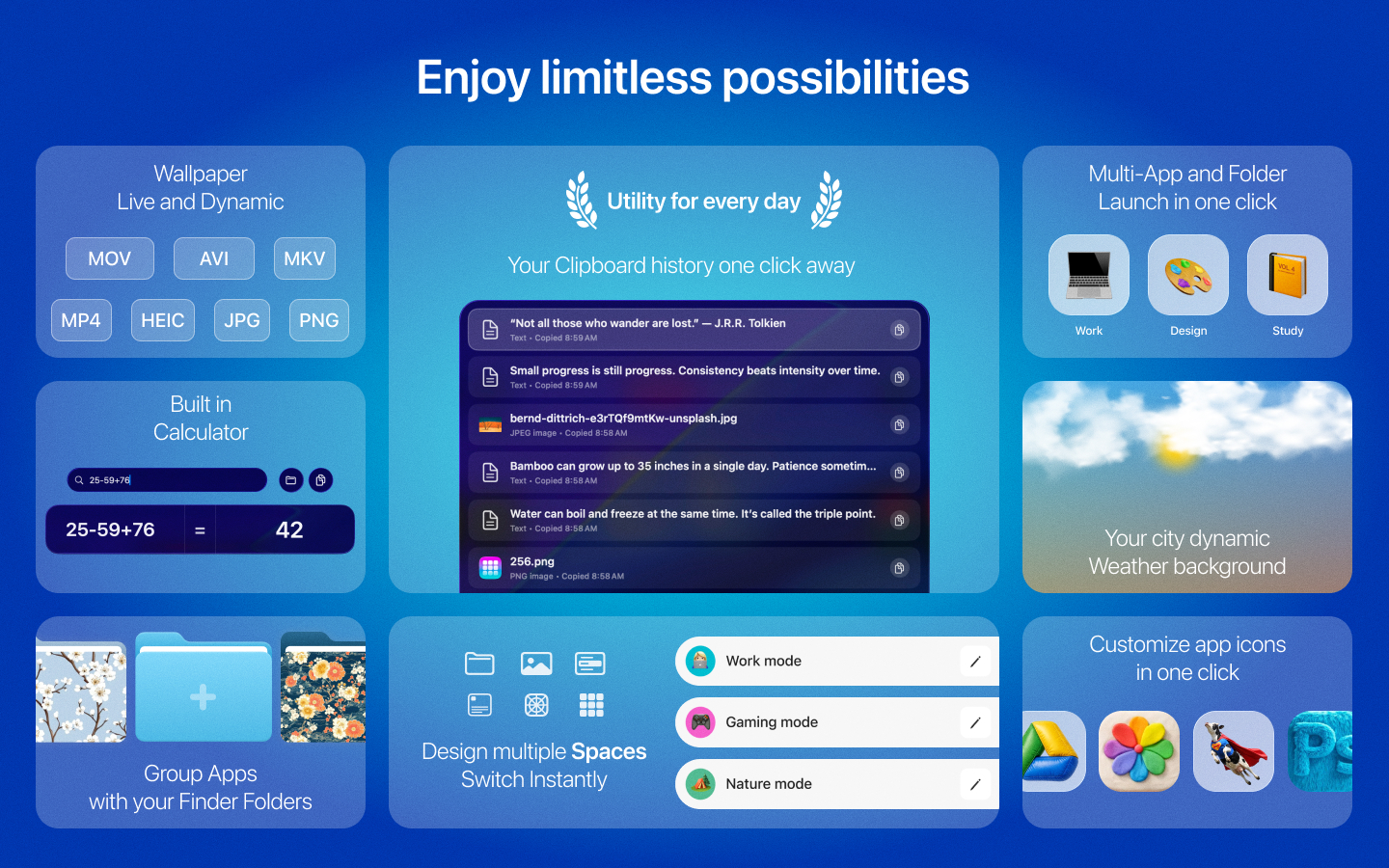
LaunchMe is the next generation workspace and app manager - a modern Launchpad alternative designed for fast app access, file navigation, automation and personalization. LaunchMe gives you full control over how you launch, organize, and customize your apps and files. Features like Spaces and Workflows gives you powerful automation for any work scenarios. ► Why LaunchMe LaunchMe is more than a Mac app launcher. LaunchMe delivers intelligent automation, flexible workspace management, and full visual customization, helping you organize apps and files efficiently across multiple screens and workflows. With powerful tools like Spaces and Workflows, giving you full control over how you launch, organize, and switch between apps and work scenarios on modern macOS Tahoe. ► Customization • Widgets: Calendar, Photo, GIF, Text, Animations, Shaped Photos • Customize any app icons with PNG (no background) or JPG image • Clear Colored icons set designed by LaunchMe • Custom layouts and icon sizes • Themes: Glass and Flat • Dynamic wallpapers with Light & Dark mode support (HEIC) • (Video) Live wallpapers (MP4, MOV, AVI, MKV) • Change Light / Dark Theme manually or automatically by system • Customize file's folders with colors, icons, images, and emojis • Manually change Titles color • Dynamic Sun wallpaper - Based on your local time, the sun moves throughout the day, and the background smoothly transitions from sunrise to daytime, sunset, and night sky with moving stars. • Dynamic Weather wallpaper - Choose your city (or any city), and the background will automatically adapt to the real weather outside. Supported weather conditions include: Clear, Cloudy, Rain, Thunderstorm, and Snow. Background colors also change with local time, transitioning from sunset to night. • App icons support auto switch to system Dark/Light/Tinted ► Apps, files and core features • Supports any resolution and multiply screens • Drag & Drop to create folders or remove from folder • Create folders by simply choosing apps or files from the list • File Search for quick access to documents and folders on your Mac • Clipboard manager saves your copy history with text, files, images, links • Calculator in search field • Hot Corners for instant invoke • Invoke with finger gestures (check Help page) • Pages with categories for better app organization • Add any file's folders from your Mac for fast navigation • Hide apps • Hide Titles • Save your layouts • Set custom keyboard shortcuts • Add extra sources with app. Choose any folder in Finder or on External Drive and LaunchMe will scan these folders for apps. • Stage Manager ready mode • Spaces - allow you to save your current settings, layout, widgets, folders, and wallpaper into a Space that you can switch using a hotkey or schedule to change automatically by day and time. Create different Spaces for work, gaming, studying, or simply different moods - all your setups ready in just one click. • Workflows. Launch multiple apps and folders with files using a single automation preset. If you have recurring scenarios where you need to open a set of apps and Finder folders, you can create one Workflow, name it, choose apps and files, customize its icon with an emoji or image - and it will look and behave just like an app, only more powerful. LaunchMe is free to use with many standard features. Unlock even more features and customization with Pro. Designed exclusively for macOS 26 Tahoe. In macOS 26 Tahoe, Apple removed Launchpad.
 LaunchMe is a modern Launchpad replacement for app launching, app management, and desktop customization on Mac. Compatible only with macOS 26 and later.

Product Insights

LaunchMe is a comprehensive macOS desktop utility that replaces the native Launchpad with advanced organizational tools, workspace automation, and extensive visual personalization. It integrates file navigation, clipboard management, and multi-screen support to streamline professional workflows.

  • Supports deep customization including widgets, live wallpapers, and custom icon sets.
  • Features 'Spaces' for saving and scheduling unique desktop layouts, widgets, and wallpapers.
  • Includes built-in productivity tools like a clipboard manager, file search, and calculator.
  • Specifically optimized for macOS 26 Tahoe with support for Stage Manager and tinted icons.

Ideal for: Designers, developers, and freelancers who require a highly customizable macOS workspace to manage complex app layouts and automated workflows across multiple screens.

Screenshots

Screenshot 1 of LaunchMeScreenshot 2 of LaunchMeScreenshot 3 of LaunchMeScreenshot 4 of LaunchMeScreenshot 5 of LaunchMeScreenshot 6 of LaunchMeScreenshot 7 of LaunchMeScreenshot 8 of LaunchMeScreenshot 9 of LaunchMeScreenshot 10 of LaunchMe

Product Updates (0)

No updates yet. Check back later for updates from the team.

Comments (1)

kondukovinfo
@kondukovinfoMar 17, 2026

Hi everyone! My name is Sergey, I'm indie developer and working on LaunchMe alone. If you have any questions or suggestions you can chat me in any social network.

You may also like

OpenTeleprompter V3

OpenTeleprompter V3

Free, open source, voice-activated, Invisible teleprompter

FreeContent Creation
215PeerPush
🥇#1 of the Day
14
Vabues

Vabues

The AI-Powered Builder OS for startup growth

Competitor AnalysisProduct Launch
248PeerPush
🥉#3 of the Week
-50% OFF
14

Domain Rating

73

Powered by Ahrefs

Discover

  • Categories
  • Use Cases
  • Audiences
  • Platforms
  • Alternatives
  • Hall of Fame
  • vs Product Hunt
  • Compare Directories

Integrate

  • MCP Server
  • API
  • For AI Agents

Resources

  • Blog
  • Newsletter
  • FAQ
  • Rules
  • Pricing
  • Free Tools

Company

  • About
  • Advertise
  • Partnerships
  • Affiliates
  • Builders

Legal

  • Privacy
  • Terms

Social

  • X / Twitter
  • LinkedIn
  • Instagram
PeerPushPeerPush

Product discovery for people and AI.

Browse

Categories

See all
  • AI Tools
  • Automation & Workflow
  • Developer Tools
  • Analytics & Monitoring

Use Cases

See all
  • Workflow Automation
  • Content Creation
  • Analytics & Reporting
  • Data Analysis

Audiences

See all
  • Non-Technical Users
  • Freelancers
  • Small Businesses
  • Founders & CEOs

Platforms

See all
  • Web
  • Mobile
  • Desktop
  • API

Alternatives

See all
  • Notion
  • Intercom
  • Jira
  • Trello