
TAMI Studio
Turn screenshots and recordings into automated tests

Details
- Follow on
- @ui_licious
- Categories
- AIDeveloper ToolsNo-Code / Low-Code
- Target Audience
- QA EngineersDevelopersStartups
- Platforms
- Web
- Featured in
- Best Bug Tracking Tools
About TAMI Studio
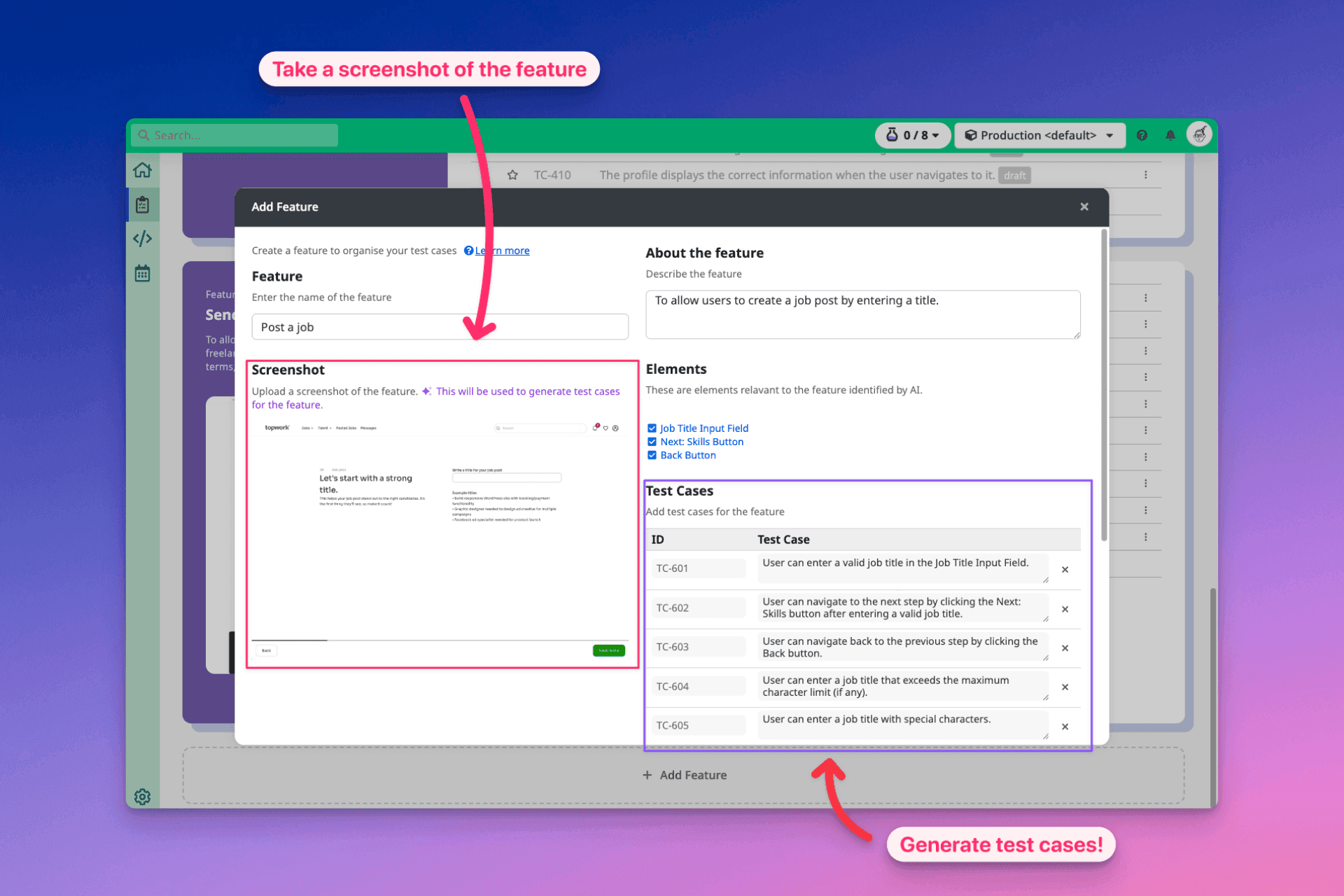
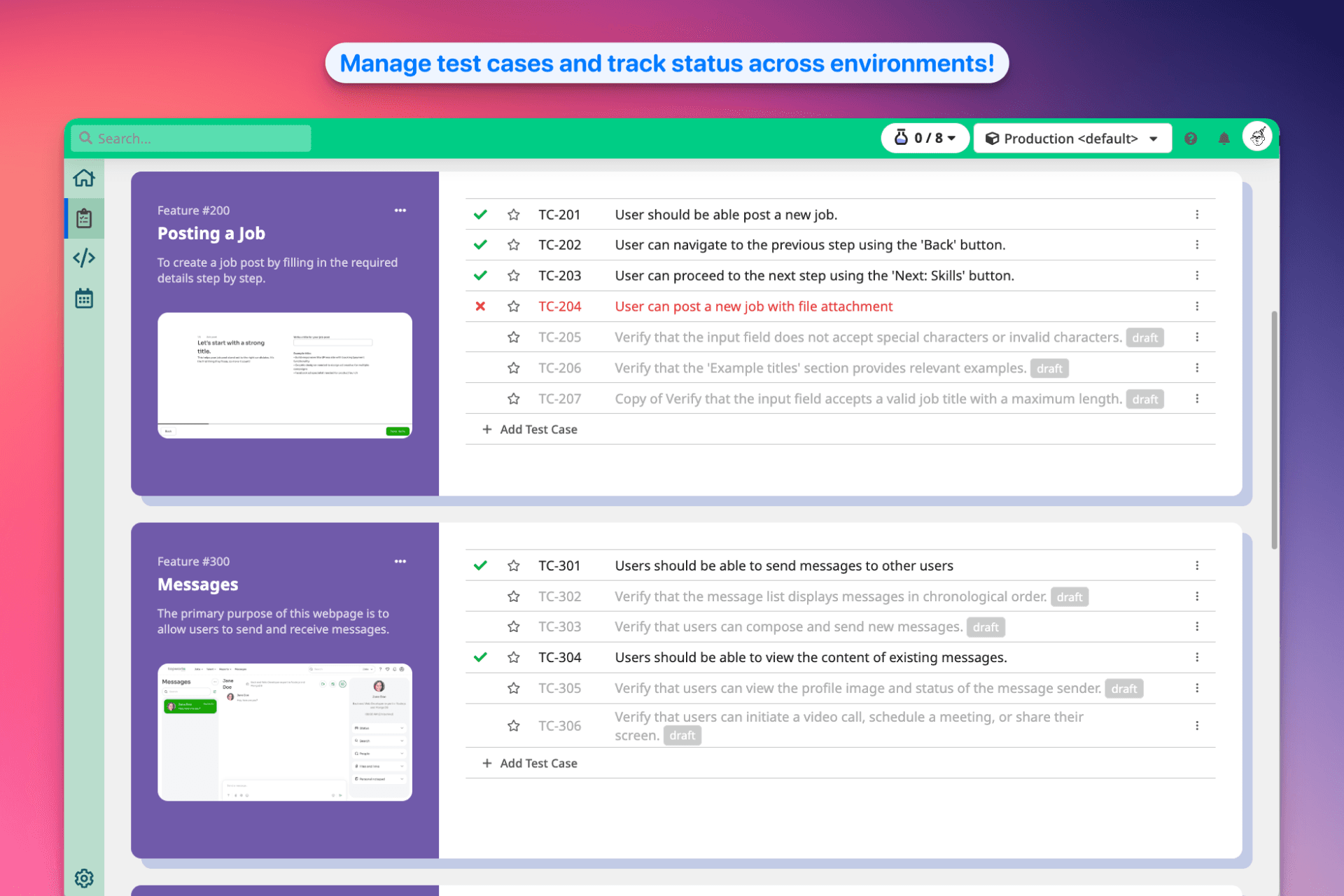
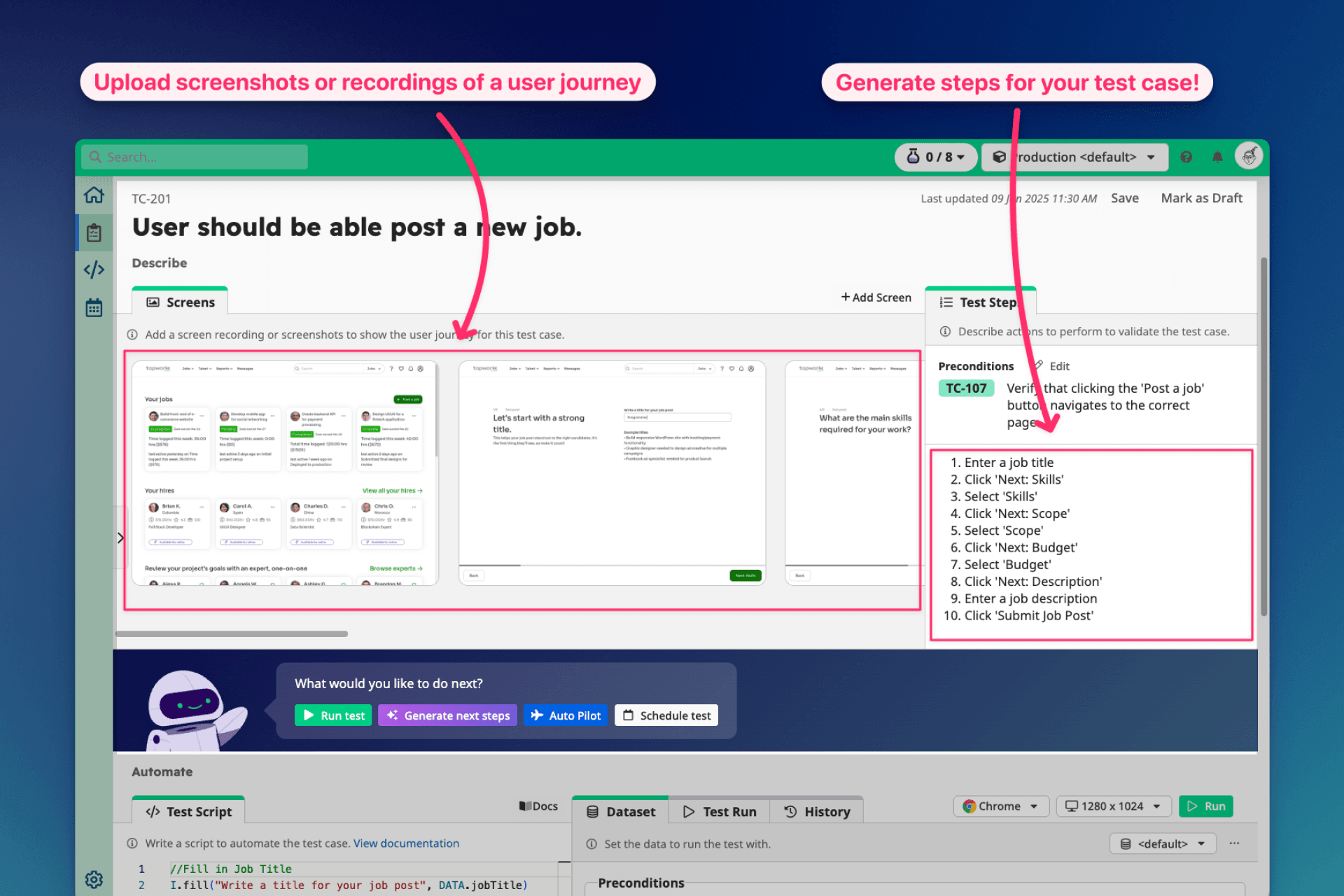
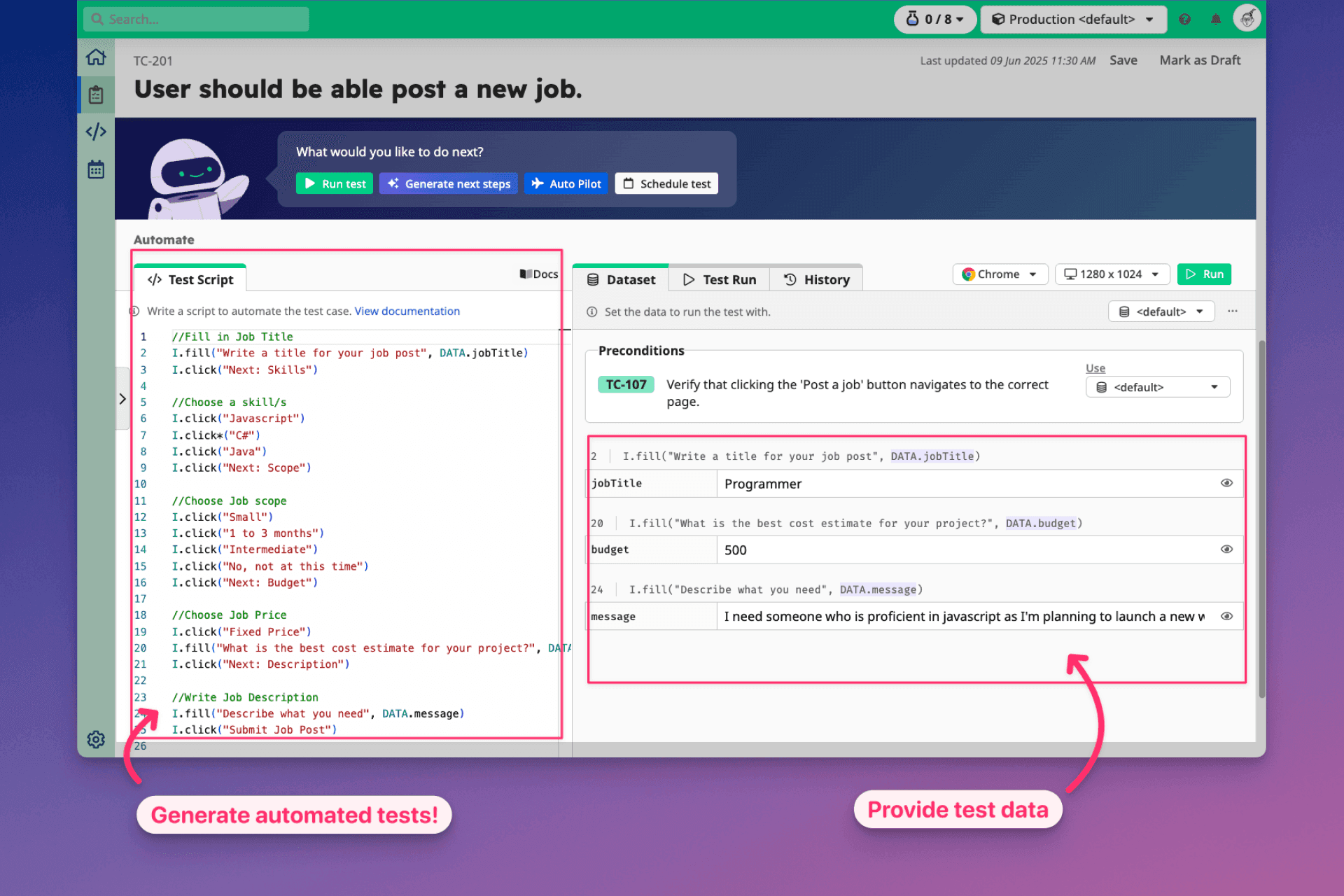
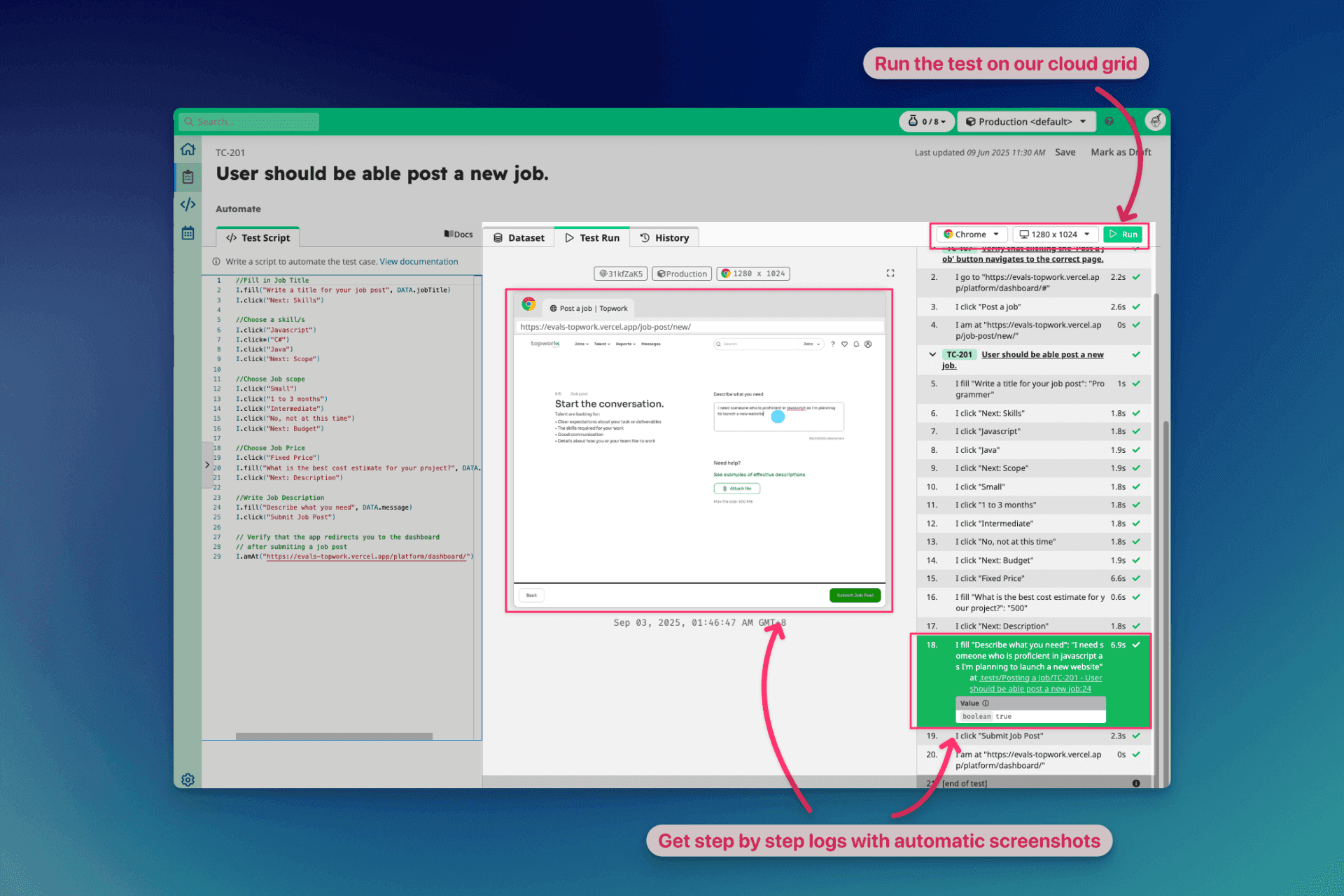
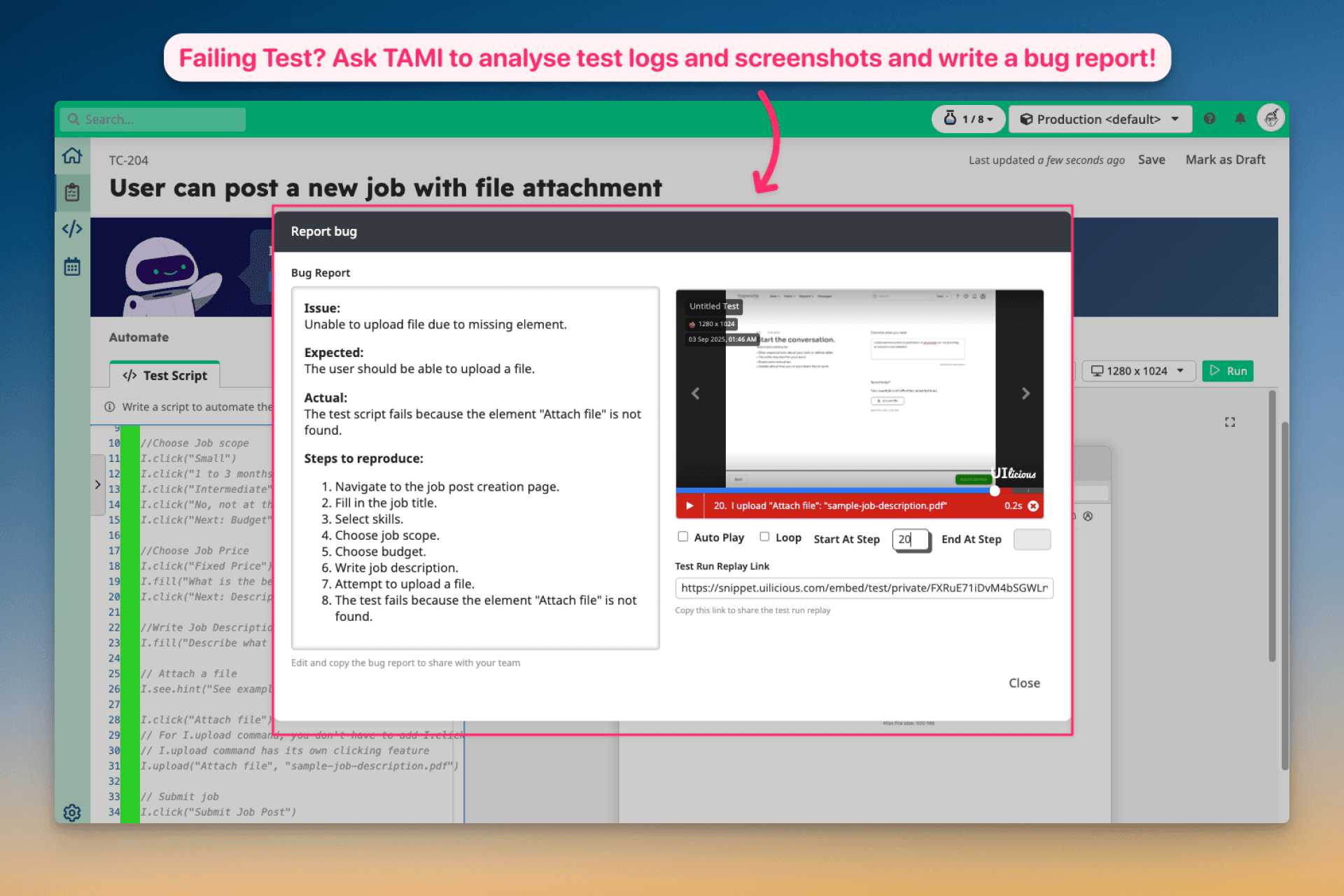
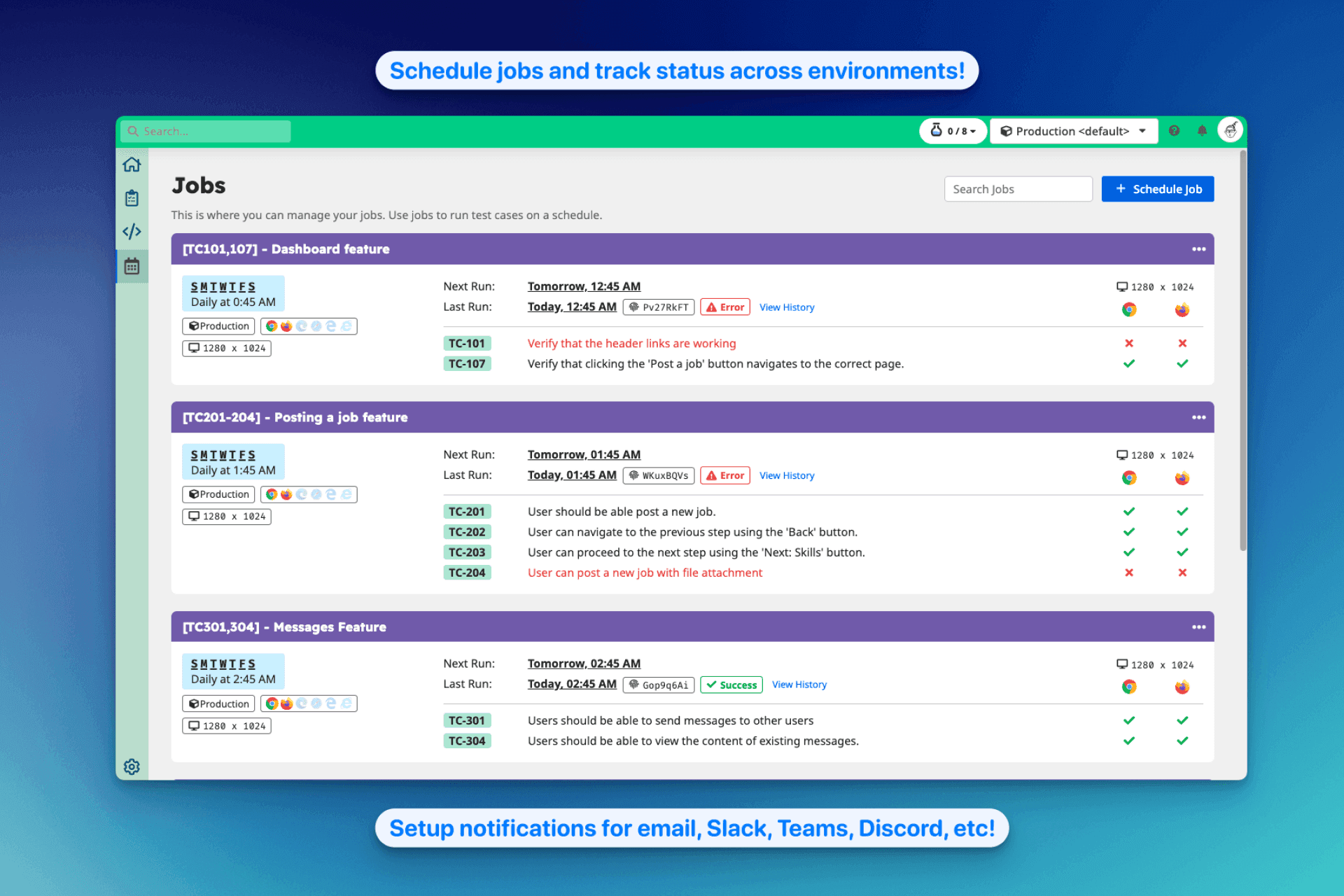
👀 Test the way your users see your app. Plan, automate, and run UI tests effortlessly with TAMI, your AI co-pilot for UI test automation. TAMI Studio is an AI-powered online IDE that combines test case management, low-code scripting, and a cross-browser grid — everything you need to automate UI testing in one place. ✨ Let TAMI analyse visual artefacts — like screenshots and recordings — to identify features, suggest test cases, and document test steps. ⚡ Automate using our low-code test framework — write stable and readable test scripts yourself, or ask TAMI to write them for you. ▶️ Run the tests on our cross-browser grid, and track statuses across environments. 🔔 Schedule jobs and get failure alerts via email, Slack, Teams, Discord, etc. 🐞 When tests fail, TAMI can diagnose the issue from logs & screenshots, help you fix the broken scripts, or write clear and detailed bug reports for your developers.
Product Insights
TAMI Studio provides a web-based, AI-powered IDE that integrates test case management with low-code automation and a cross-browser execution grid. The platform utilizes visual analysis of screenshots and recordings to generate test scripts and diagnose failures across multiple environments.
- AI-driven analysis of screenshots and recordings to automate test case generation and documentation.
- Integrated cross-browser grid for executing tests and tracking statuses across different environments.
- Low-code scripting framework that allows manual writing or AI-assisted script generation.
- Automated failure diagnostics that generate bug reports from logs and visual artefacts.
Ideal for: QA Engineers, Developers, and Startups seeking a unified web-based environment to automate UI testing and bug tracking using AI.
Screenshots
Reviews (0)
No reviews yet. Be the first to rate this product!
Comments (2)
This looks really great!
How does TAMI Studio differ from other low-code tools?
A lot of low-code tools have rolled out AI features to generate tests from text prompts, but this is not accurate. Our AI has vision capabilities to analyse screenshots and recordings to see what's actually rendered, and generates high quality tests.