
Vertask
Free task management for individuals and teams

Details
- Follow on
- @vertaskitLinkedIn
- Categories
- Productivity & Notes
- Target Audience
- SolopreneursSmall BusinessesTeam Leaders
- Pricing
- Free
- Platforms
- Web
- Featured in
- Best Tools for Team Leaders
About Vertask
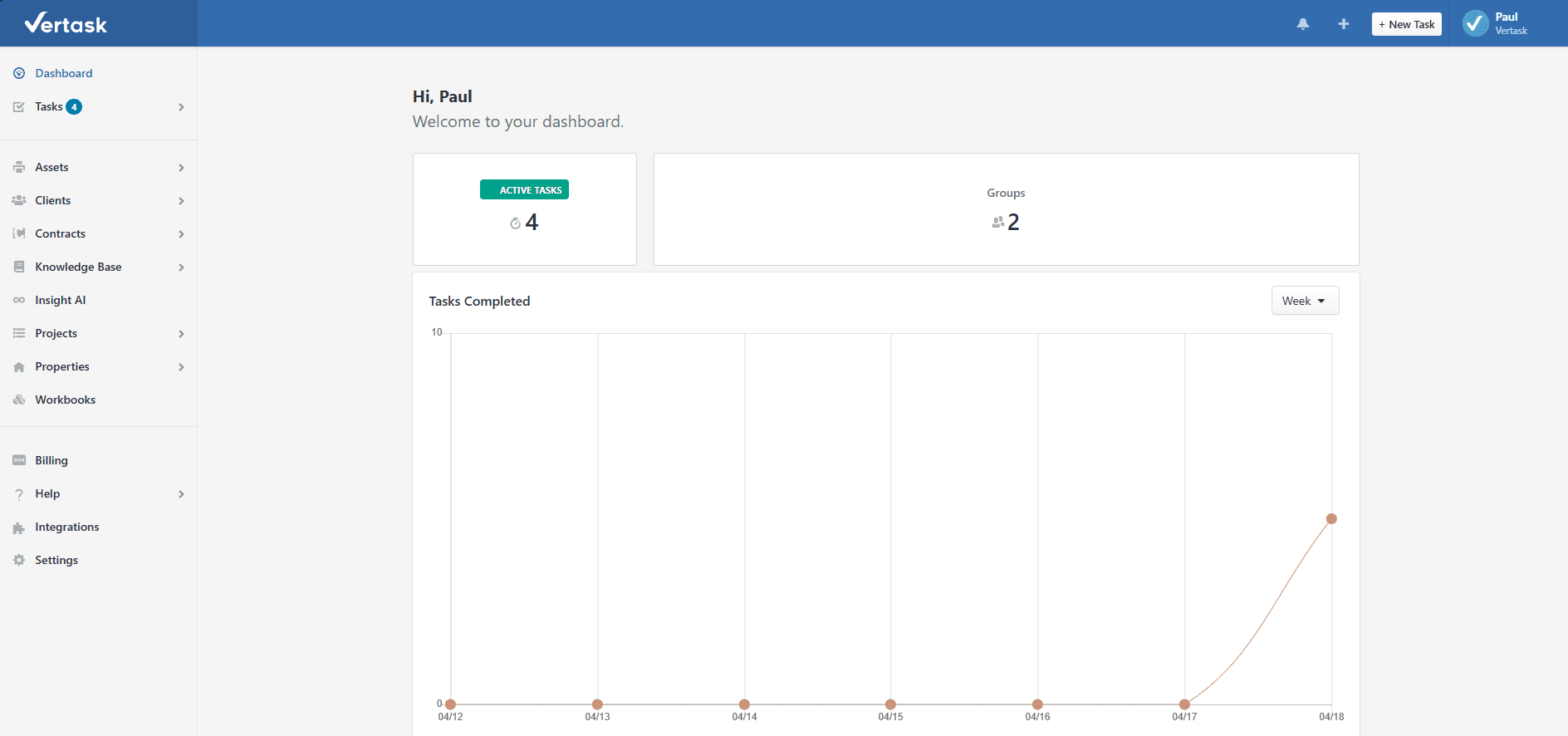
Managing support requests, tracking assets, documenting procedures, and chasing contract renewals shouldn't require four different tools. Vertask brings it all into one clean, cloud-based platform built specifically for IT professionals, helpdesk teams, and managed service providers. What you can do with Vertask: Create and track support tickets, manage tasks, build an internal knowledge base, document assets, and set contract renewal reminders — all from a single platform. Vertask Teams can be up and running in minutes: you can create an account, sign in, and start creating tasks in under 5 minutes. Key features include: Ticketing & Task Management — Track support requests, clone similar tasks to reduce data entry, store canned responses, set predefined due dates, and receive notifications when tickets are assigned or updated. Projects — Link multiple tasks under a project to gain a comprehensive view of progress and collaborate effectively on complex objectives. Knowledge Base — Agents can create and share documentation on assets, locations, users, and procedures — making knowledge transfer and onboarding far less painful when staff changes happen. Asset & Location Management — Track hardware and software assets with details like make, model, and serial number, and associate them with users and locations so your team has what they need to resolve issues fast. Contract Reminders — Add your contracts, set reminders for upcoming renewals, and share visibility with team members. Client Portal — Give clients a secure self-service portal to track tasks, access the knowledge base, and rate support using a 5-star system when tickets close. AI Assistance — Vertask uses AI to generate content and search for possible solutions by analyzing ticket and knowledge base data, helping agents resolve issues faster. Automation — Automate repetitive tasks like daily checklists or preventive maintenance, and forward client emails directly into the ticketing system. Integrations — Sync with LogMeIn Central to automatically link computers with tickets and knowledge base articles Vertask, plus Zapier integration to handle backend automation so your team stays focused on customer service. What makes it different: Most helpdesk tools are built for generic customer support and bolt on IT-specific features later. Vertask was designed from the ground up for IT and MSP workflows — combining ticketing, asset tracking, documentation, and contract management in a way that reflects how IT teams actually operate. It's free for the first two agents Vertask, making it accessible for small teams without a procurement process. Real outcomes users can expect: Fewer things falling through the cracks, faster ticket resolution thanks to centralized documentation and AI-assisted suggestions, better accountability across remote and in-office teams, and a single source of truth for assets, locations, and client history — instead of hunting across spreadsheets, emails, and shared drives.
Product Insights
Vertask is a specialized web-based productivity suite that consolidates ticketing, asset tracking, and knowledge management for IT-centric workflows. It provides a free entry point for small teams to centralize support requests and technical documentation on a single cloud platform.
- Native IT-specific tools including asset tracking, location management, and contract renewal reminders.
- Integrated AI assistance for generating content and searching historical ticket data for solutions.
- Client portal feature allows external users to track tasks, access documentation, and provide feedback.
- Automated task creation for repetitive checklists and email-to-ticket conversion.
Ideal for: Solopreneurs, small businesses, and team leaders in technical fields who need to manage IT assets and support tickets in one place.
Screenshots
Reviews (0)
No reviews yet. Be the first to rate this product!
Comments (0)
No comments yet. Be the first to share your thoughts!