



Products for Educators

Curated tools and products built specifically for educators. Discover solutions tailored to your needs, with real reviews from the builder community.

Sponsor Educators

Feature your product at the top of this page.

Published Today

Wildgram

Wildgram

Catch Animals, Gain XP, Rank Up

1PeerPush
HifzPath

HifzPath

Memorize the Quran with real-time speech recognition

1PeerPush
1
$0MRR
RandomToolHub

RandomToolHub

Free random generators for states, objects, and dates
1PeerPush
AI for NGO

AI for NGO

Practical AI training and tools for nonprofit organizations

1PeerPush
1
OSCE AI

OSCE AI

Practice realistic medical exam stations with AI feedback

1PeerPush

Published This Week

TryDraft

TryDraft

Figma for Thinking with AI

2PeerPush
🔥Trending
1
1
Androma

Androma

The home of mathematics on the internet

1PeerPush
🔥Trending
4
Cramberry

Cramberry

Turn notes into flashcards, quizzes and summaries

1PeerPush
Readio

Readio

Read Aloud Anything with Natural AI Voices

1PeerPush
🔥Trending
1
NaijaHub

NaijaHub

Nigeria's free daily dashboard — rates, news & more

1PeerPush
1
edita.tools

edita.tools

Fast privacy-first tools to edit, convert and optimize files

1PeerPush
2
CONTXT

CONTXT

Discover artwork stories through natural dialogue

1PeerPush
EarthLive.TV

EarthLive.TV

Explore The World Through Live Webcams

1PeerPush
CapyCursor

CapyCursor

Annotate and highlight your cursor for Windows

1PeerPush
🔥Trending
Mimir

Mimir

Research Q&A for materials science with accurate citations

2PeerPush
ScriptureDepth

ScriptureDepth

AI-powered Bible study app for deeper Scripture understandin

1PeerPush
1
Popup

Popup

Monetize live events and digital content on one platform
1PeerPush
Where is Artemis 2 Now?

Where is Artemis 2 Now?

Track the Artemis II mission and distance from Earth

1PeerPush
Show Me the Counts

Show Me the Counts

Practice dance faster by looping and slowing down music

1PeerPush
Cuflow

Cuflow

AI-Powered Study & Productivity Tool

1PeerPush
🔥Trending
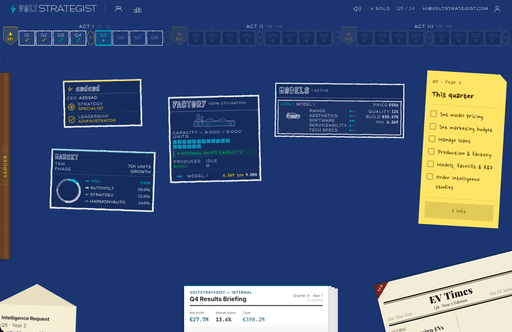
VoltStrategist

VoltStrategist

Online business simulation strategy game

1PeerPush
1
Bloomster

Bloomster

Life skills and SEL curriculum for kids and teens

1PeerPush
Thinkee

Thinkee

Interactive quizzes for kids aligned with the UK curriculum

1PeerPush
-50% OFF
1
Supply Chain Disaster

Supply Chain Disaster

A browser-based simulation to learn supply chain strategy

1PeerPush
1
$30MRR
ChalkLab

ChalkLab

Create personalized ESL worksheets and games in minutes

1PeerPush
1

Published This Month

PapersFlow

PapersFlow

All-in-one AI workspace for academic research

5PeerPush
🔥Trending
7
Kiqo

Kiqo

AI-powered learning platform for K–5 kids

1PeerPush
🔥Trending
2
Notum

Notum

Smart flashcards and spaced-repetition for efficient study

1PeerPush
🔥Trending
1
$0MRR
isHuman.in

isHuman.in

Identify text from ChatGPT, Claude, and Gemini

10PeerPush
🔥Trending
2
Online Whiteboard

Online Whiteboard

A free online whiteboard for your browser

11PeerPush
🔥Trending
2
Go Loco

Go Loco

Everything under the Sun you need to learn a language.

1PeerPush
🔥Trending
2
LearnBuilder

LearnBuilder

Build AI-powered e-learning with interactive scenarios

1PeerPush
🔥Trending
2
Gistr

Gistr

AI-native smart notebook for learning and research

1PeerPush
🔥Trending
2
Emoji Combiner

Emoji Combiner

Stop Sending the Same 5 Emojis as Everyone Else.

1PeerPush
🔥Trending
3
Piply

Piply

The all-in-one AI study workspace for students

16PeerPush
🔥Trending
10
2
The Lanyard

The Lanyard

Honest tech conference reviews from real attendees

2PeerPush
🔥Trending
3
Recallit

Recallit

Turn lecture slides into a full study system.

89PeerPush
🥈#2 of the Day
9
MeetBackdrops

MeetBackdrops

Free professional virtual backgrounds for Zoom & Teams

6PeerPush
🔥Trending
7
The Kingdom of English

The Kingdom of English

ESL and EFL practice platform for language learners

3PeerPush
🔥Trending
7
Booklet AI

Booklet AI

Create research-backed, print-ready booklets with AI

1PeerPush
🔥Trending
3
RosarioSIS

RosarioSIS

Manage and improve school communications and operations

3PeerPush
🔥Trending
4
$1kMRR
1
Mentofy

Mentofy

The all-in-one AI classroom platform — lessons, exams & more

1PeerPush
🔥Trending
-100% OFF
3
AgentSwarms

AgentSwarms

Don't just read about agents. Build them.

51PeerPush
🥉#3 of the Day
9
2
North

North

Money Awareness For The Next Generation

1PeerPush
🔥Trending
3
EduSolver: AI Homework Helper

EduSolver: AI Homework Helper

Get instant AI-powered homework help and assignment solution

1PeerPush
-20% OFF
1
$1kMRR
Web Harmonium

Web Harmonium

Play harmonium online with authentic Indian sounds

1PeerPush
🔥Trending
2
BrainFunHub

BrainFunHub

Simple Games for Seniors and Families

1PeerPush
🔥Trending
2
Grambo

Grambo

Grammar Checker & AI Writing Assistant for Mac

5PeerPush
🔥Trending
-62% OFF
9

The best digital tools for educators provide streamlined workflows for lesson planning, automated grading, and interactive classroom engagement. These resources empower teachers to focus on instruction by reducing administrative friction and providing instant analytical feedback on student performance. Schools and independent instructors utilize these platforms to create dynamic learning environments across web, desktop, and mobile devices.

Effective education technology balances ease of use with robust functionality to support diverse curriculum requirements. Top selections offer seamless transitions between content creation and student assessment, ensuring that pedagogical goals remain the primary focus. High quality options provide reliable performance and accessible design to ensure all learners can participate effectively in a digital-first classroom.

Modern teaching tools prioritize cross-platform compatibility and real-time collaboration. Whether managing lecture materials or generating quick comprehension checks, the ideal toolkit adapts to specific subject matter needs and varied instruction styles. Premium and open-source models ensure educators find solutions that align with their institutional budgets and individual classroom demands.


What to look for

  • Verify that the interface is intuitive enough for students and faculty to use without extensive technical training.
  • Prioritize solutions that function across web browsers and mobile devices to support remote and in-person learning.
  • Look for robust data export and analytical features to track student progress throughout the academic term.
  • Evaluate the level of documentation and community support available for troubleshooting during live lessons.
  • Check if the pricing model offers a permanent free tier or affordable licensing for educational institutions.
  • Ensure the tool supports diverse content types such as video, interactive quizzes, and collaborative note-taking.

Frequently asked questions

Which features are essential for modern classroom management software?
Effective classroom software must offer reliable automation for repetitive tasks like grading and attendance while providing interactive elements to keep students engaged. High-quality platforms include real-time feedback mechanisms and clear analytics that help instructors identify learning gaps immediately. Compatibility across different operating systems is also vital to ensure all students have equal access to the materials.
Can I find free digital resources for teaching and assessment?
An abundance of free and open-source software exists specifically for education, ranging from browser-based quiz generators to desktop teleprompters. Many developers offer these services as a public good or provide functional free versions alongside paid institutional tiers. Educators can build a comprehensive tech stack without a significant financial investment by leveraging these accessible community-driven tools.
How do educators choose between web-based and desktop applications?
Web-based applications offer superior flexibility for students switching between home and school devices, whereas desktop applications often provide more stability for offline instruction. Educators should evaluate their classroom hardware and internet reliability before committing to a specific format. Many modern services now offer synchronized experiences across web, desktop, and mobile platforms to provide the best of both worlds.
What is the benefit of using automated grading and feedback tools?
Automated marking reduces the time instructors spend on manual data entry, allowing for more individualized student interaction and lesson refinement. These systems provide students with immediate corrections and explanations, which reinforces learning much faster than traditional grading cycles. Advanced platforms also aggregate performance data to highlight which specific concepts the entire class may be struggling to master.
Are mobile-friendly teaching tools necessary for elementary and secondary education?
Mobile compatibility is increasingly important as students utilize tablets and smartphones for research and collaborative projects. Tools that work well on smaller screens ensure that learning can happen anywhere, whether in a laboratory, at home, or on a field trip. Ensuring cross-platform support prevents technical barriers from hindering the educational experience for students who do not have traditional computers.
What tools do Educators use?
Educators reach for tools that move fast, integrate cleanly, and respect their time. The shortlist on this page is curated with that in mind: pragmatic picks that balance capability with minimal friction.
How do Educators choose tools?
Fit with an existing stack, transparent pricing, and trust in the maker usually outweigh raw feature comparisons. Many Educators prefer tools with good documentation and active communities over the most feature-rich option.
Are there free tools for Educators?
Yes, free and freemium tools are well-represented for Educators. They are a strong starting point to validate a workflow before committing to a paid plan.