Best Tools for Educators in 2026

The best digital tools for educators provide streamlined workflows for lesson planning, automated grading, and interactive classroom engagement. These resources empower teachers to focus on instruction by reducing administrative friction and providing instant analytical feedback on student performance. Schools and independent instructors utilize these platforms to create dynamic learning environments across web, desktop, and mobile devices.

Effective education technology balances ease of use with robust functionality to support diverse curriculum requirements. Top selections offer seamless transitions between content creation and student assessment, ensuring that pedagogical goals remain the primary focus. High quality options provide reliable performance and accessible design to ensure all learners can participate effectively in a digital-first classroom.

Modern teaching tools prioritize cross-platform compatibility and real-time collaboration. Whether managing lecture materials or generating quick comprehension checks, the ideal toolkit adapts to specific subject matter needs and varied instruction styles. Premium and open-source models ensure educators find solutions that align with their institutional budgets and individual classroom demands.

Sponsor Educators

Feature your product at the top of this page.

  1. #01Top pick
    AntForms

    AntForms

    Free Forms. Unlimited Responses. Real Analytics.
    1475 PeerPush
    🥇 #1 of the Month
    73 comments
    15 product updates
  2. #02
    OpenTeleprompter V3

    OpenTeleprompter V3

    Free, open source, voice-activated, Invisible teleprompter
    565 PeerPush
    🥇 #1 of the Day
    24 comments
  3. #03
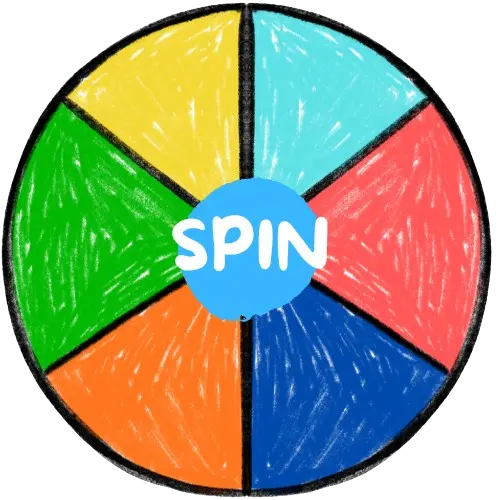
    Spin The Wheel - Free Random Picker

    Spin The Wheel - Free Random Picker

    A free spinning wheel for instant random decisions and fun
    349 PeerPush
    🥇 #1 of the Day
    11 comments
    $0 MRR
  4. #04
    iSchedulEDU

    iSchedulEDU

    Smarter Scheduling for Smarter Teaching

    309 PeerPush
    🥇 #1 of the Month
    9 comments
    3 product updates
  5. #05
    Trading Quiz for Learning Candlesticks

    Trading Quiz for Learning Candlesticks

    Free JS embed quiz - practice learning candlestick types!

    287 PeerPush
    🥇 #1 of the Day
    5 comments
    7 product updates
  6. #06
    Pen Note

    Pen Note

    All-in-one space to write notes and create AI quizzes

    203 PeerPush
    🥉 #3 of the Week
    -20% OFF
    51 comments
    1 product update
  7. #07
    Automated Marking for Teachers

    Automated Marking for Teachers

    Feedback Flows is an automated marking tool for educators.

    131 PeerPush
    🥉 #3 of the Week
    3 comments
  8. #08
    Free Quizzes to Unlock Your Finance IQ

    Free Quizzes to Unlock Your Finance IQ

    Test your habits, trading smarts, and scam-spotting skills.
    125 PeerPush
    🥈 #2 of the Day
    1 comment
    3 product updates
  9. #09
    pheebo

    pheebo

    Grammarly for your AI math

    100 PeerPush
    🔥 Trending
    1 comment
  10. #10

How we picked

We selected these tools by evaluating their uptime stability, ease of implementation in a classroom setting, and the quality of their instructional feedback loops. Our team prioritizes platforms that maintain active updates and offer clear documentation for educational staff. We look for a mix of open-source and professional versions to accommodate various budget constraints and school district requirements.

What to look for

  • Verify that the interface is intuitive enough for students and faculty to use without extensive technical training.
  • Prioritize solutions that function across web browsers and mobile devices to support remote and in-person learning.
  • Look for robust data export and analytical features to track student progress throughout the academic term.
  • Evaluate the level of documentation and community support available for troubleshooting during live lessons.
  • Check if the pricing model offers a permanent free tier or affordable licensing for educational institutions.
  • Ensure the tool supports diverse content types such as video, interactive quizzes, and collaborative note-taking.

Frequently asked questions

Which features are essential for modern classroom management software?

Effective classroom software must offer reliable automation for repetitive tasks like grading and attendance while providing interactive elements to keep students engaged. High-quality platforms include real-time feedback mechanisms and clear analytics that help instructors identify learning gaps immediately. Compatibility across different operating systems is also vital to ensure all students have equal access to the materials.

Can I find free digital resources for teaching and assessment?

An abundance of free and open-source software exists specifically for education, ranging from browser-based quiz generators to desktop teleprompters. Many developers offer these services as a public good or provide functional free versions alongside paid institutional tiers. Educators can build a comprehensive tech stack without a significant financial investment by leveraging these accessible community-driven tools.

How do educators choose between web-based and desktop applications?

Web-based applications offer superior flexibility for students switching between home and school devices, whereas desktop applications often provide more stability for offline instruction. Educators should evaluate their classroom hardware and internet reliability before committing to a specific format. Many modern services now offer synchronized experiences across web, desktop, and mobile platforms to provide the best of both worlds.

What is the benefit of using automated grading and feedback tools?

Automated marking reduces the time instructors spend on manual data entry, allowing for more individualized student interaction and lesson refinement. These systems provide students with immediate corrections and explanations, which reinforces learning much faster than traditional grading cycles. Advanced platforms also aggregate performance data to highlight which specific concepts the entire class may be struggling to master.

Are mobile-friendly teaching tools necessary for elementary and secondary education?

Mobile compatibility is increasingly important as students utilize tablets and smartphones for research and collaborative projects. Tools that work well on smaller screens ensure that learning can happen anywhere, whether in a laboratory, at home, or on a field trip. Ensuring cross-platform support prevents technical barriers from hindering the educational experience for students who do not have traditional computers.

What tools do Educators use?

Educators reach for tools that move fast, integrate cleanly, and respect their time. The shortlist on this page is curated with that in mind: pragmatic picks that balance capability with minimal friction.

How do Educators choose tools?

Fit with an existing stack, transparent pricing, and trust in the maker usually outweigh raw feature comparisons. Many Educators prefer tools with good documentation and active communities over the most feature-rich option.

Are there free tools for Educators?

Yes, free and freemium tools are well-represented for Educators. They are a strong starting point to validate a workflow before committing to a paid plan.