
Dependency Radar
Understand and audit your Node.js dependencies

Details
- Target Audience
- DevelopersSoftware DevelopersWeb Developers
- Pricing
- Free
About Dependency Radar
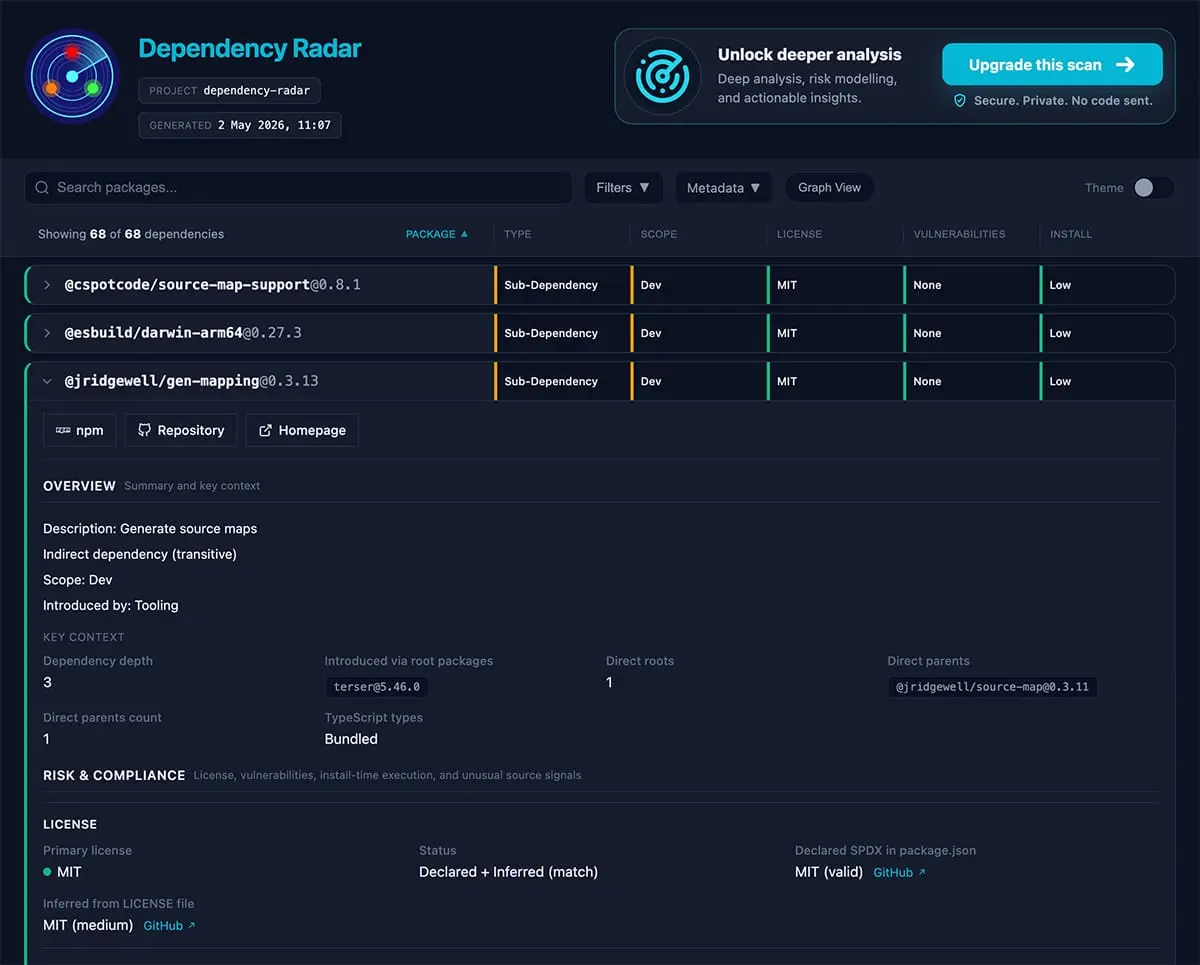
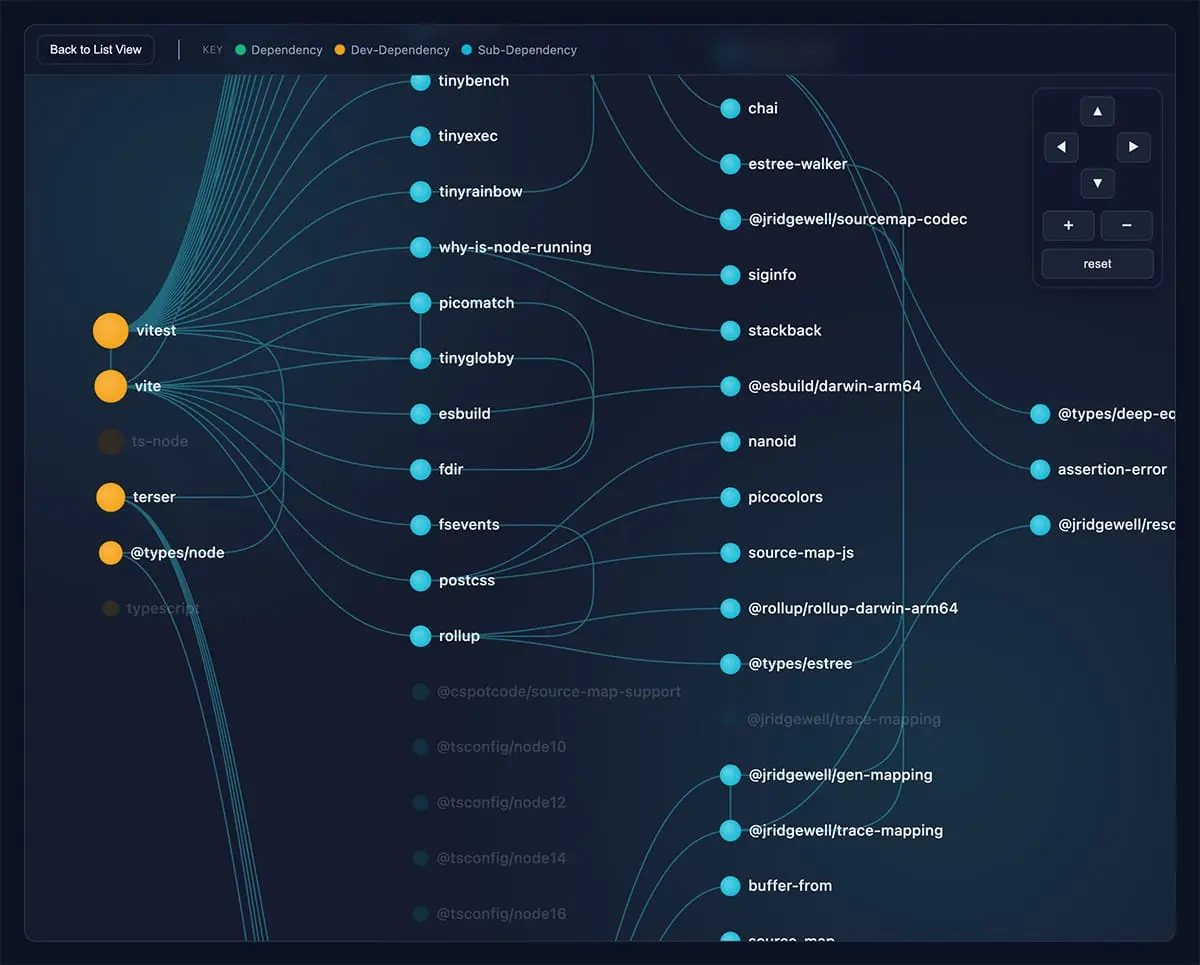
Dependency Radar is a free open-source CLI tool that scans JavaScript and TypeScript projects and generates a self-contained interactive HTML report. Run a single command and explore your dependency tree through searchable reports and interactive graph visualizations. Dependency Radar helps developers: - identify vulnerabilities and hidden risks - understand license compliance - visualize dependency relationships - detect deprecated or outdated packages - spot upgrade friction and dependency complexity - audit large monorepos and workspace-based projects It supports modern package managers and workspace setups including npm, pnpm, yarn, bun, and large monorepos. I originally built it after the company I work for needed a license audit before an acquisition, and most of the existing tools I found were outdated or struggled with modern repositories. There is also an optional premium service currently in closed beta that adds curated package intelligence and deeper dependency analysis.
Product Insights
Dependency Radar is a free open-source CLI and web-based tool designed for developers to audit Node.js ecosystems across major package managers including npm, pnpm, yarn, and bun. It provides interactive HTML reports and graph visualizations to manage licensing, vulnerabilities, and project complexity.
- Supports modern package managers including npm, pnpm, yarn, bun, and large monorepo structures.
- Generates self-contained interactive HTML reports with searchable dependency trees and graph visualizations.
- Provides built-in license compliance auditing and identification of deprecated or outdated packages.
- Offered as a free open-source tool with an optional premium service for curated package intelligence.
Ideal for: Developers and software engineers who need to perform license audits, identify vulnerabilities, or visualize dependency trees within JavaScript and TypeScript projects.
Screenshots
Reviews (2)
Average 5.0 out of 5
Based on 2 reviews


Comments (0)
No comments yet. Be the first to share your thoughts!